Printer Function
Perform the following steps to print out the display page using the
PRINT DISP mo de.
1. Connect the HP 4284A to the printer using the HP-IB cable.
2. Set the printer to the Listen Only mo de.
3. Set the talk only mo de to ON on the
SYSTEM CONFIG
page.
4.
Press
4
MEAS SETUP
5
and
NNNNNNNNNNNNNNNNNNNNNNNNNNNNNNNNNNN
LIMIT TABLE
to display the
LIMIT
TABLE SETUP
page.
5. Move the cursor to the
SYS MENU
eld.
6. Press
NNNNNNNNNNNNNNNNNNNNNNNNNN
more 1/2
.
7.
Press
NNNNNNNNNNNNNNNNNNNNNNNNNNNNNNNN
PRINT DISP
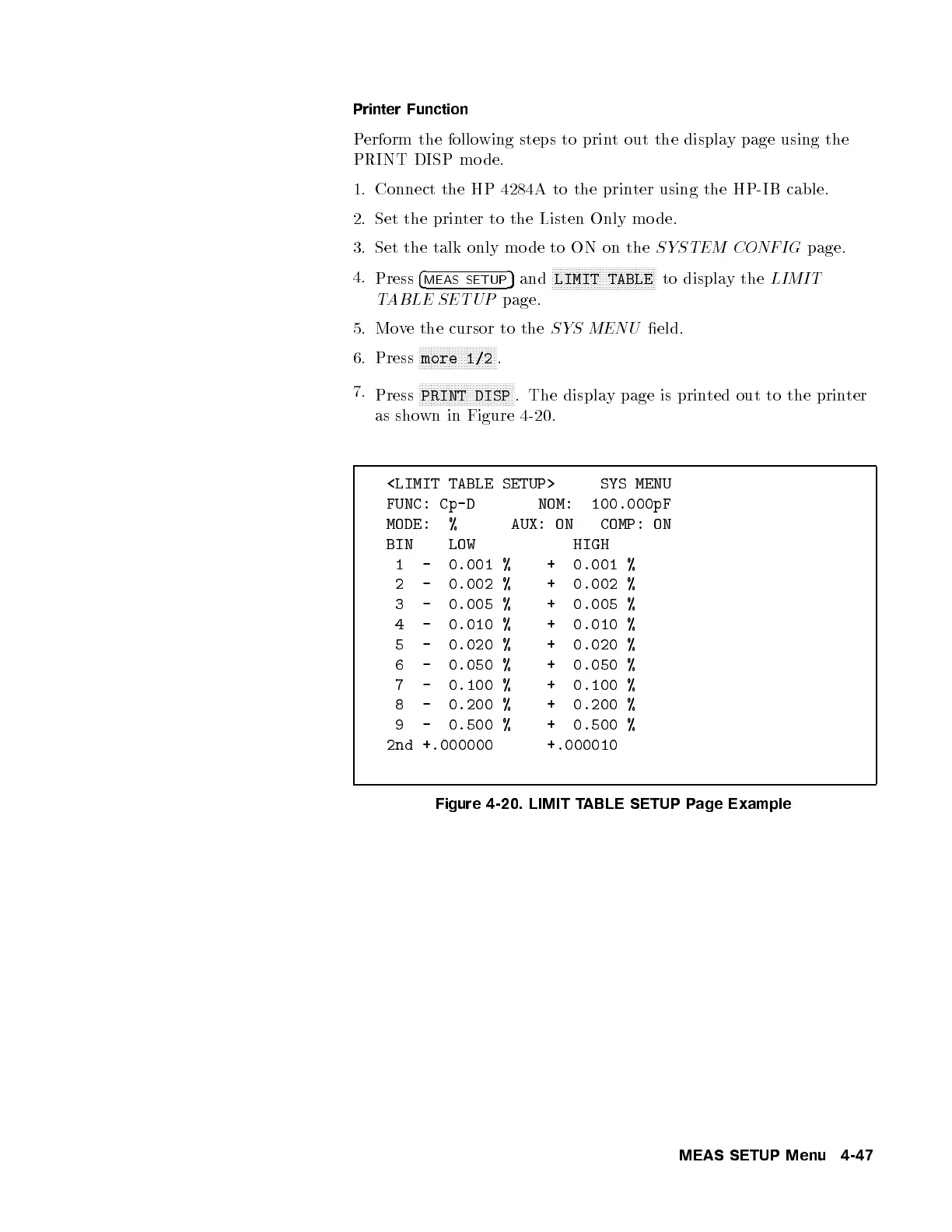
. The display page is printed out to the printer
as shown in Figure 4-20.
<LIMIT TABLE SETUP> SYS MENU
FUNC: Cp-D NOM: 100.000pF
MODE: % AUX: ON COMP: ON
BIN LOW HIGH
1 - 0.001 % + 0.001 %
2 - 0.002 % + 0.002 %
3 - 0.005 % + 0.005 %
4 - 0.010 % + 0.010 %
5 - 0.020 % + 0.020 %
6 - 0.050 % + 0.050 %
7 - 0.100 % + 0.100 %
8 - 0.200 % + 0.200 %
9 - 0.500 % + 0.500 %
2nd +.000000 +.000010
Figure 4-20. LIMIT TABLE SETUP Page Example
MEAS SETUP Menu 4-47



 To Next Page