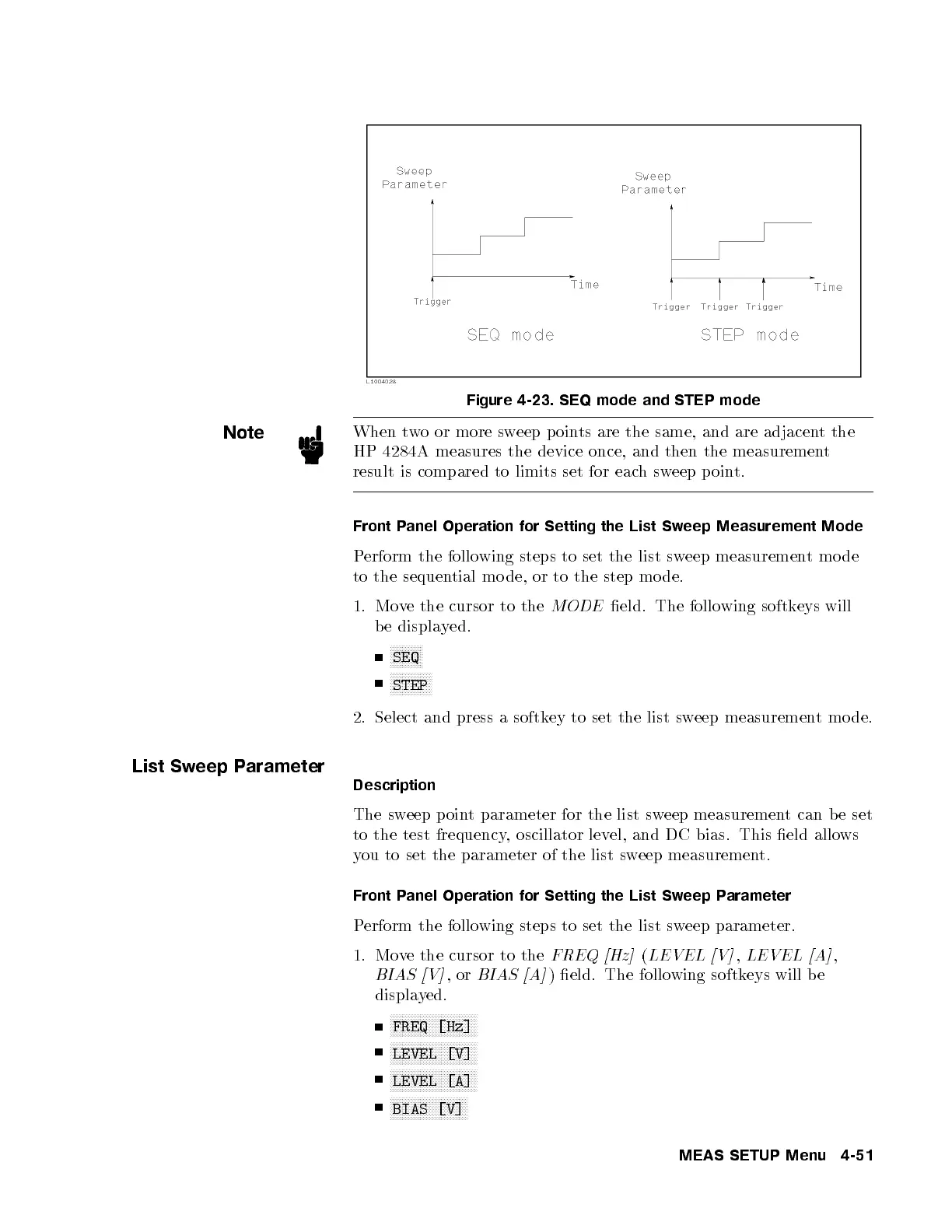
Figure 4-23. SEQ mode and STEP mode
Note
When two or more sweep p oints are the same, and are adjacent the
HP 4284A measures the device once, and then the measurement
result is compared to limits set for eachsweep p oint.
Front Panel Operation for Setting the List Sweep Measurement Mode
Perform the following steps to set the list sweep measurementmode
to the sequential mo de, or to the step mo de.
1. Move the cursor to the
MODE
eld. The following softkeys will
be displayed.
NNNNNNNNNNN
SEQ
NNNNNNNNNNNNNN
STEP
2. Select and press a softkey to set the list sw
eep measurement mo de.
List Sweep Parameter
Description
The sweep point parameter for the list sweep measurement can be set
to the test frequency, oscillator level, and DC bias. This eld allows
you to set the parameter of the list sw
eep measurement.
Front Panel Operation for Setting the List Sweep Parameter
Perform the following steps to set the list sweep parameter.
1. Move the cursor to the
FREQ [Hz]
(
LEVEL [V]
,
LEVEL [A]
,
BIAS [V]
,or
BIAS [A]
) eld. The following softkeys will b e
displayed.
NNNNNNNNNNNNNNNNNNNNNNNNNNNNN
FREQ [Hz]
NNNNNNNNNNNNNNNNNNNNNNNNNNNNN
LEVEL [V]
NNNNNNNNNNNNNNNNNNNNNNNNNNNNN
LEVEL [A]
NNNNNNNNNNNNNNNNNNNNNNNNNN
BIAS [V]
MEAS SETUP Menu 4-51



 To Next Page