NNNNNNNNNNNNNNNNNNNNNNNNNN
BIAS [A]
2. Select and press a softkey to set the list sweep measurementsweep
parameter.
Sweep Points and Limit
Mode
Description
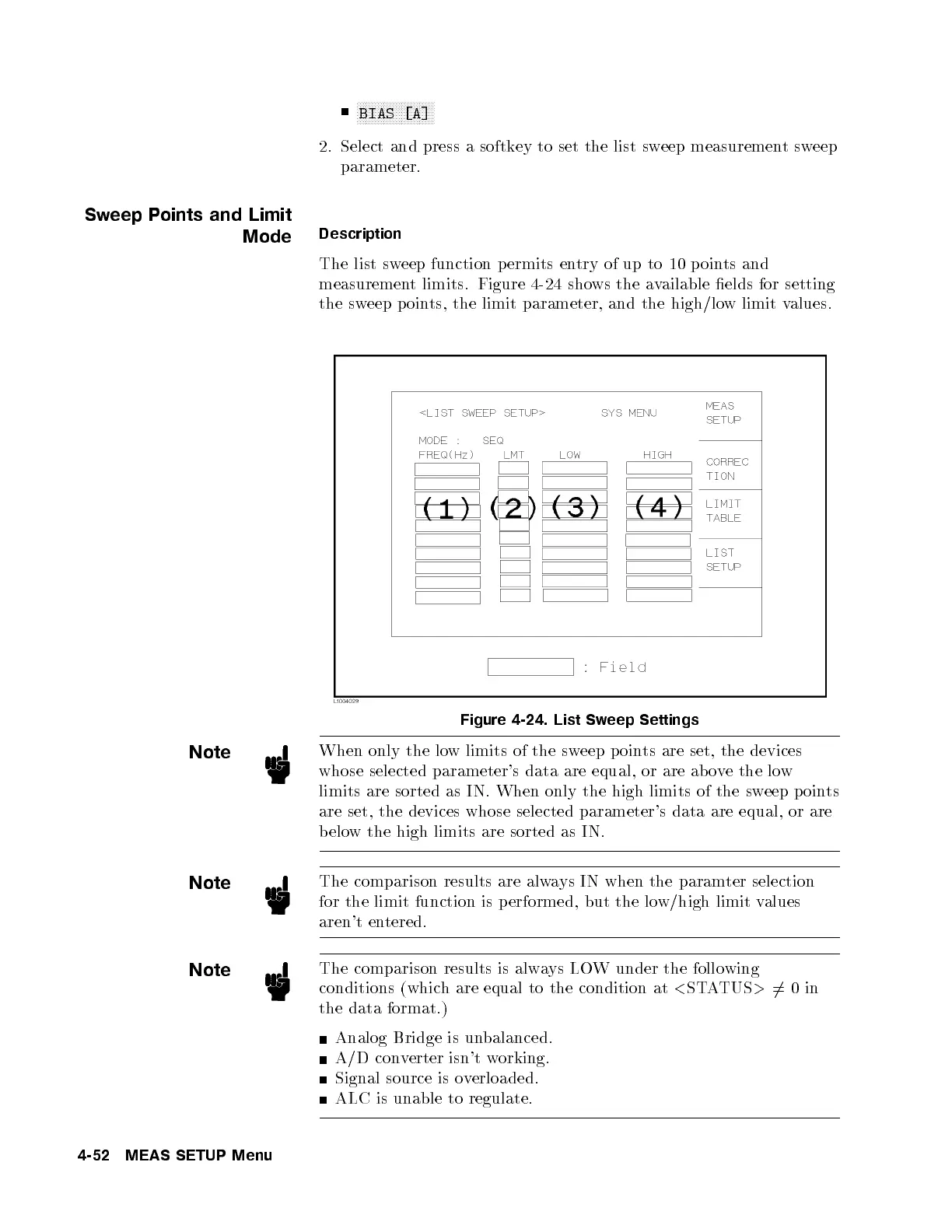
The list sweep function permits entry of up to 10 p oints and
measurement limits. Figure 4-24 shows the available elds for setting
the sweep p oints, the limit parameter, and the high/low limit values.
Figure 4-24. List Sweep Settings
Note
When only the low limits of the sweep p oints are set, the devices
whose selected parameter's data are equal, or are ab ove the low
limits are sorted as IN. When only the high limits of the sweep p oints
are set, the devices whose selected parameter's data are equal, or are
below the high limits are sorted as IN.
Note
The comparison results are always IN when the paramter selection
for the limit function is performed, but the low/high limit values
aren't entered.
Note
The comparison results is always LOW under the following
conditions (which are equal to the condition at
<
STATUS
>
6
=0in
the data format.)
Analog Bridge is unbalanced.
A/D converter isn't working.
Signal source is overloaded.
ALC is unable to regulate.
4-52 MEAS SETUP Menu



 To Next Page