Ventilation
Requirements
To ensure adequate ventilation, make sure that there is adequate
clearance around the HP 4284A.
Instruction for
Cleaning
To prevent electrical sho ck, disconnect the HP 4284A p ower cable
from the receptacle before cleaning. Use a dry cloth or a cloth
slightly dipp ed in water to clean the casing. Do not attempt to clean
the HP 4284A internally.
Rack/Handle
Installation
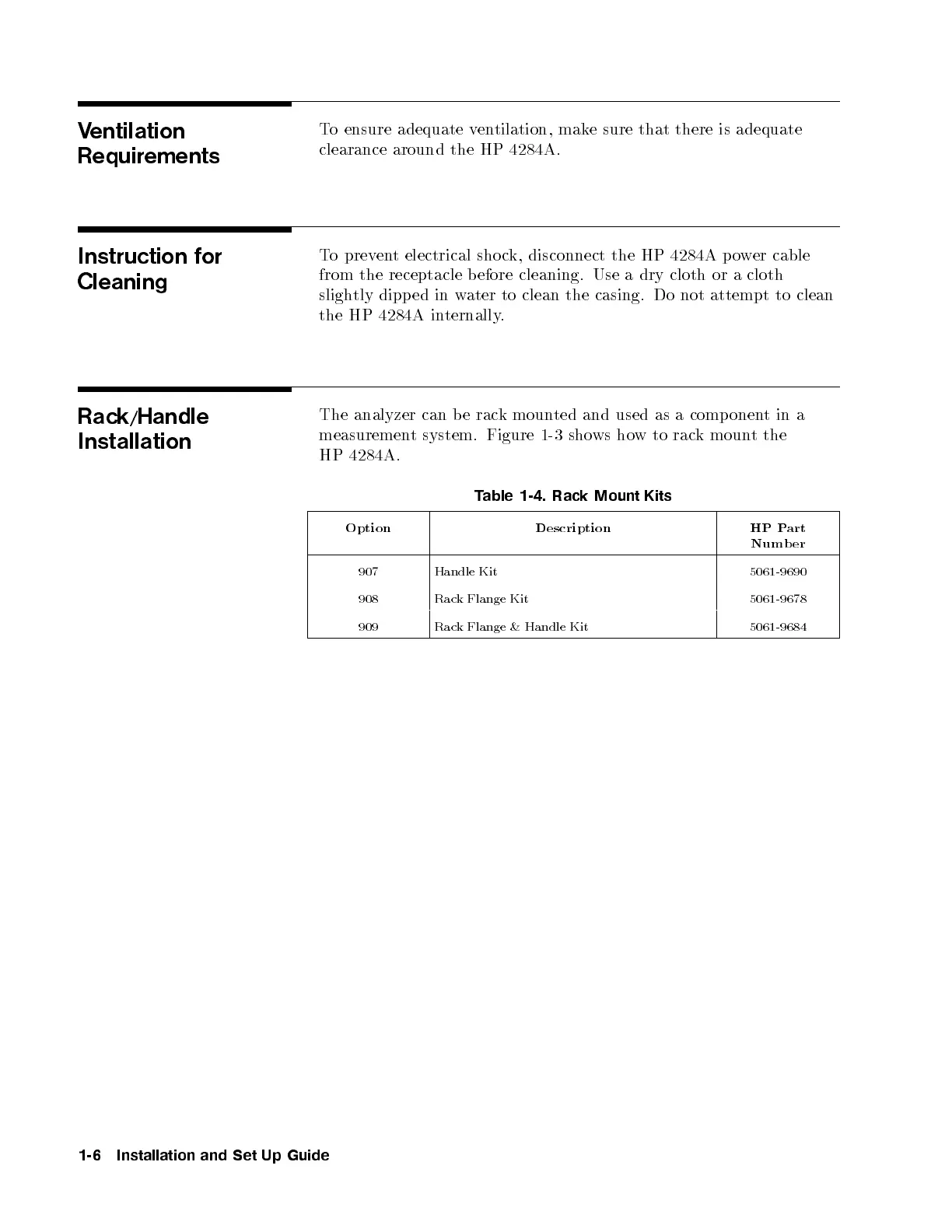
The analyzer can b e rack mounted and used as a comp onentina
measurement system. Figure 1-3 shows how to rack mount the
HP 4284A.
Table 1-4. Rack Mount Kits
Option Description HP Part
Numb er
907 Handle Kit 5061-9690
908 Rack Flange Kit 5061-9678
909 Rack Flange & Handle Kit 5061-9684
1-6 Installation and Set Up Guide



 To Next Page