8. IF 24 dB Gain/Phase Adjustment
The purpose of this procedure is to adjust the gain/phase of third IF.
Note
HP VEE Adjustment Program is not required in this adjustment. Follow the
procedures below and adjust proper item using the internal adjustment test.
Required Equipment
Type-N Cable,61cm
::: :::: ::::: :::: ::::: :::: :::: ::::: :::: ::::
HP 11500B or part of HP 11851B
Procedure
1. Turn the HP 4395A OFF.
2. To gain access to the adjustment components, remove the right side cover of the HP 4395A.
3. Turn the HP 4395A ON.
4. Press
4
System
5
,
NNNNNNNNNNNNNN
MORE
,
NNNNNNNNNNNNNNNNNNNNNNNNNNNNNNNNNNNNNNNNN
SERVICE TESTS
,
NNNNNNNNNNNNNNNNNNNNNNNNNNNNNNNNNNNNNNNNNNNNNNNNNN
ADJUSTMENT TESTS
to display the internal
adjustment tests menu.
5. Press
4
6
5
,
4
6
5
or use
4
*
5
/
4
+
5
to select the internal adjustment test 66: A8 GAIN/PHASE ADJ
.
6.
Press
NNNNNNNNNNNNNNNNNNNNNNNNNNNNNNNNNNNNNN
EXECUTE TEST
to run the test.
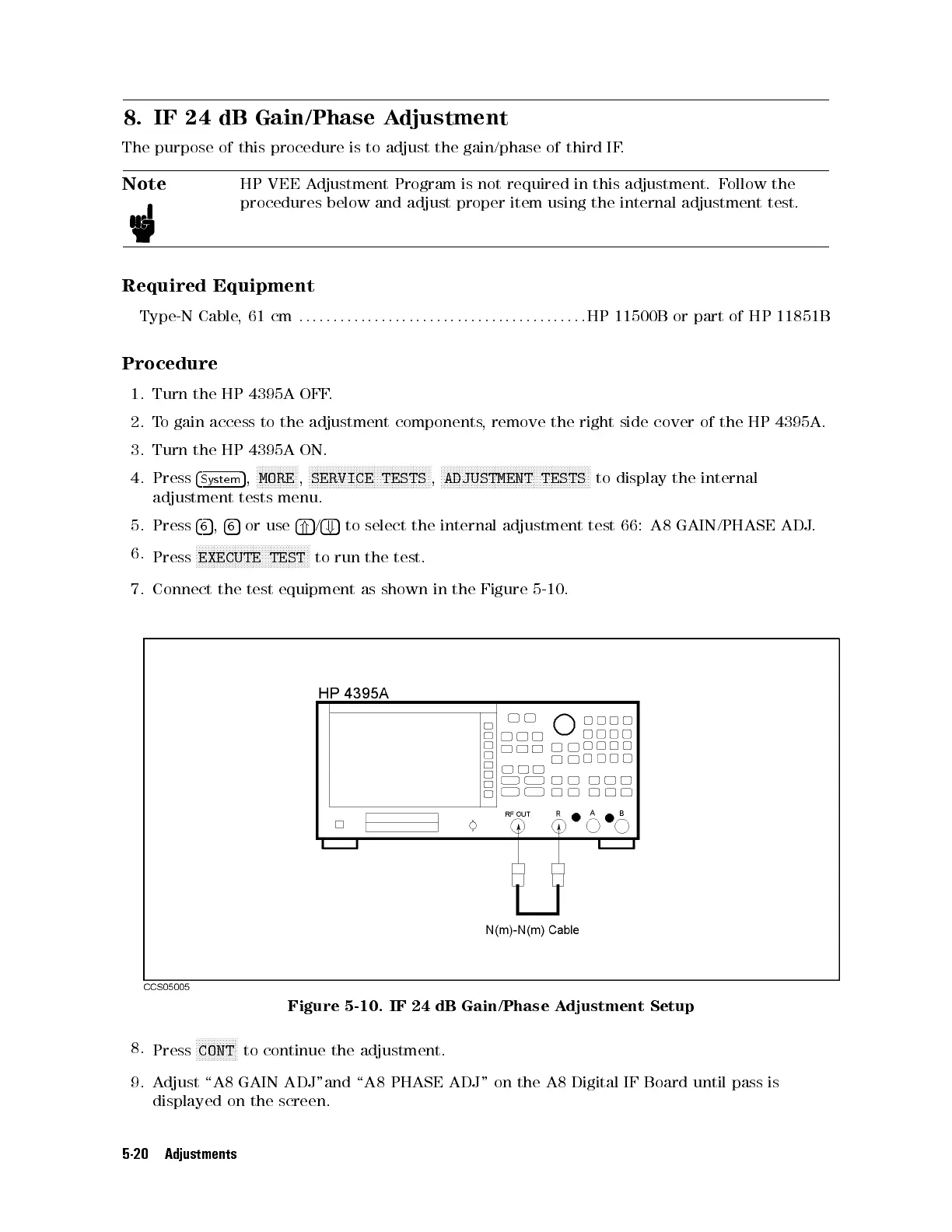
7. Connect the test equipment as shown in the Figure 5-10.
Figure 5-10. IF 24 dB Gain/Phase Adjustment Setup
8.
Press
NNNNNNNNNNNNNN
CONT
to continue the adjustment.
9. Adjust \A8 GAIN ADJ"and \A8 PHASE ADJ" on the A8 Digital IF Board until pass is
displayed on the screen.
5-20 Adjustments



 To Next Page