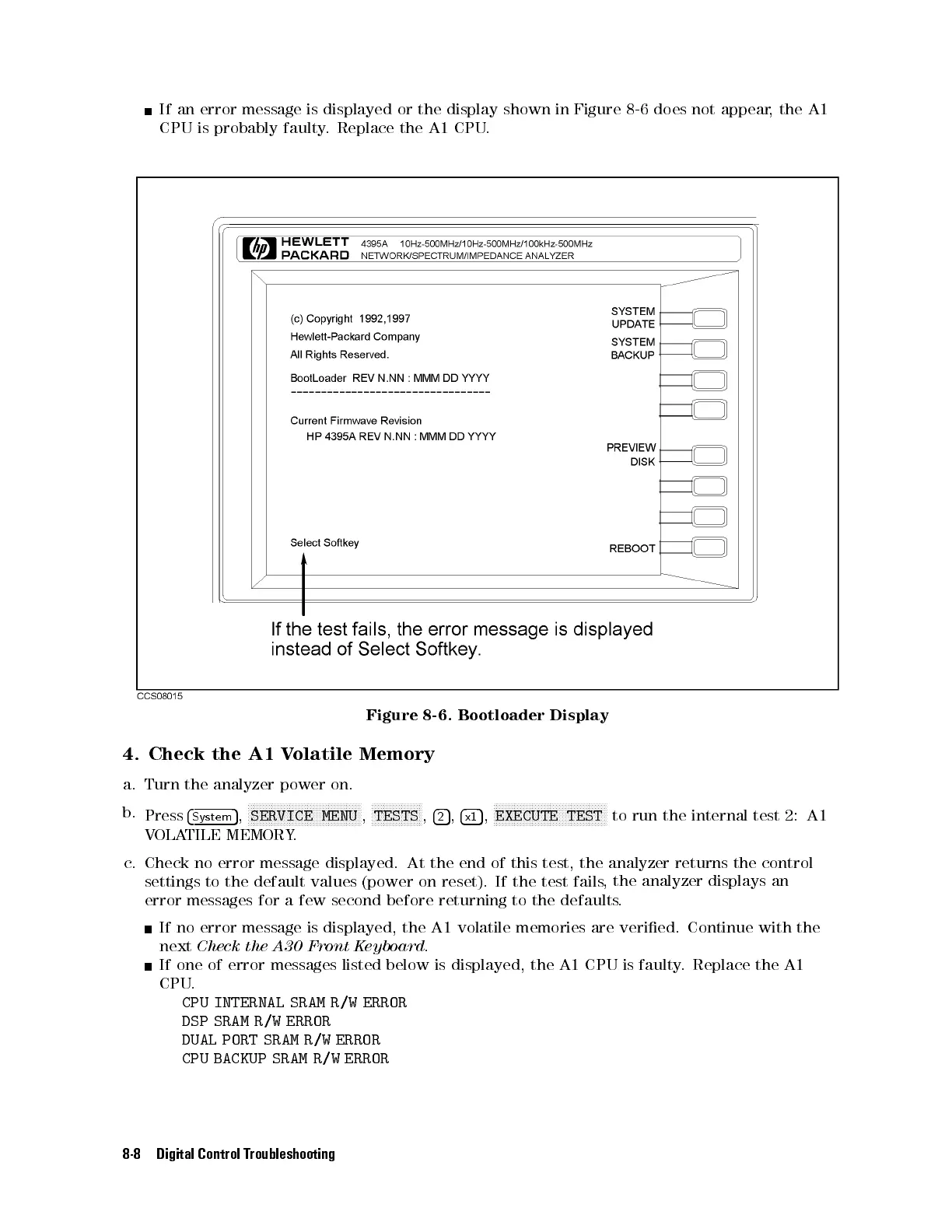
If an error message is displayed or the display shown in Figure 8-6 does not appear, the A1
CPU is probably faulty. Replace the A1 CPU.
Figure 8-6. Bootloader Display
4. Check the A1 Volatile Memory
a. Turn the analyzer power on.
b.
Press
4
System
5
,
NNNNNNNNNNNNNNNNNNNNNNNNNNNNNNNNNNNNNN
SERVICE MENU
,
NNNNNNNNNNNNNNNNN
TESTS
,
4
2
5
,
4
x1
5
,
NNNNNNNNNNNNNNNNNNNNNNNNNNNNNNNNNNNNNN
EXECUTE TEST
to run the internal test 2: A1
VOLATILE MEMORY.
c. Check no error message displayed. At the end of this test, the analyzer returns the control
settings to the default values (power on reset). If the test fails
, the analyzer displays an
error messages for a few second before returning to the defaults.
If no error message is displayed, the A1 volatile memories are veried. Continue with the
next
Check the A30 Front Keyboard.
If one of error messages listed below is displayed, the A1 CPU is faulty. Replace the A1
CPU.
CPU INTERNAL SRAM R/W ERROR
DSP SRAM R/W ERROR
DUAL PORT SRAM R/W ERROR
CPU BACKUP SRAM R/W ERROR
8-8 Digital Control Troubleshooting



 To Next Page