PERFORMANCE TESTS
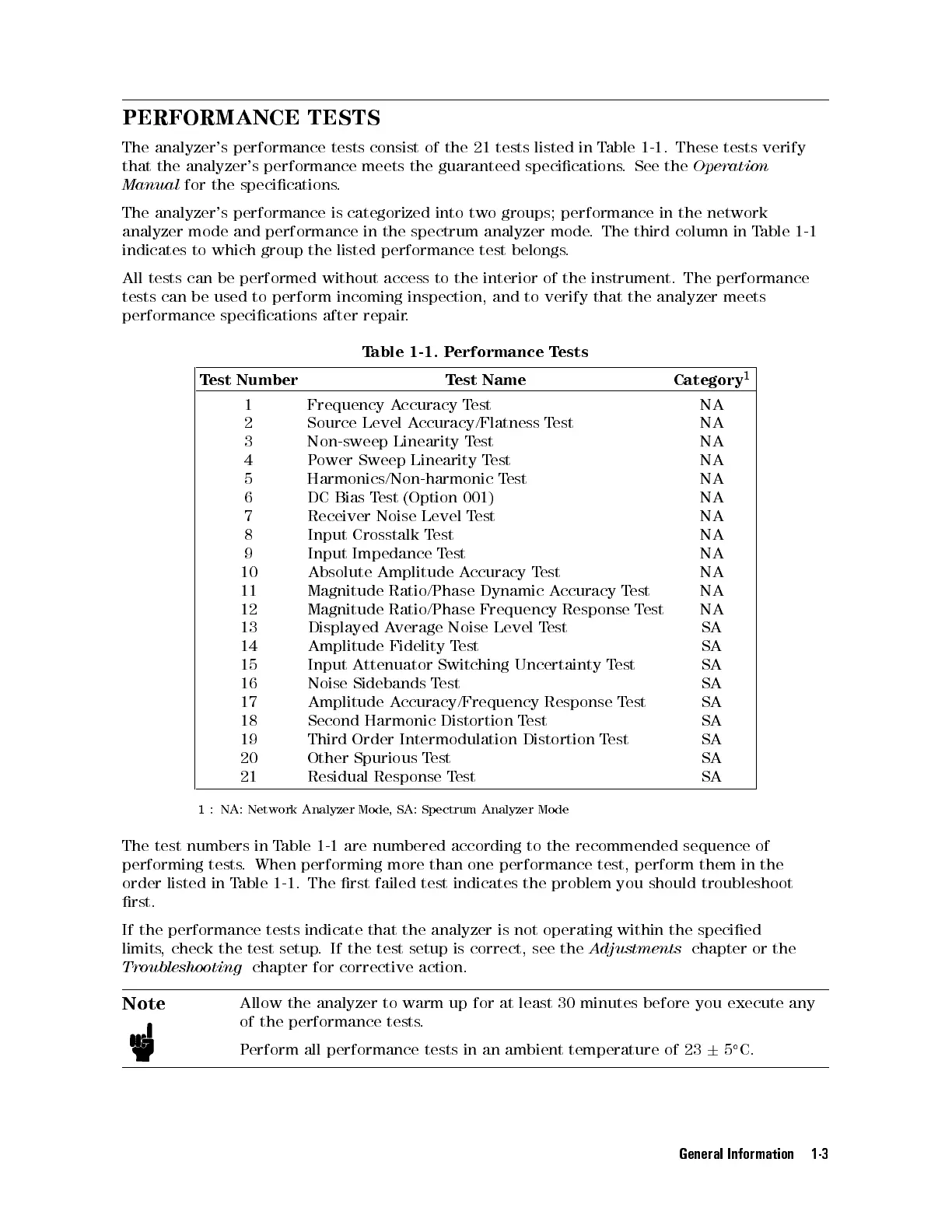
The analyzer's performance tests consist of the 21 tests listed in Table 1-1 . These tests verify
that the analyzer's performance meets the guaranteed specications. See the
Operation
Manual
for the specications.
The analyzer's performance is categorized into two groups; performance in the network
analyzer mode and performance in the spectrum analyzer mode. The third column in Table 1-1
indicates to which group the listed performance test belongs.
All tests can be performed without access to the interior of the instrument. The performance
tests can be used to perform incoming inspection, and to verify that the analyzer meets
performance specications after repair.
Table 1-1. Performance Tests
Test Number Test Name Category
1
1 Frequency Accuracy Test NA
2 Source Level Accuracy/Flatness Test NA
3 Non-sweep Linearity Test NA
4 Power Sweep Linearity Test NA
5 Harmonics/Non-harmonic Test NA
6 DC Bias Test (Option 001) NA
7 Receiver Noise Level Test NA
8 Input Crosstalk Test NA
9 Input Impedance Test NA
10 Absolute Amplitude Accuracy Test NA
11 Magnitude Ratio/Phase Dynamic Accuracy Test NA
12 Magnitude Ratio/Phase Frequency Response Test NA
13 Displayed Average Noise Level Test SA
14 Amplitude Fidelity Test SA
15 Input Attenuator Switching Uncertainty Test SA
16 Noise Sidebands Test SA
17 Amplitude Accuracy/Frequency Response Test SA
18 Second Harmonic Distortion Test SA
19 Third Order Intermodulation Distortion Test SA
20 Other Spurious Test SA
21 Residual Response Test SA
1
: NA: Network Analyzer Mode, SA: Spectrum Analyzer Mode
The test numbers in Table 1-1 are numbered according to the recommended sequence of
performing tests. When performing more than one performance test, perform them in the
order listed in Table 1-1 . The rst failed test indicates the problem you should troubleshoot
rst.
If the performance tests indicate that the analyzer is not operating within the specied
limits, check the test setup. If the test setup is correct, see the
Adjustments
chapter or the
Troubleshooting
chapter for corrective action.
Note
Allow the analyzer to warm up for at least 30 minutes before you execute any
of the performance tests.
Perform all performance tests in an ambient temperature of 23
6
5
C.
General Information 1-3


 To Next Page
 Loading...







