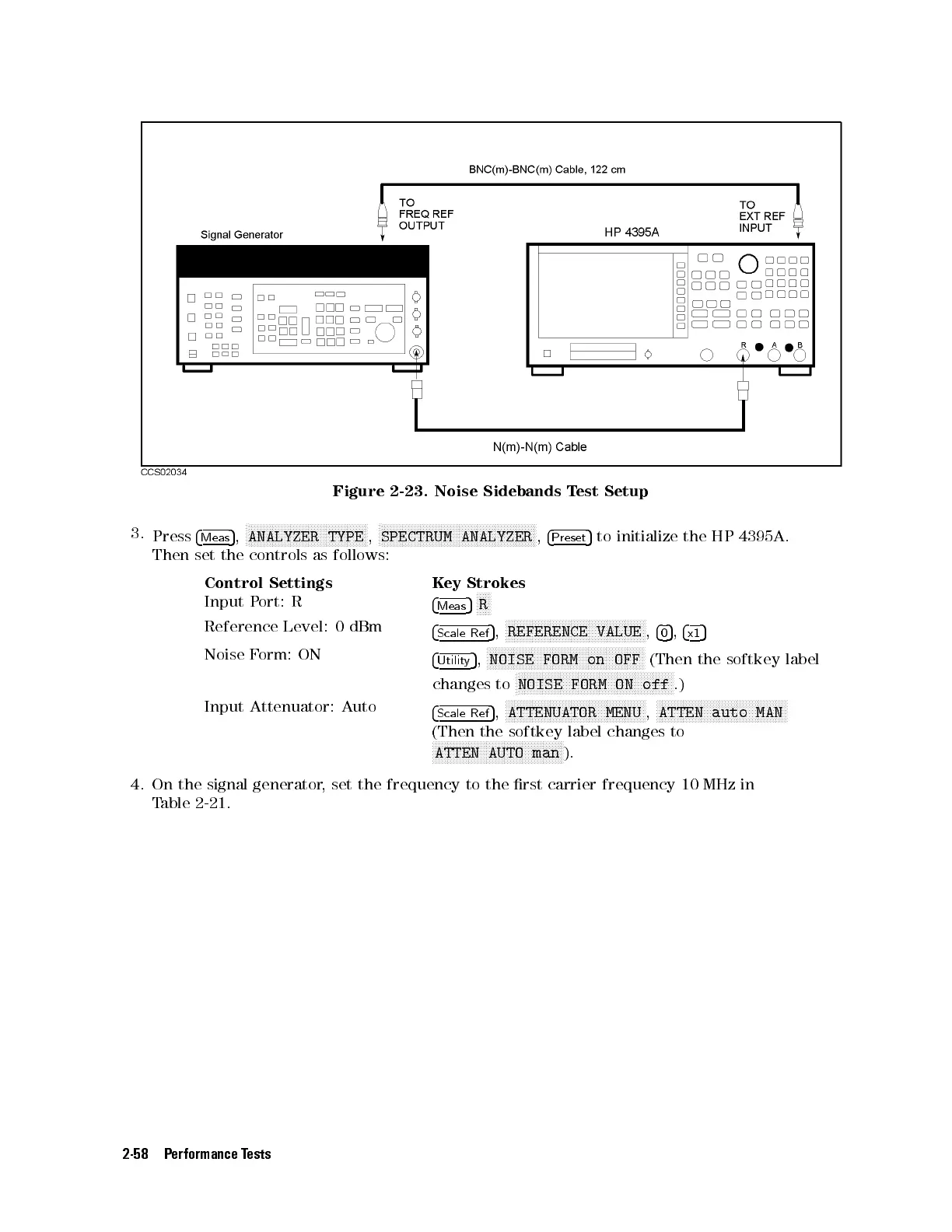
Figure 2-23. Noise Sidebands Test Setup
3.
Press
4
Meas
5
,
N
NNNNNNNNNNNNNNNNNNNNNNNNNNNNNNNNNNNNNNNN
ANALYZER TYPE
,
N
NNNNNNNNNNNNNNNNNNNNNNNNNNNNNNNNNNNNNNNNNNNNNNNNNNNN
SPECTRUM ANALYZER
,
4
Preset
5
to initialize the HP 4395A.
Then set the controls as follows:
Control Settings Key Strokes
Input Port: R
4
Meas
5
NNNNN
R
Reference Level: 0 dBm
4
Scale Ref
5
,
NNNNNNNNNNNNNNNNNNNNNNNNNNNNNNNNNNNNNNNNNNNNNNN
REFERENCE VALUE
,
4
0
5
,
4
x1
5
Noise Form: ON
4
Utility
5
,
NNNNNNNNNNNNNNNNNNNNNNNNNNNNNNNNNNNNNNNNNNNNNNNNNNNNN
NOISE FORM on OFF
(Then the softkey label
changes to
N
NNNNNNNNNNNNNNNNNNNNNNNNNNNNNNNNNNNNNNNNNNNNNNNNNNNN
NOISE FORM ON off
.)
Input Attenuator: Auto
4
Scale Ref
5
,
NNNNNNNNNNNNNNNNNNNNNNNNNNNNNNNNNNNNNNNNNNNNNNN
ATTENUATOR MENU
,
NNNNNNNNNNNNNNNNNNNNNNNNNNNNNNNNNNNNNNNNNNNN
ATTEN auto MAN
(Then the softkey label changes to
NNNNNNNNNNNNNNNNNNNNNNNNNNNNNNNNNNNNNNNNNNNN
ATTEN AUTO man
).
4. On the signal generator, set the frequency to the rst carrier frequency 10 MHz in
Table 2-21 .
2-58 Performance Tests



 To Next Page