vi. Record the delta marker reading in the performance test record.
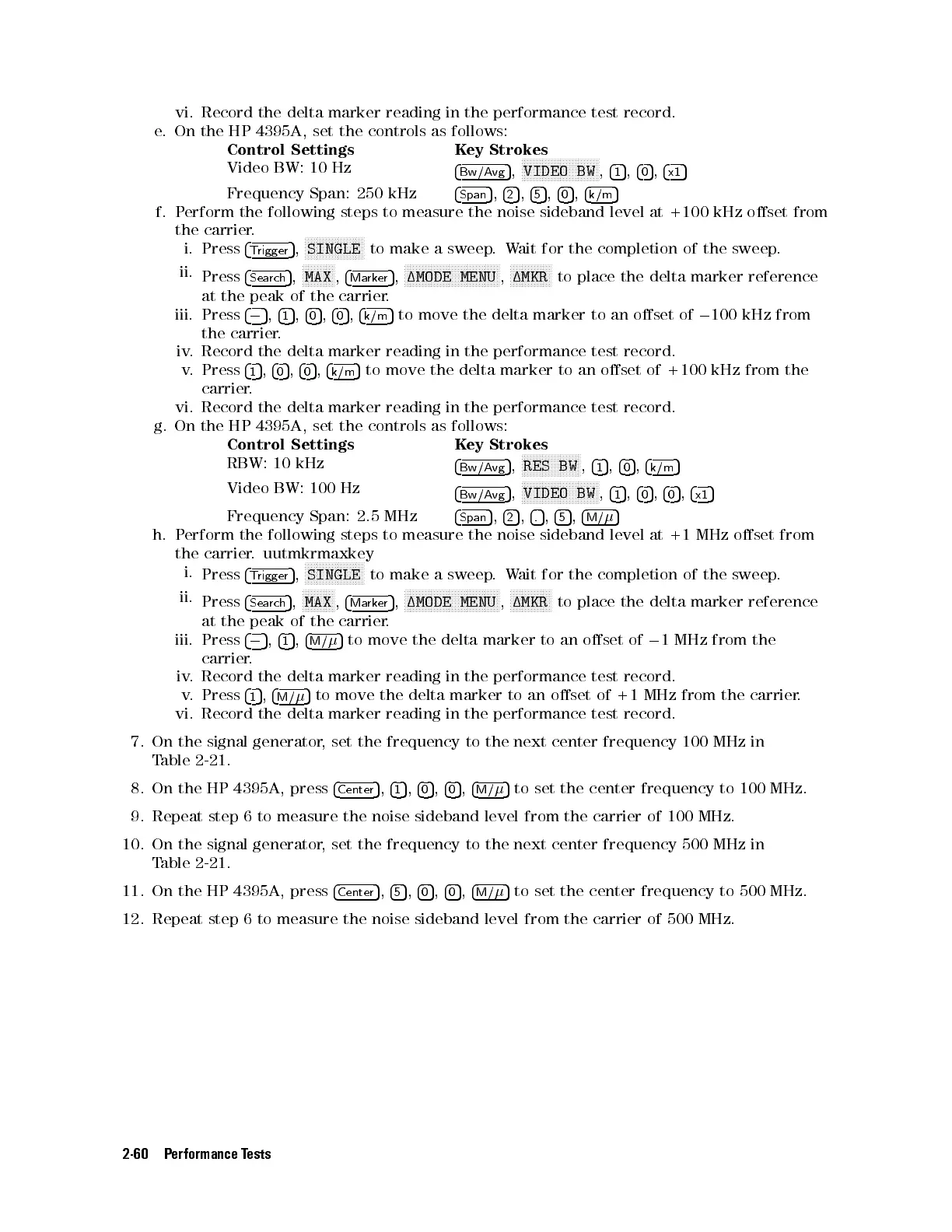
e. On the HP 4395A, set the controls as follows:
Control Settings Key Strokes
Video BW: 10 Hz
4
Bw/Avg
5
,
NNNNNNNNNNNNNNNNNNNNNNNNNN
VIDEO BW
,
4
1
5
,
4
0
5
,
4
x1
5
Frequency Span: 250 kHz
4
Span
5
,
4
2
5
,
4
5
5
,
4
0
5
,
4
k/m
5
f. Perform the following steps to measure the noise sideband level at +100 kHz oset from
the carrier.
i. Press
4
Trigger
5
,
NNNNNNNNNNNNNNNNNNNN
SINGLE
to make a sweep.Wait for the completion of the sweep.
ii.
Press
4
Search
5
,
NNNNNNNNNNN
MAX
,
4
Marker
5
,
NNNNNNNNNNNNNNNNNNNNNNNNNNNNNNNN
1MODE MENU
,
NNNNNNNNNNNNNN
1MKR
to place the delta marker reference
at the peak of the carrier.
iii. Press
4
0
5
,
4
1
5
,
4
0
5
,
4
0
5
,
4
k/m
5
to move the delta marker to an oset of
0
100 kHz from
the carrier.
iv. Record the delta marker reading in the performance test record.
v. Press
4
1
5
,
4
0
5
,
4
0
5
,
4
k/m
5
to move the delta marker to an oset of +100 kHz from the
carrier.
vi. Record the delta marker reading in the performance test record.
g. On the HP 4395A, set the controls as follows:
Control Settings Key Strokes
RBW: 10 kHz
4
Bw/Avg
5
,
NNNNNNNNNNNNNNNNNNNN
RES BW
,
4
1
5
,
4
0
5
,
4
k/m
5
Video BW: 100 Hz
4
Bw/Avg
5
,
NNNNNNNNNNNNNNNNNNNNNNNNNN
VIDEO BW
,
4
1
5
,
4
0
5
,
4
0
5
,
4
x1
5
Frequency Span: 2.5 MHz
4
Span
5
,
4
2
5
,
4
.
5
,
4
5
5
,
4
M/
5
h. Perform the following steps to measure the noise sideband level at +1 MHz oset from
the carrier. uutmkrmaxkey
i.
Press
4
Trigger
5
,
N
NNNNNNNNNNNNNNNNNNN
SINGLE
to make a sweep.Wait for the completion of the sweep.
ii.
Press
4
Search
5
,
NNNNNNNNNNN
MAX
,
4
Marker
5
,
NNNNNNNNNNNNNNNNNNNNNNNNNNNNNNNN
1MODE MENU
,
NNNNNNNNNNNNNN
1MKR
to place the delta marker reference
at the peak of the carrier.
iii. Press
4
0
5
,
4
1
5
,
4
M/
5
to move the delta marker to an oset of
0
1 MHz from the
carrier.
iv. Record the delta marker reading in the performance test record.
v. Press
4
1
5
,
4
M/
5
to move the delta marker to an oset of +1 MHz from the carrier
.
vi. Record the delta marker reading in the performance test record.
7. On the signal generator, set the frequency to the next center frequency 100 MHz in
Table 2-21 .
8. On the HP 4395A, press
4
Center
5
,
4
1
5
,
4
0
5
,
4
0
5
,
4
M/
5
to set the center frequency to 100 MHz.
9. Repeat step 6 to measure the noise sideband level from the carrier of 100 MHz.
10. On the signal generator, set the frequency to the next center frequency 500 MHz in
Table 2-21 .
11. On the HP 4395A, press
4
Center
5
,
4
5
5
,
4
0
5
,
4
0
5
,
4
M/
5
to set the center frequency to 500 MHz.
12. Repeat step 6 to measure the noise sideband level from the carrier of 500 MHz.
2-60 Performance Tests


 To Next Page
 Loading...







