ENWW Chapter 2: Printing Tasks 31
Loading the 500-Sheet Tray (Optional)
The following instructions are for
loading standard sizes in a 500-sheet
tray (optional). For supported sizes of
paper, see page A-6. To load
custom-sizes, see page 47.
Note
To avoid paper jams, do not load trays
while the printer is printing.
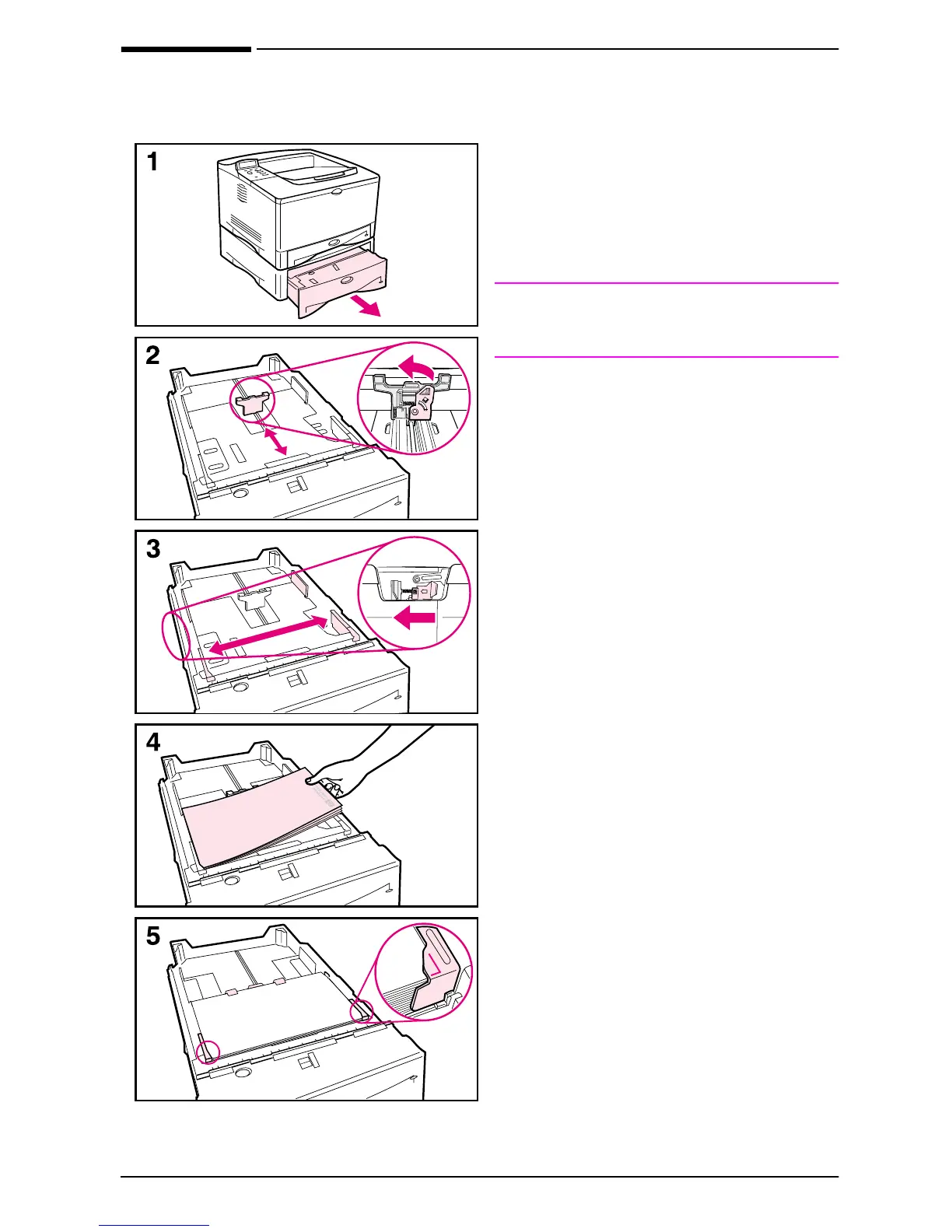
1 Pull the tray completely out of the
printer and place it on a flat surface.
2 Squeeze the release on the back of
the rear paper guide. Slide the guide
to the desired paper size.
3 Squeeze the release on the outside
of the left guide and adjust the left
and right guides to match the width
of the paper. The guides should
touch the paper without bending it.
4 Load the tray. For correct
orientation, see page 39.
5 Make sure the paper is flat in the tray
at all four corners and below the tabs
on the guides.
Continued on the next page.



 To Next Page