36 Chapter 2: Printing Tasks ENWW
Paper Orientation for Printing Both Sides of Paper
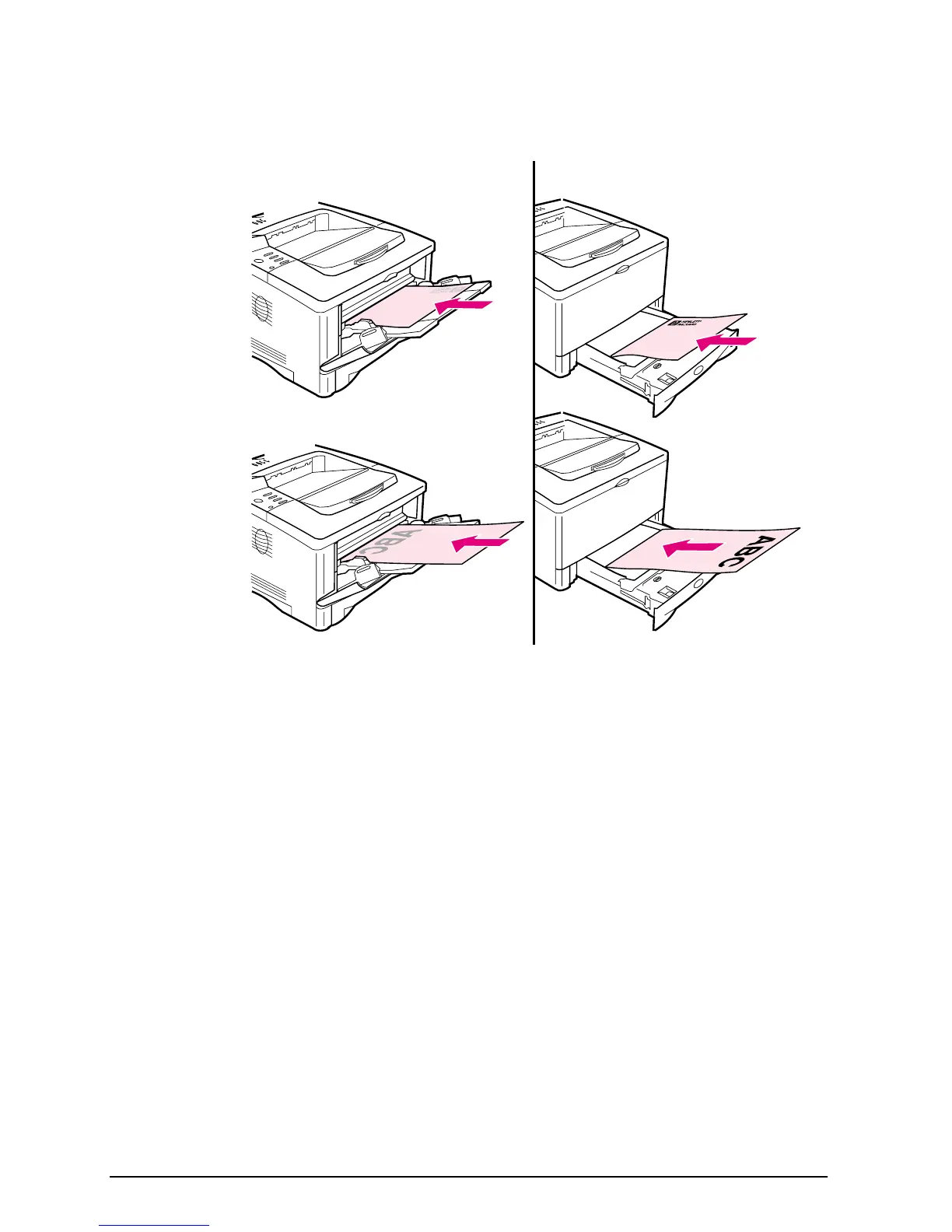
The duplexer prints the second side of paper first, so paper such as
letterhead, prepunched, and preprinted paper need to be oriented
as shown in Figure 9.
Figure 9 Paper Orientation for Printing Both Sides of Paper
For Tray 1, load the first side facing down.
• Load letter, A4, A5, Executive, and B5 paper with the top, short
edge toward the right.
• Load other sizes with the top, short edge toward the printer.
For all other trays, load the first side facing up.
• Load letter, A4, A5, Executive, and B5 paper with the top, short
edge toward the right.
• Load other sizes with the top, short edge toward the front of the
tray.
Tray 1
All other trays



 To Next Page