EasyManua.ls Logo

HP 9825A - Page 18

HP 9825A
56 pages
Print Icon
To Next Page IconTo Next Page
To Previous Page IconTo Previous Page
Loading...
5-2
9825A1B Diagnostics
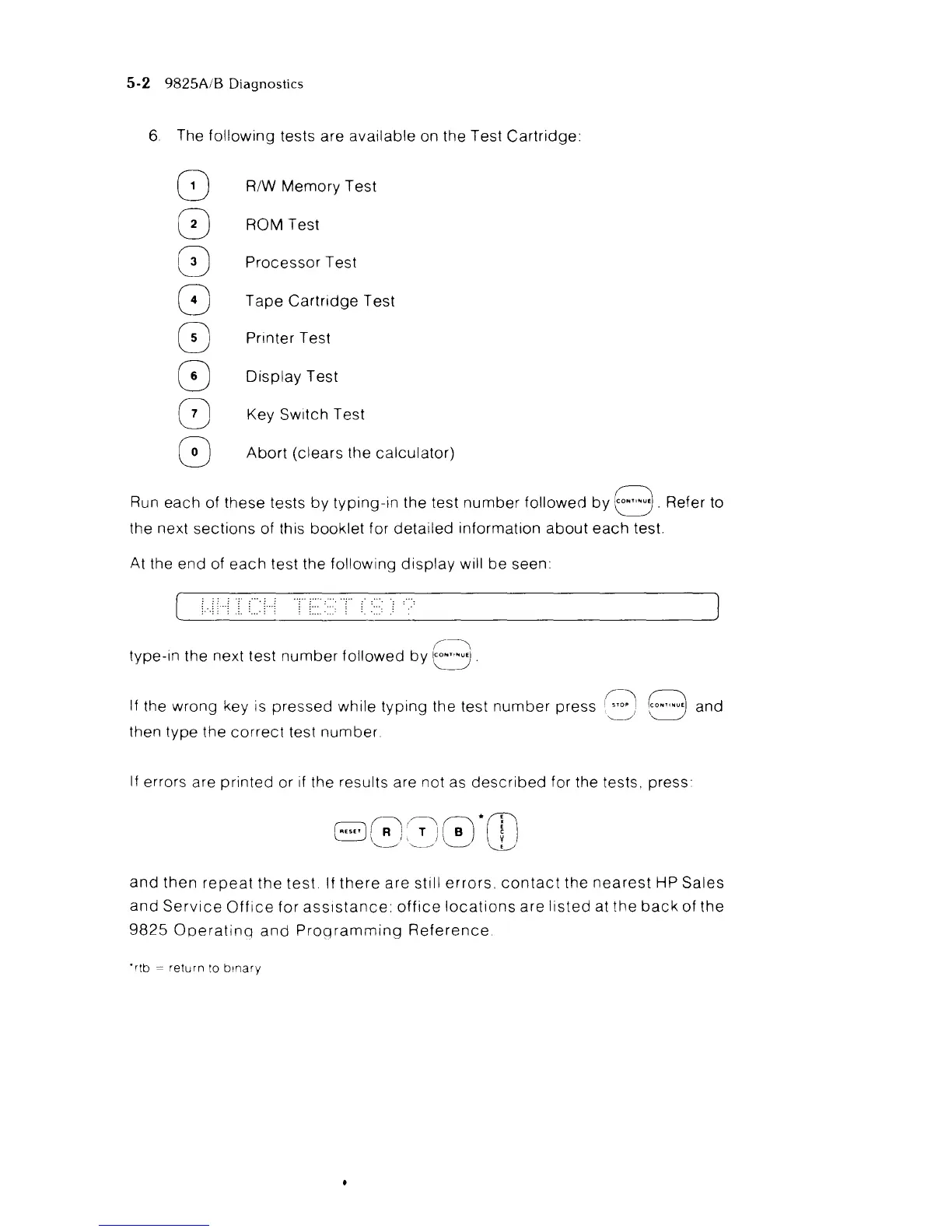
6 The
following
tests are available on the Test
Cartridge:
8 R/W Memory Test
8 ROM Test
8
Processor
Test
8 T
ape
Cartridge
Test
8 Printer Test
8
Display
Test
o Key Switch Test
8
Abort
(clears the
calculator)
Run each of these tests
by
typing-in
the test
number
followed
by
8.
Refer to
the next
sections
of this booklet for
detailed
information
about
each
test.
At the end of
each
test the following
display
will
be
seen:
(~
type-in the next test
number
followed
by
t:::J.
If the
wrong
key is
pressed
while
typing
the test
number
press
!r::\
8°·,,·u.
and
~
then
type
the
correct
test
number
If errors are
printed
or if the results are not as
described
for the tests. press
and
then
repeat
the
test
If
there
are
still
errors.
contact
the
nearest
HP
Sales
and
Service
Office
for
assistance:
office
locations
are
listed
at
the
back
of
the
9825
Operating
and
Programming
Reference
"rtb
=
return
to
binary

Related product manuals