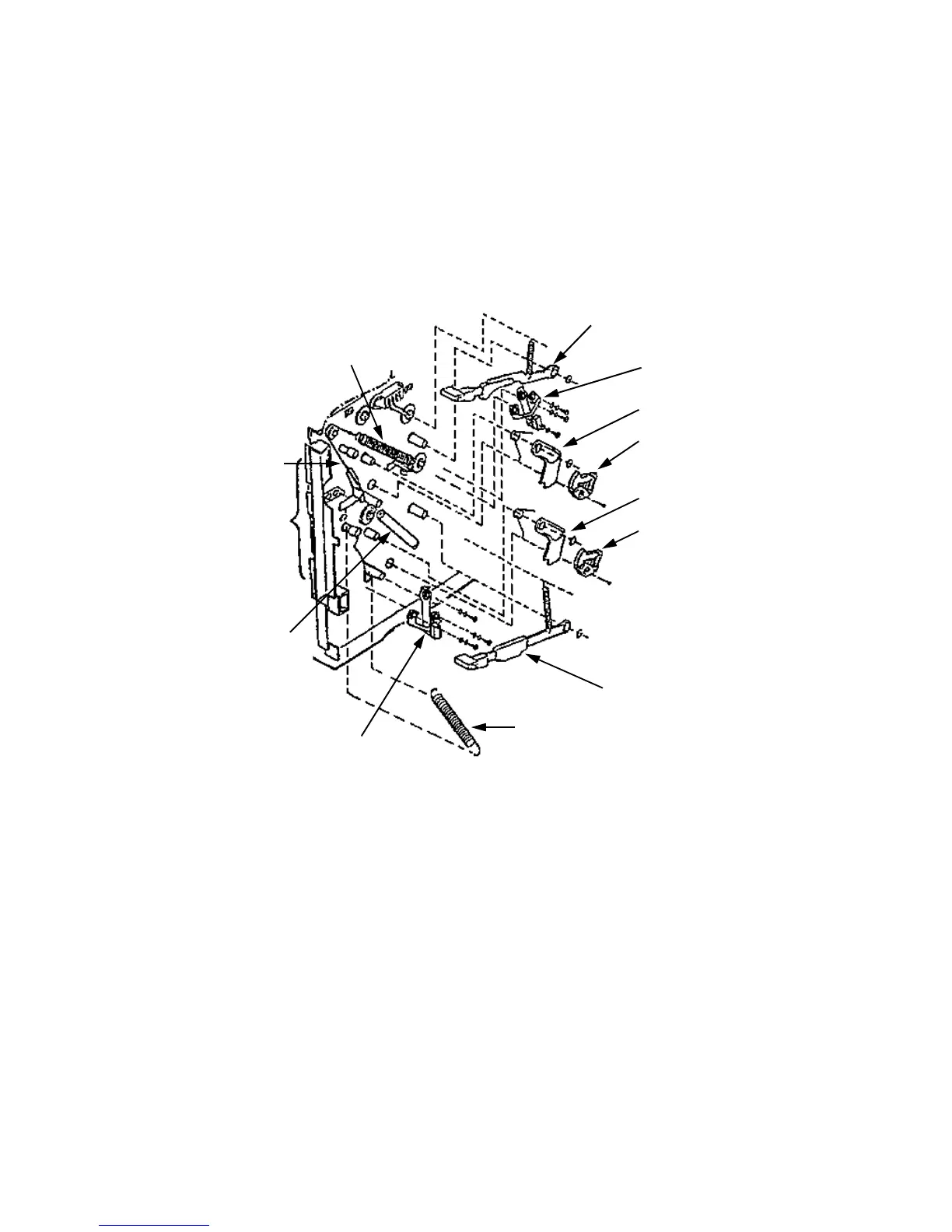
Upper Cassette Mount Removal
June 1999 Removal/Replacement Procedures 7-43
13 For the tray release mechanisms:
• Remove the upper and lower cassette release levers (one spring and C-clip each).
• Set the paper tension levers to their minimum (–) position.
• Carefully release the cable tension springs from their cables (only included on
more recent versions of the printer); remove the springs and cables.
• Remove the upper and lower latches (one spring and C-clip each).
• Remove the upper and lower cams (one screw each).
14 Disengage the top of the damper assembly. Push it to the right out of the way.
Upper Paper
Upper Latch
Upper Cam
Lower Cam
Lower Cassette
Release Lever
Cable Tension Spring
Damper
Edge
Guide
Cable
Cable Tension Spring
Lower Latch
Tension Lever
Assembly
Upper Cassette
Release Lever
Lower Paper
Tension Lever



 To Next Page