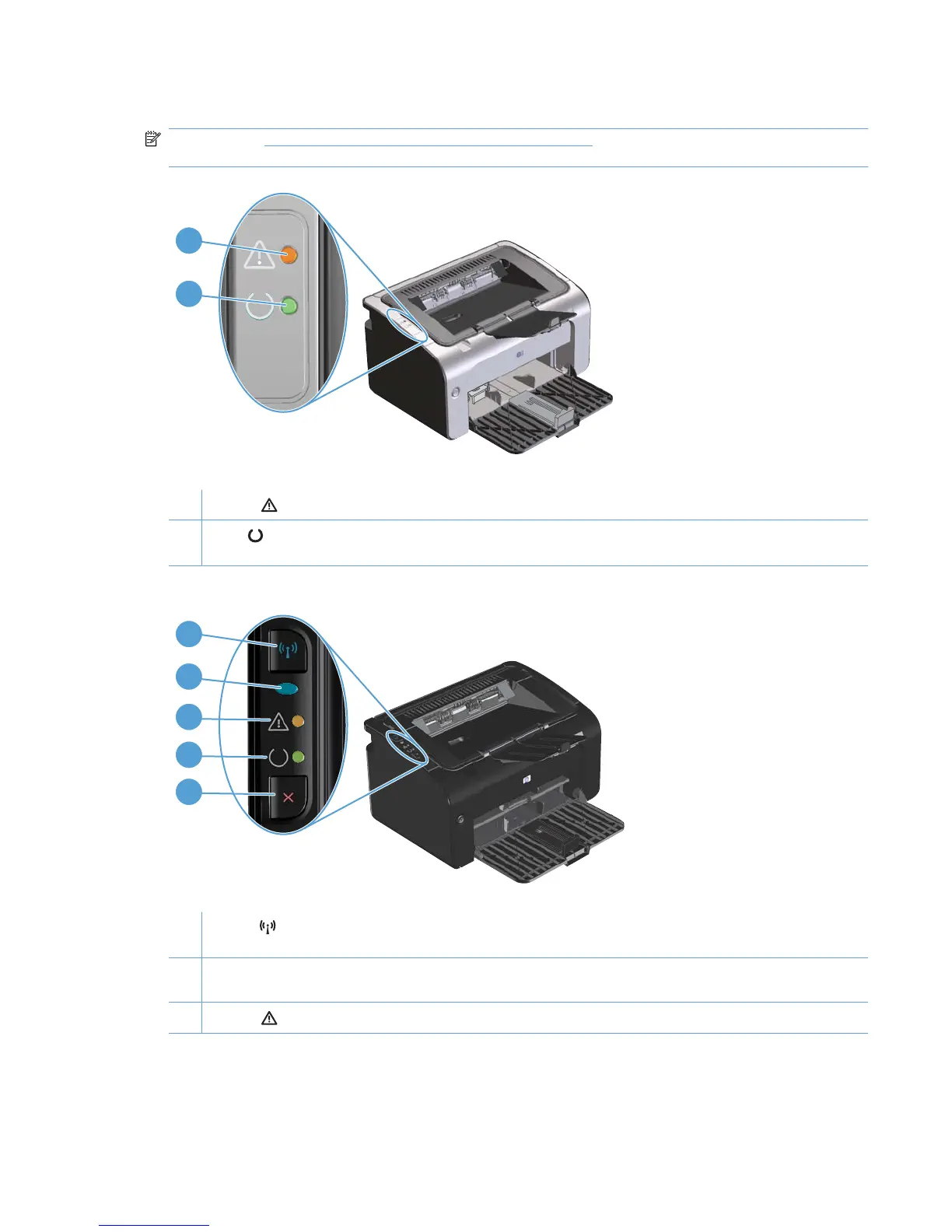
Control-panel layout
NOTE: See Interpret control-panel light patterns on page 70 for a description of what the light
patterns mean.
2
1
Table 1-3 HP LaserJet Professional P1100 Printer series
1 Attention light: Indicates that the print cartridge door is open or other errors exist.
2 Ready light: When the product is ready to print, the ready light is on. When the product is processing data, the ready
light blinks.
2
3
4
5
1
Table 1-4 HP LaserJet Professional P1100w Printer series
1 Wireless button: To detect wireless networks, press the wireless button. This button also enables and disables the
wireless feature.
2 Wireless light: When the product is searching for a network, the wireless light blinks. When the product is connected to
a wireless network, the wireless light is on.
3 Attention light: Indicates that the print cartridge door is open or other errors exist.
ENWW Product views 7



 To Next Page