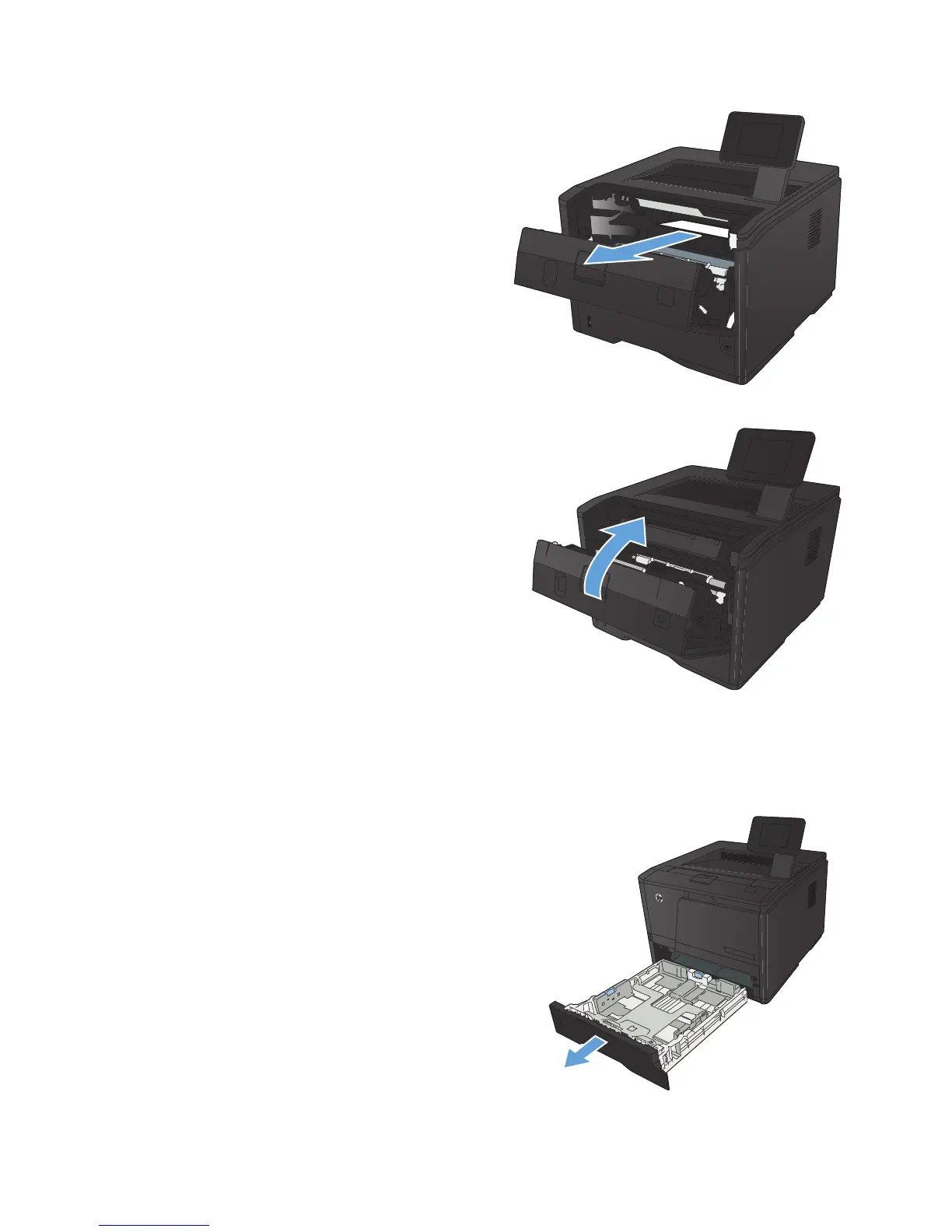
3. Remove the jammed sheet by pulling it straight
out.
CAUTION: Do not pull up on the jammed
sheet. Be sure to pull it straight out.
4. Reinstall the print cartridge, and then close the
print cartridge door.
Clear a jam in Tray 2
1. Remove the tray from the product.
100 Chapter 5 Solve problems ENWW



 To Next Page