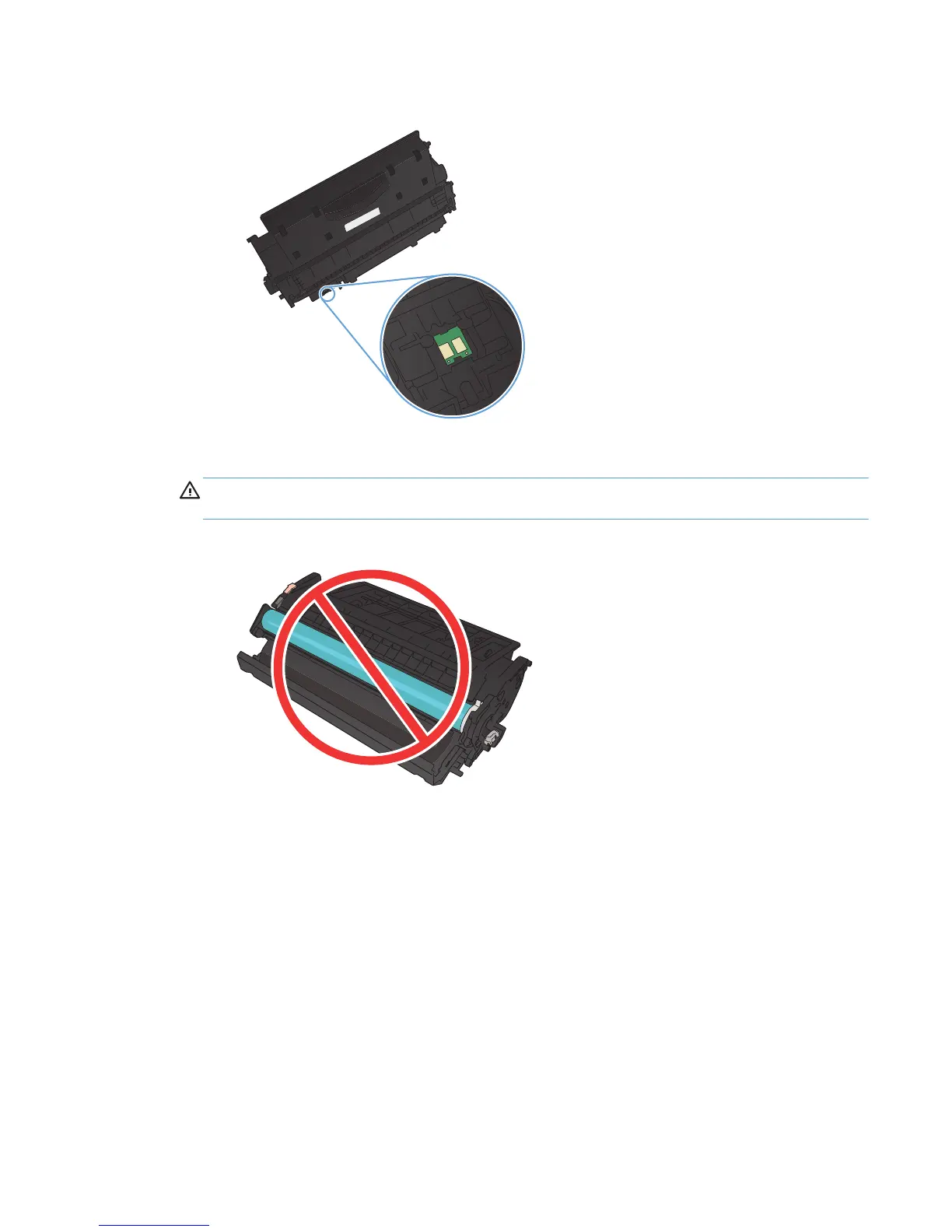
2. Check the memory chip for damage.
3. Examine the surface of the imaging drum on the bottom of the toner cartridge.
CAUTION: Do not touch the roller (imaging drum) on the bottom of the cartridge. Fingerprints
on the imaging drum can cause print-quality problems.
4. If you see any scratches, fingerprints, or other damage on the imaging drum, replace the toner
cartridge.
5. If the imaging drum does not appear to be damaged, rock the toner cartridge gently several times
and reinstall it. Print a few pages to see if the problem has resolved.
ENWW
Improve print quality
109



 To Next Page