Print tasks for Windows
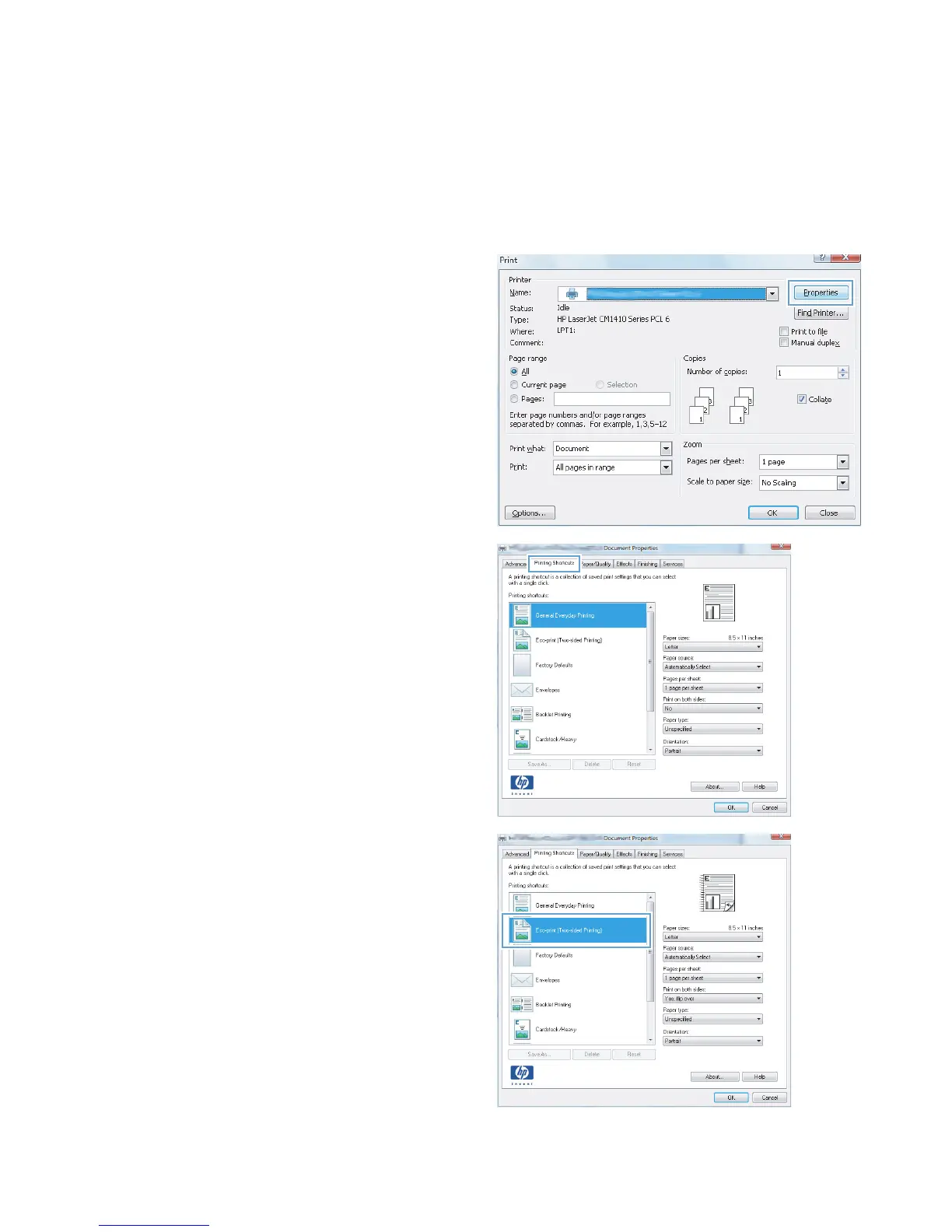
Use a printing shortcut (Windows)
1. From the software program, select the Print
option.
2. Select the product, and then click the
Properties or Preferences button.
3. Click the Printing Shortcuts tab.
4. Select one of the shortcuts, and then click the
OK button.
NOTE: When you select a shortcut, the
corresponding settings change on the other
tabs in the printer driver.
28 Chapter 3 Print ENWW



 To Next Page