1.
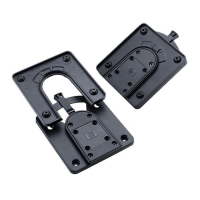
HP Quick Release security screw
5.
Mounting bracket security screw installation points
2.
Integrated HP Quick Release
6.
PC and thin client mounting bracket (unique four-hole
pattern for thin clients
3.
Height-adjustable monitor mount
7.
PC and thin client mounting bracket (unique four-hole
pattern for PCs
4.
Integrated cable management slots
8.
Power supply support and rear cable management loops
Models
ModelsModels
Models
Part Number: GN783AA
Introduction
IntroductionIntroduction
Introduction
The HP Integrated Work Center Stand allows you to easily attach a 17- to 22-inch HP LCD monitor and an HP Compaq 8000,
8000f Elite or 6005 Pro Ultra-slim Desktop (USDT) PC or select* HP Thin Client on a single stand for the convenience of an "all-in-
one" form factor.
QuickSpecs
HP Integrated Work Center Stand
HP Integrated Work Center StandHP Integrated Work Center Stand
HP Integrated Work Center Stand
Overview
DA - 12766 Worldwide — Version 16 — March 15, 2011
Page 1

 Need help?
 General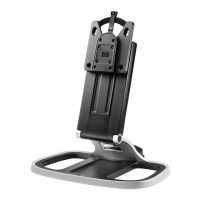

 To Next Page