User’s Guide www.hp.com 7
✎
Note: Two blue arrows display on the GPS Bluetooth receiver icon to indicate a connection.
Partnering between the Bluetooth GPS receiver and the iPAQ PocketPC immediately occurs.
Manually Partnering for Windows
®
Mobile 2003 Operating
System
To partner the Bluetooth receiver with the iPAQ PocketPC requires:
■ Navigation System Software installed on your iPAQ PocketPC.
■ Bluetooth GPS Receiver is charged.
■ iPAQ PocketPC is turned on.
■ Bluetooth GPS Receiver is turned on.
■ Bluetooth GPS receiver and iPAQ PocketPC are between 5-10 meters of each other.
Establishing a Connection
1. Tap Start at the top of the Today screen on the iPAQ PocketPC.
2. Tap the Settings option on the pop up menu.
3. Tap the System tab at the bottom of the Settings menu.
4. Tap the Bluetooth icon on the System menu.
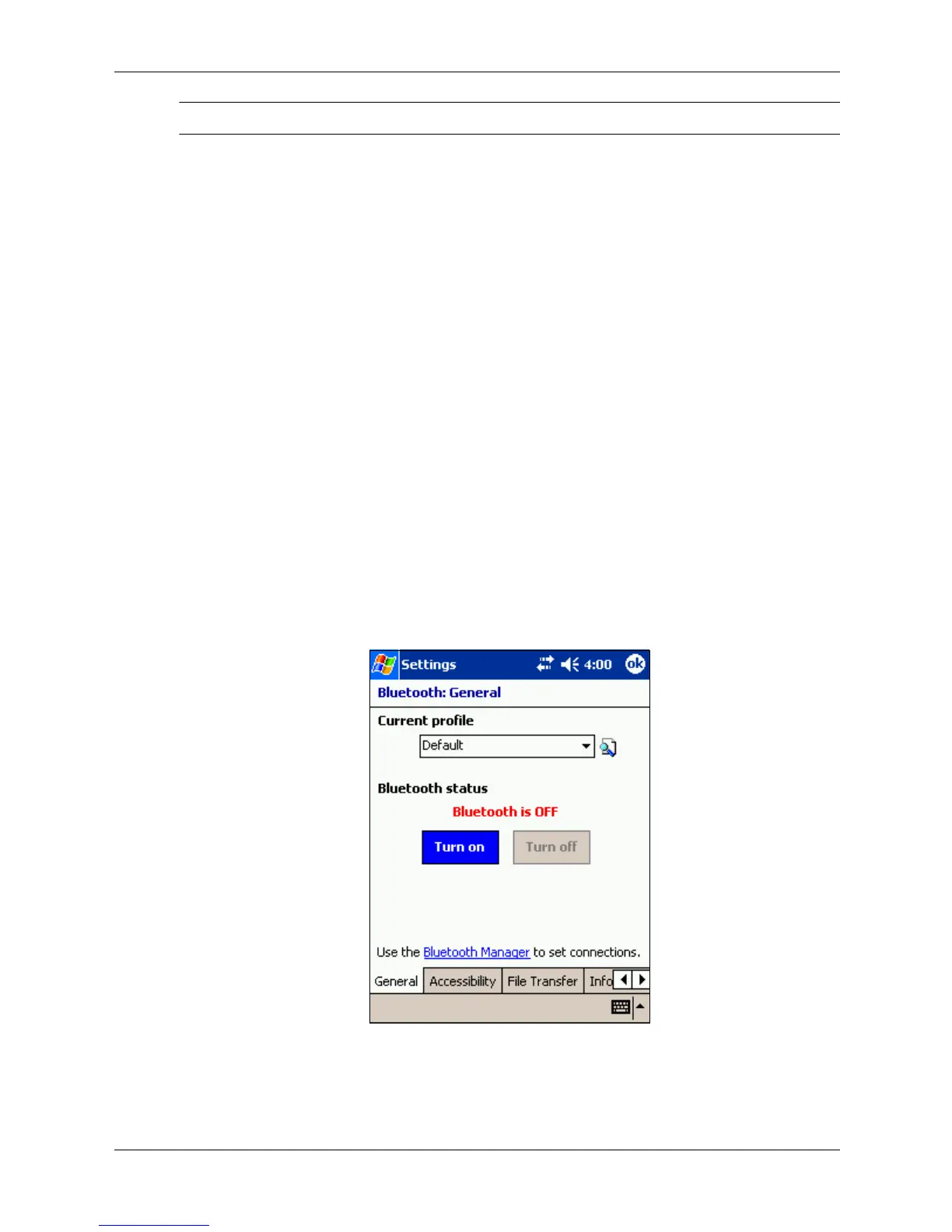
The Bluetooth General screen displays.
5. Tap the Turn On tab below the Bluetooth status.



 To Next Page