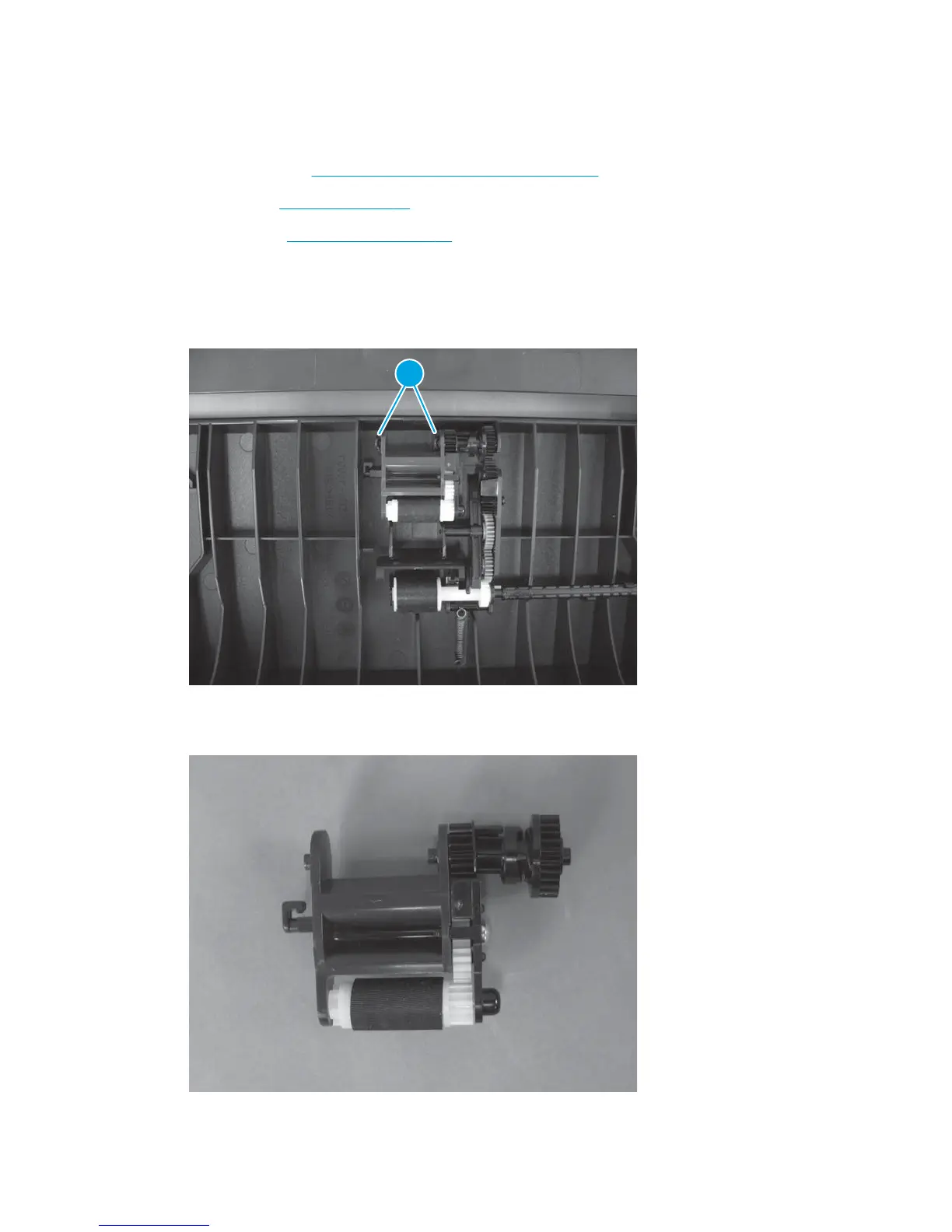
ADF pre-pickup arm assembly
Before proceeding, remove the following components:
●
ADF top cover. See
Document feeder (ADF) top cover on page 91.
●
ADF core. See
ADF core on page 92.
●
ADF inner tray.
ADF inner tray on page 97.
Remove the ADF pre-pickup arm assembly
1. Release two tabs (callout 1).
Figure 1-146 Remove the ADF pre-pickup arm assembly (1 of 2)
1
2. Lift the pre-pickup arm assembly up to remove it.
Figure 1-147 Remove the ADF pre-pickup arm assembly (2 of 2)
100 Chapter 1 Removal and replacement ENWW



 To Next Page