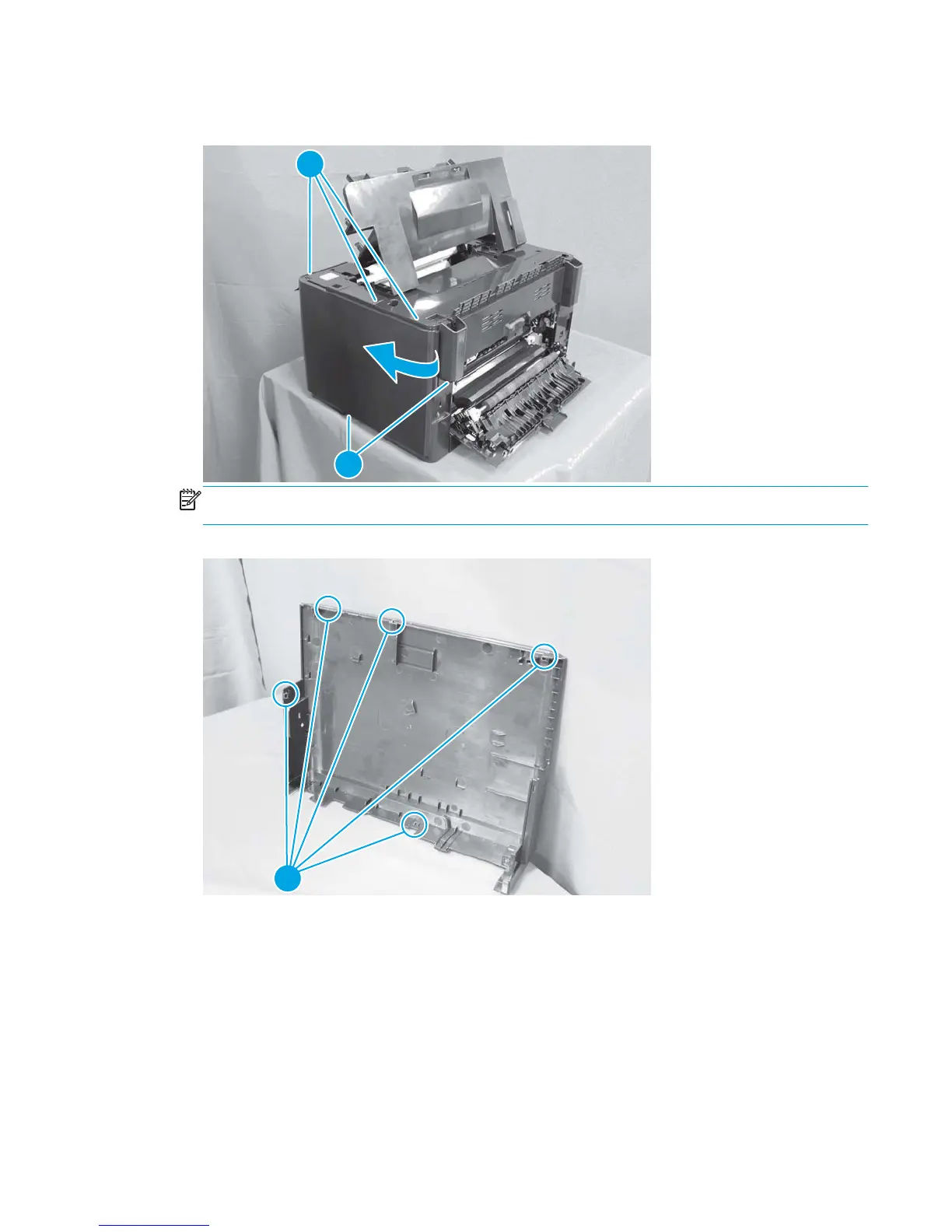
3. Starting on the rear vertical edge, release five tabs (callout 1) and remove the right cover.
Figure 1-18 Remove the right cover (2 of 3)
1
1
NOTE: Before proceeding, take note of the locations of the tabs (callout 1) on the back side of the
cover. When reinstalling the right cover, align the all of the tabs with the slots.
Figure 1-19 Remove the right cover (3 of 3)
1
ENWW Removal and replacement procedures 19



 To Next Page