4. Unplug the power cord from the AC outlet.
5. Turn the computer upside down on a flat surface, with the battery bay toward you.
6. Remove the battery.
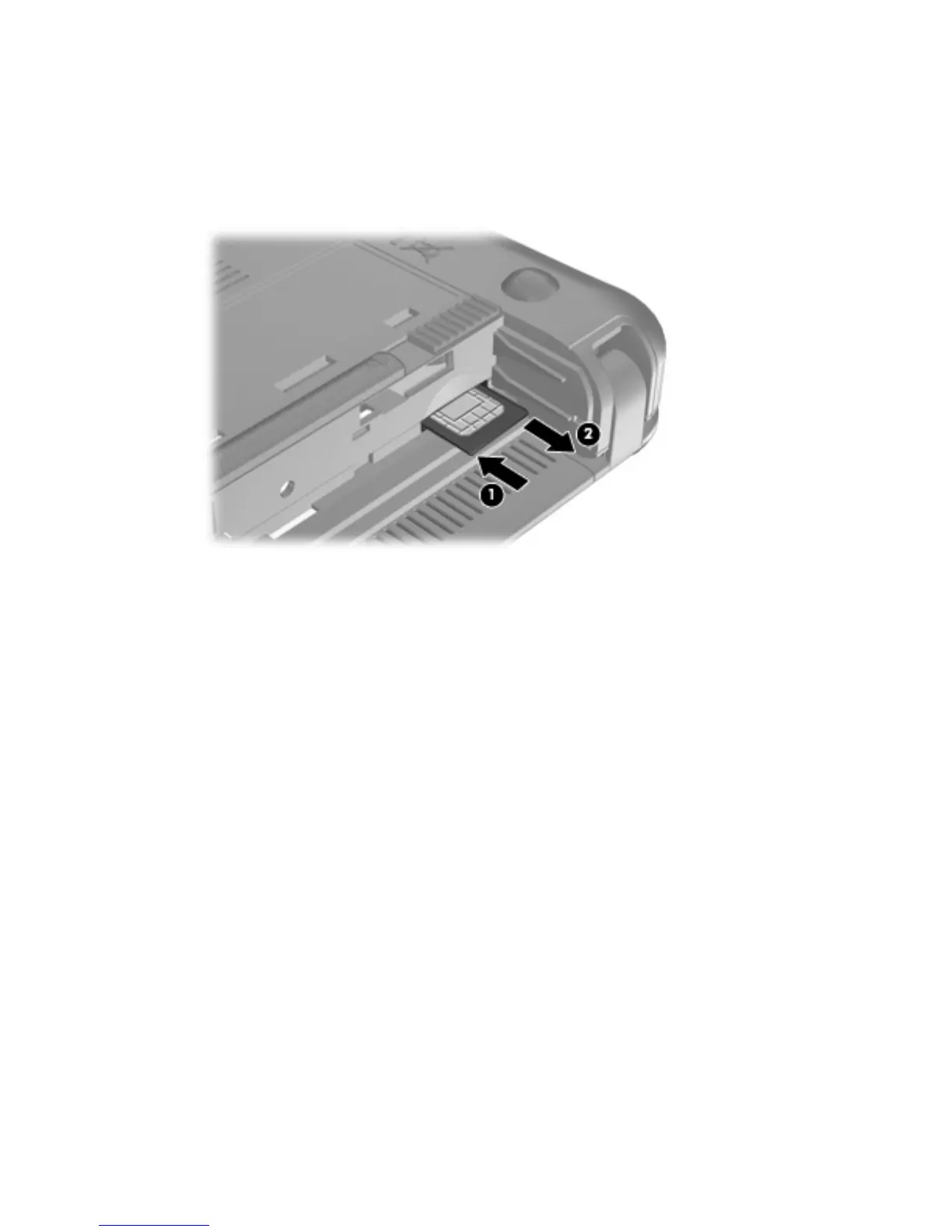
7. Press in on the SIM (1), and then remove it from the slot (2).
8. Replace the battery.
9. Reconnect external power.
10. Reconnect external devices.
11. Turn on the computer.
Using HP Mobile Broadband (select models only) 35


 To Next Page