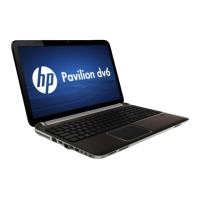
The HP Pavilion dv6 Notebook PC is a versatile computing device designed for a range of users, offering a blend of performance, multimedia capabilities, and user-friendly features. This notebook is available in configurations with both AMD and Intel processors, catering to different performance needs and preferences.
Function Description:
The HP Pavilion dv6 Notebook PC serves as a personal computer for general use, including productivity tasks, internet browsing, multimedia consumption, and light to moderate gaming. It is equipped with an integrated display, keyboard, TouchPad, and various ports for connectivity with external devices. The device supports both internal and switchable discrete graphics options, enhancing its visual performance for demanding applications or entertainment. Audio capabilities are augmented by HP-branded Altec/Lansing quad Beats Audio speakers on select models, providing an enhanced sound experience. Integrated wireless local area network (WLAN) and Bluetooth options ensure seamless connectivity. The notebook also features a multi-format digital media reader for convenient access to various digital card formats.
Important Technical Specifications:
Processors:
The HP Pavilion dv6 offers a wide array of processor options from both AMD and Intel.
AMD Processors:
- AMD A8-3530MX (2.60-GHz, 4.0-MB L2 cache, quad core, 45 W)
- AMD A8-3510MX (2.50-GHz, 4.0-MB L2 cache, quad core, 45 W)
- AMD A8-3500M (2.40-GHz, 4.0-MB L2 cache, quad core, 35 W)
- AMD A6-3410MX (2.30-GHz, 2.0-MB L2 cache, quad core, 45 W)
- AMD A6-3400M (2.30-GHz, 4.0-MB L2 cache, quad core, 35 W)
- AMD A4-3310MX (2.50-GHz, 2.0-MB L2 cache, dual core, 45 W)
- AMD A4-3300M (2.50-GHz, 4.0-MB L2 cache, dual core, 35 W)
- AMD E2-3000M (2.40-GHz, 4.0-MB L2 cache, quad core, 35 W)
- AMD Athlon II N370 (2.50-GHz, 1.0-MB L2 cache, dual core, 35 W)
- AMD Athlon II P360 (2.30-GHz, 1.0-MB L2 cache, dual core, 25 W)
- AMD Athlon II P340 (2.20-GHz, 1.0-MB L2 cache, dual core, 25 W)
- AMD Phenom II N970 (2.20-GHz, 2.0-MB L2 cache, quad core, 35 W)
- AMD Phenom II N870 (2.30-GHz, 1.5-MB L2 cache, triple core, 35 W)
- AMD Phenom II N850 (2.20-GHz, 1.5-MB L2 cache, triple core, 35 W)
- AMD Phenom II N660 (3.00-GHz, 2.0-MB L2 cache, dual core, 35 W)
- AMD Phenom II P960 (1.80-GHz, 2.0-MB L2 cache, quad core, 25 W)
- AMD Phenom II P860 (2.00-GHz, 1.5-MB L2 cache, triple core, 25 W)
- AMD Phenom II P650 (2.60-GHz, 2.0-MB L2 cache, triple core, 25 W)
- AMD Turion II P570 (2.70-GHz, 2.0-MB L2 cache, dual core, 35 W)
- AMD Turion II P560 (2.50-GHz, 2.0-MB L2 cache, dual core, 25 W)
Intel Processors:
- Intel Core i7-2820QM (2.30-GHz, 8.0-MB L3 cache, quad core, 45 W)
- Intel Core i7-2720QM (2.20-GHz, 6.0-MB L3 cache, quad core, 45 W)
- Intel Core i7-2630QM (2.00-GHz, 6.0-MB L3 cache, quad core, 45 W)
- Intel Core i7-2620M (2.70-GHz, 4.0-MB L3 cache, dual core, 35 W)
- Intel Core i5-2540M (2.60-GHz, 3.0-MB L3 cache, dual core, 35 W)
- Intel Core i5-2520M (2.50-GHz, 3.0-MB L3 cache, dual core, 35 W)
- Intel Core i5-2430M (2.40-GHz, 3.0-MB L3 cache, dual core, 35 W)
- Intel Core i5-2410M (2.30-GHz, 3.0-MB L3 cache, dual core, 35 W)
- Intel Core i3-2350M (2.30-GHz, 3.0-MB L3 cache, dual core, 35 W)
- Intel Core i3-2330M (2.20-GHz, 3.0-MB L3 cache, dual core, 35 W)
- Intel Core i3-2310M (2.10-GHz, 3.0-MB L3 cache, dual core, 35 W)
- Intel Pentium B950 TJ85 (2.10-GHz, 2.0-MB L3 cache, dual core, 35 W)
- Intel Pentium B940 TJ85 (2.00-GHz, 2.0-MB L3 cache, dual core, 35 W)
Chipset:
- AMD models: AMD A70M Fusion controller hub (FCH), AMD A60M FCH, ATI RS880M, AMD M880G with ATI Mobility Radeon HD 4250, AMD RS880MD, AMD SB820M.
- Intel models: Intel HM65 Express chipset with NEC USB 3.0.
Graphics:
- Internal graphics (AMD): AMD Radeon™ HD 6620G (A8 processor), HD 6520G (A6 processor), HD 6480G (A4 processor), ATi Mobility Radeon HD 4250 (Athlon, Phenom, Turion processors).
- Switchable discrete graphics (AMD): AMD Radeon™ HD 6755G2 (A8/A6 processor), HD 6645G2 (A8 processor), HD 6545G2 (A6 processor), HD 6515G2 (A4 processor), ATi XT Radeon HD 6650M M2 (1024-MB discrete memory), ATi XT Radeon HD 6470M M2 (512-MB discrete memory). All support DX11, HD decode, and HDMI.
- Internal graphics (Intel): Intel HD Graphics 3000.
- Switchable discrete graphics (Intel): ATI XT Radeon HD 6770M M2 (1024-MB discrete memory), ATI XT Radeon HD 6490M M2 (1024-MB discrete memory). All support DX11, HD decode, and HDMI.
Memory:
- Two customer-accessible/upgradable memory module slots.
- Supports dual-channel memory.
- Up to 8192 GB (AMD) or 16384 GB (Intel) of system RAM.
- DDR3/1333-MHz.
- Various configurations available, e.g., 8192-MB (4096x2), 6144-MB (4096x1 + 2048x1), etc.
Hard Drives:
- Supports 6.35-cm (2.5-in) hard drives in 12.7-mm (.50-in), 9.5-mm (.37-in), and 7.0-mm (.28-in) thicknesses.
- Customer-accessible.
- Accelerometer / HDD protection support.
- Serial ATA interface.
- Configurations: 1 TB (5400 rpm), 750 GB (7200/5400 rpm), 640 GB (7200/5400 rpm), 500 GB (7200/5400 rpm), 320 GB (7200/5400 rpm), 250 GB (7200 rpm).
- Also supports 160-GB solid-state drive (Intel models only).
- Hard drive specifications include: Height (12.7mm/9.5mm/7.0mm), Length (100.2mm/100.4mm), Width (69.9mm), Weight (152g/110g/98g/105g), Interface type (SATA), Transfer rate (97MB/sec to 1.1GB/sec), Security (ATA security), Seek times (1.5ms to 2.0ms single track, 11/13ms to 12/16ms average), Logical blocks (up to 1,953,525,168), Disk rotational speed (5400 RPM/7200 RPM), Operating temperature (0°C to 60°C).
Optical Drive:
- Fixed, Serial ATA, 12.7-mm tray load.
- Options: Blu-ray ROM with LightScribe DVD ±R/RW Super Multi Double-Layer Drive, Blu-ray Disc R/RW with SuperMulti Double-Layer Drive, DVD±RW and CD-RW Super Multi Double-Layer Combo Drive with LightScribe.
- Supports zero-power optical drive.
Audio and Video:
- Dual array digital microphones with beam-forming, echo-cancellation, noise-suppression software.
- HD audio.
- HP-branded Altec/Lansing quad Beats Audio speakers (select models only).
- HP TrueVision HD webcam.
Ethernet:
- Integrated 10/100/1000 network interface card (NIC).
Wireless:
- Integrated WLAN options via wireless module.
- Two WLAN antennas built into display assembly.
- Supported WLAN formats include: Broadcom 4313 802.11b/g/n 1x1 WiFi (with/without Bluetooth 2.1+EDR Combo), Ralink RT3090BC4 802.11b/g/n 1x1 WiFi (with/without Bluetooth 2.1+EDR Combo), Ralink 5390GN 802.11b/g/n 1x1 WiFi, Atheros 9285G 802.11b/g/n 1x1 WiFi, Atheros AR8002WB-1NGB 802.11b/g/n 1x1 WiFi (with/without Bluetooth 2.1+EDR Combo), Realtek RTL8191SE 802.11b/g/n 1x1 WiFi, Realtek 8188BC8 802.11a/b/g/n 2x2 WiFi (with/without Bluetooth 3.0+HS Combo), Intel Centrino Advanced-N 6230, Intel Centrino Wireless-N 1000, Intel Centrino Wireless-N + WiMAX 6150.
- HP Multi-Format Digital Media Reader supporting Secure Digital (SD), Secure Digital Extended Capacity (SDxC), Secure Digital High Capacity (SDHC), and Ultra High Speed MultiMediaCard (UHS/MMC).
Ports:
- 3-pin AC power.
- Audio-in (mono microphone).
- Audio-out (stereo headphone).
- HDMI version 1.4 (up to 1920x1200 @ 60Hz).
- RJ-45 (Ethernet).
- USB 2.0 (3 ports).
- VGA (Dsub 15 pin) supporting various external resolutions.
- SuperSpeed USB ports (2) for optional USB 3.0 devices (select models only).
Keyboard/Pointing Devices:
- Full-size, textured, pocket keyboard with numeric keypad.
- TouchPad with multi-touch gestures, 2-finger scrolling, and pinch-zoom enabled.
- Dura-coat, island-style keyboard.
- Taps enabled by default.
Power Requirements:
- Supports 3-wire plug with ground pin AC adapters: 120W, 90W EM, 90W, 65W EM, 65W.
Batteries:
- 9-cell, 100-Whr, 3.00-Ah Li-ion battery.
- 6-cell, 62-Whr, 2.80-Ah Li-ion battery.
- 6-cell, 55-Whr, 2.55-Ah Li-ion battery.
Security:
- Security cable slot.
- Fingerprint reader with Digital Persona software support (select models only).
- Supports Intel AT-p Ready.
Operating System:
- Preinstalled options: Windows 7 Home Basic (64- and 32-bit), Windows 7 Home Premium (64- and 32-bit), Windows 7 Professional (64- and 32-bit), Windows 7 Starter (32-bit), Windows 7 Ultimate (64-bit), FreeDOS, RedFlag.
Physical Dimensions (Computer):
- Depth: 24.7 cm (9.72 in)
- Width: 37.8 cm (14.88 in)
- Height (front to back): 3.1 to 3.5 cm (1.23 to 1.39 in)
- Weight: 2.91 kg (6.42 lb)
Environmental Specifications:
- Operating temperature: 5°C to 35°C (41°F to 95°F)
- Nonoperating temperature: -20°C to 60°C (-4°F to 140°F)
- Operating relative humidity: 10% to 90% (noncondensing)
- Nonoperating relative humidity: 5% to 95%
- Operating altitude: -15 m to 3,048 m (-50 ft to 10,000 ft)
- Nonoperating altitude: -15 m to 12,192 m (-50 ft to 40,000 ft)
Display Specifications (15.6-inch):
- Height: 19.6 cm (7.72 in)
- Width: 34.7 cm (13.66 in)
- Diagonal: 39.8 cm (15.67 in)
- Number of colors: Up to 16.8 million
- Contrast ratio: 200:1 (typical)
- Brightness: 200 nits (typical)
- Pixel pitch: 0.197 x 0.197 mm
- Format: 1366 x 768
- Configuration: RGB vertical stripe
- Backlight: LED
- Character display: 80 x 25
- Total power consumption: 2.0 W
- Viewing angle: ±65° horizontal, ±50° vertical (typical)
Usage Features:
- External Component Identification: The manual provides detailed diagrams and descriptions of all external components, including the display, buttons (power, web browser), speakers, fingerprint reader, keys (esc, fn, Windows logo, b, num lk, action keys), lights (caps lock, power, mute, wireless, fingerprint reader), TouchPad, Digital Media Slot, vents, external monitor port, HDMI port, RJ-45 (network) jack, SuperSpeed USB ports, audio-in/out jacks, security cable slot, battery light, and power connector.
- Beats Audio: Select models feature Beats Audio bass settings, which can be increased or decreased using the 'b' key, providing a deep, controlled bass while maintaining clear sound. These settings can also be controlled through the Windows operating system.
- TouchPad Functionality: The TouchPad supports multi-touch gestures, 2-finger scrolling, and pinch-zoom, enhancing navigation and interaction.
- Webcam: An integrated webcam allows for video recording and still photographs, accessible via CyberLink YouCam.
- System Diagnostics: The Setup Utility (BIOS) includes System Diagnostics, offering various tests such as Start-up test, Run-in test, Hard disk test, Memory test, and Battery test to help identify hardware issues. It also allows viewing system information and error logs.
- BIOS Management: Users can access the Setup Utility to configure system settings, change the language, display system information, restore factory settings, and update the BIOS.
- Backup and Recovery: The notebook includes tools for safeguarding information and restoring the system. Users can create recovery discs or a recovery flash drive using HP Recovery Manager to restore the computer to its original factory state. Windows Backup and Restore features are also available for creating system restore points and backing up personal files.
Maintenance Features:
- End-User Replaceable Parts: The manual lists several components as end-user replaceable, including the AC adapter, battery, hard drive, memory modules (2), optical drive, and WLAN module, facilitating easier maintenance and upgrades.
- Removal and Replacement Procedures: Detailed, step-by-step instructions with illustrations are provided for removing and replacing various components. This includes the service tag, computer feet, battery, optical drive, hard drive, RTC battery, memory module, WLAN module, keyboard, top cover, power button board, fingerprint reader board, Bluetooth module, USB board, power connector cable, system board, fan/heat sink assembly, processor, speakers, optical drive connector cable, and display assembly.
- Preliminary Replacement Requirements: Before performing any maintenance, users are instructed to shut down the computer, disconnect all external devices, and unplug the AC adapter.
- Tools Required: A list of necessary tools is provided: flat-bladed screwdriver, magnetic screwdriver, Phillips P0 and P1 screwdrivers.
- Service Considerations: Important guidelines are outlined for handling plastic parts, cables, connectors, and drives to prevent damage during disassembly and reassembly.
- Drive Handling Precautions: Specific warnings are given for handling drives, emphasizing their fragility and the importance of static electricity discharge, proper storage in static-proof bags, and avoidance of magnetic fields, temperature extremes, or liquids.
- Grounding Guidelines: Comprehensive instructions are provided to prevent electrostatic discharge (ESD) damage to electronic components. This includes using electrostatic-safe containers, discharging static electricity before handling components, avoiding contact with pins and circuitry, and following workstation guidelines such as using static-shielding material, wrist straps, and conductive tools.
- Thermal Material Management: The manual emphasizes the importance of thoroughly cleaning thermal material from heat sink and system board surfaces and using replacement thermal material (included with spare part kits) during fan/heat sink and processor replacements.
- Recycling Information: Guidance is provided for the proper disposal and recycling of the battery and display components, particularly noting that the backlight contains mercury and requires special handling. Disassembly instructions for the display assembly are included to access the LCD panel and backlight for recycling purposes.

 Need help?






 To Next Page
 General