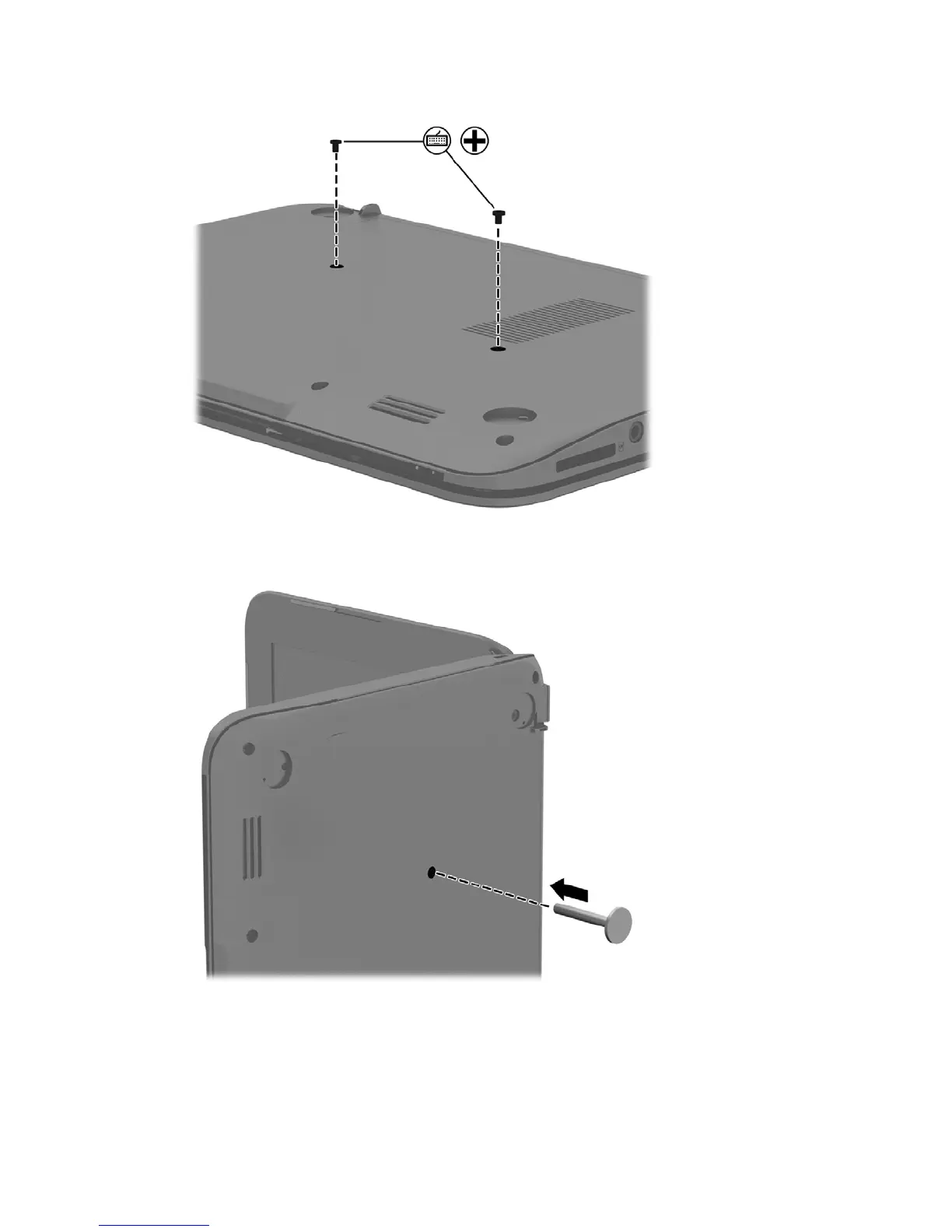
2. Remove the two Phillips 2.0×6.0 screws keyboard screws from the bottom of the computer.
3. Turn the computer on its side and insert the push tool in the keyboard release hole to release
the keyboard.
4. Turn the computer upright and carefully tilt the keyboard and slide it toward the display to
disconnect the tabs holding the keyboard in position.
Disconnect the TouchPad cable from the top cover by releasing the ZIF connector (1) and
carefully removing the cable (2).
26 Chapter 5 Removal and replacement procedures for Authorized Service Provider parts





 To Next Page