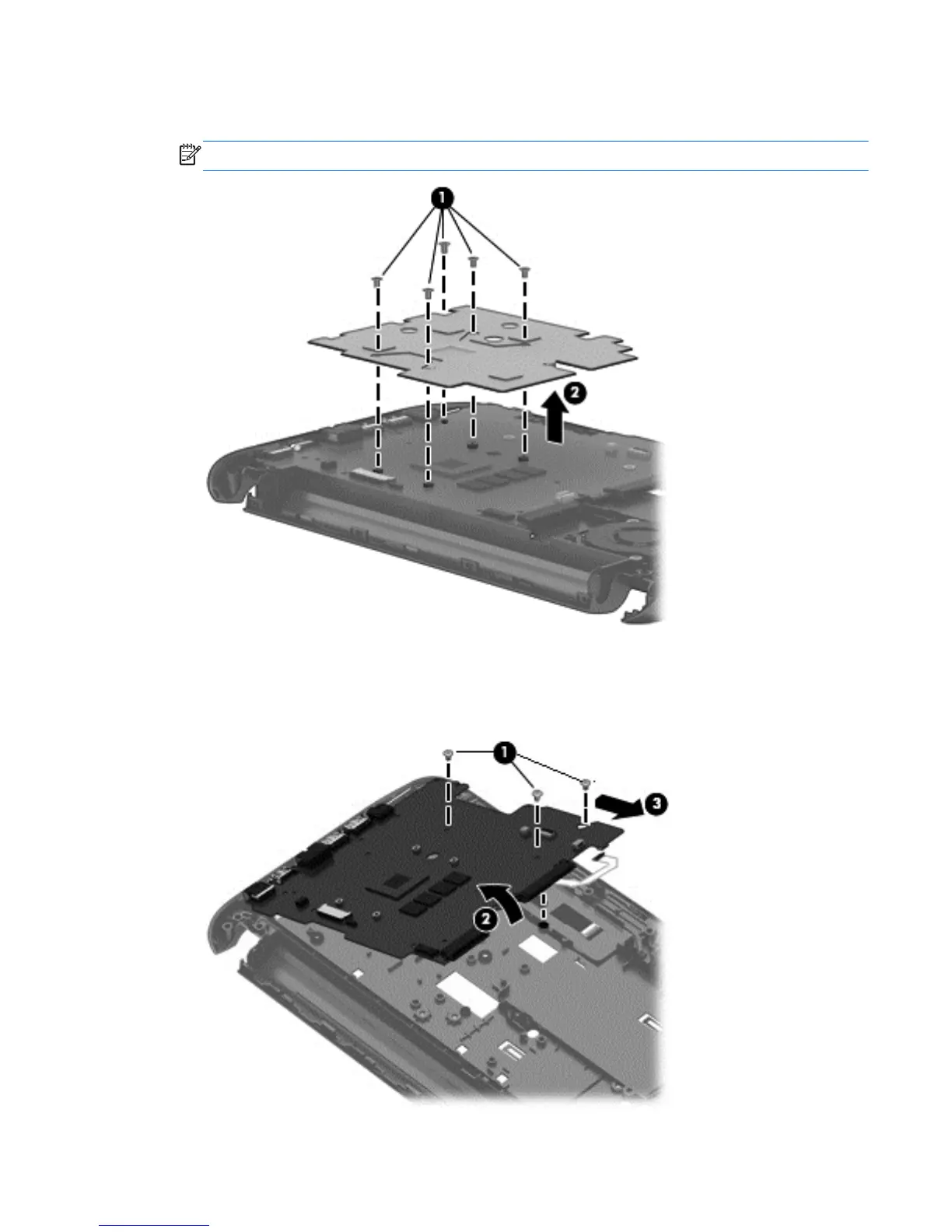
2. Remove the three Phillips 2.5×3.5 and one Phillips 2.5×2.5 screws (1) that secure the heat
shield to the system board and lift the heat shield (2).
NOTE: Some models may only have four screws.
3. Remove the three Phillips 2.5×3.5 screws (1) from the system board.
4. Lift the right side of the system board up at an angle (2).
5. Pull the system board (3) up and toward the right to remove it.
Component replacement procedures 43







 To Next Page