d. Speaker assembly (see Speaker assembly on page 39).
e. Hard drive (see
Hard drive on page 40).
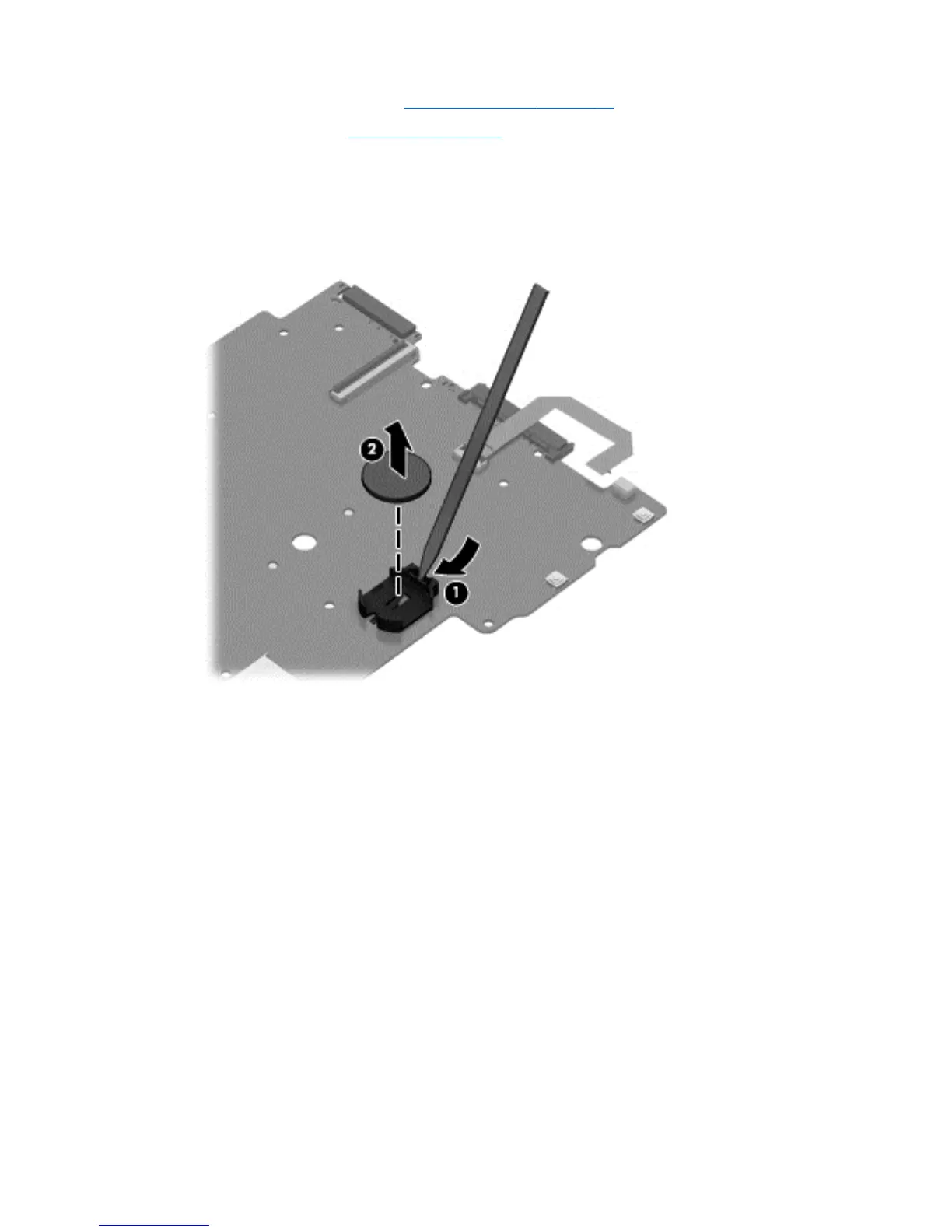
Remove the RTC battery:
1. Position the system board upside down.
2. Use a thin screwdriver or similar tool to pry the battery out of the socket (1).
3. Remove the battery from the socket (2).
Reverse this procedure to install the RTC battery.
Component replacement procedures 45









 To Next Page