Interactive Beep and LED Diagnostic
Welcome to the interactive beep and LED diagnostic viewer for the
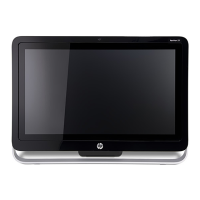
HP Pavilion 24-k0xxx/27-d0xxx All-in-One PC Series
Here’s how to use it…
Beep & LED Diagnostic (Click the link to navigate this platform’s diagnostic codes)
On this page you will nd a diagnostic viewer with a menu of this product’s diagnostic error features. To identify the diagnostic codes for an error
feature, simply click that feature. To learn more about the behavior and meaning of the specic beep codes, click the beep code and review the
information that presents in the right-hand pane. There is also a LED diagnostic, which you can review by hovering over the information icon on the
image.
That’s it! On every page there is a link that brings you back to the Welcome page.
HP Pavilion 24-k0xxx/27-d0xxx All-in-One PC Series

 Need help?

 To Next Page
 General