Need help?
Do you have a question about the HP Pavilion 590 and is the answer not in the manual?
Lists components and materials requiring selective treatment as defined by EU directive.
Details the tools and sizes needed for product disassembly to remove selective treatment components.
Provides step-by-step instructions for disassembling the product to remove specific components.
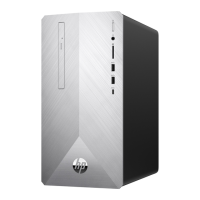
The HP Pavilion Desktop PC 590 is a personal computer designed for general use, offering a blend of functionality and user-friendly maintenance features. As a desktop PC, its primary function is to serve as a central hub for various computing tasks, ranging from productivity and communication to entertainment and content creation. Users can connect a monitor, keyboard, and mouse to interact with the operating system and run a wide array of software applications. Its design suggests a focus on providing a reliable and accessible computing experience for everyday users, whether for home or office environments.
One of the key usage features of the HP Pavilion Desktop PC 590 is its modular internal structure, which facilitates both initial setup and potential future upgrades. The system is designed to accommodate common components such as an Optical Disc Drive (ODD) and Hard Disk Drive (HDD), allowing users to store large amounts of data and access optical media. The presence of multiple ports and connectors, including those for SATA devices and PCI cards, indicates flexibility in connecting peripherals and expanding the system's capabilities. For instance, users can install additional storage drives or specialized expansion cards, such as graphics cards, to enhance performance for specific applications like gaming or video editing. The front bezel is designed to be removable, which is a common feature in desktop PCs that allows for easier access to front-mounted components or for aesthetic customization. The internal layout, with clearly visible components like the motherboard (MB) and power supply unit (PSU), suggests a standard ATX or micro-ATX form factor, providing a familiar structure for those accustomed to desktop computers. The inclusion of a fan for cooling indicates that the system is designed to manage heat generated by internal components, ensuring stable operation during prolonged use.
From a maintenance perspective, the HP Pavilion Desktop PC 590 is engineered with a focus on ease of access and component replacement, which is crucial for end-of-life recyclers and for users who wish to perform basic upgrades or repairs. The disassembly instructions highlight a systematic approach to accessing internal components, starting with the removal of the lower case. This initial step provides broad access to the internal chassis, allowing for subsequent removal of other parts. The process involves standard tools, primarily a Ph2 screwdriver and a T15 screwdriver, which are commonly available, making maintenance accessible without specialized equipment.
The instructions detail how to disconnect and remove various components that are often subject to wear or require selective treatment at the end of the product's life. For example, the ability to pull off ODD SATA and power connectors, and then remove the ODD itself, simplifies the process of replacing or servicing optical drives. Similarly, the instructions for loosening screws to remove the HDD indicate that storage drives can be easily swapped out, which is beneficial for data recovery or capacity upgrades. The removal of the front bezel is another maintenance-friendly feature, as it often provides access to front-mounted ports, fans, or drive bays.
Further enhancing its maintainability, the system allows for the disconnection of all cables on the motherboard, which is a fundamental step for isolating and removing the motherboard itself. This is particularly important for diagnosing issues or replacing the main logic board. The instructions also specify how to loosen screws to remove the FIO (Front Input/Output) module, indicating that front panel connectors and ports can be serviced independently. The removal of PCI cards is straightforward, allowing users to upgrade or replace expansion cards such as network adapters, sound cards, or dedicated graphics cards. The power supply unit (PSU) is also designed for easy removal, with instructions to pull off its connector and loosen screws. This is a critical maintenance feature, as PSUs are often among the first components to fail in a desktop PC and are relatively simple to replace.
The detailed steps for loosening screws on both the motherboard and the PSU underscore the product's design for component-level serviceability. This approach not only extends the lifespan of the device by enabling repairs but also facilitates responsible recycling by allowing for the selective treatment of specific materials. The emphasis on removing components that contain materials requiring selective treatment, such as printed circuit boards and batteries, aligns with environmental directives like WEEE, ensuring that the device can be disassembled and its parts processed in an environmentally sound manner. The inclusion of a lithium coin battery on the motherboard, for example, is explicitly noted for selective treatment, highlighting the manufacturer's awareness of environmental responsibilities. Overall, the HP Pavilion Desktop PC 590 is designed as a versatile and maintainable computing solution, balancing performance with user-friendly access and responsible end-of-life management.
 General
| Optical Drive | DVD-Writer |
|---|---|
| USB Ports | 4 x USB 3.1 Gen 1, 2 x USB 2.0 |
| Processor | Intel Core i5-8400 |
| Storage | 1TB HDD |
| Graphics | Intel UHD Graphics 630 |
| Operating System | Windows 10 Home |
| Ports | HDMI, VGA, Ethernet, Audio |
| Network | 10/100/1000 Gigabit Ethernet |

 To Next Page