Safety & Comfort Guide 3–3
Arranging Your Work Area
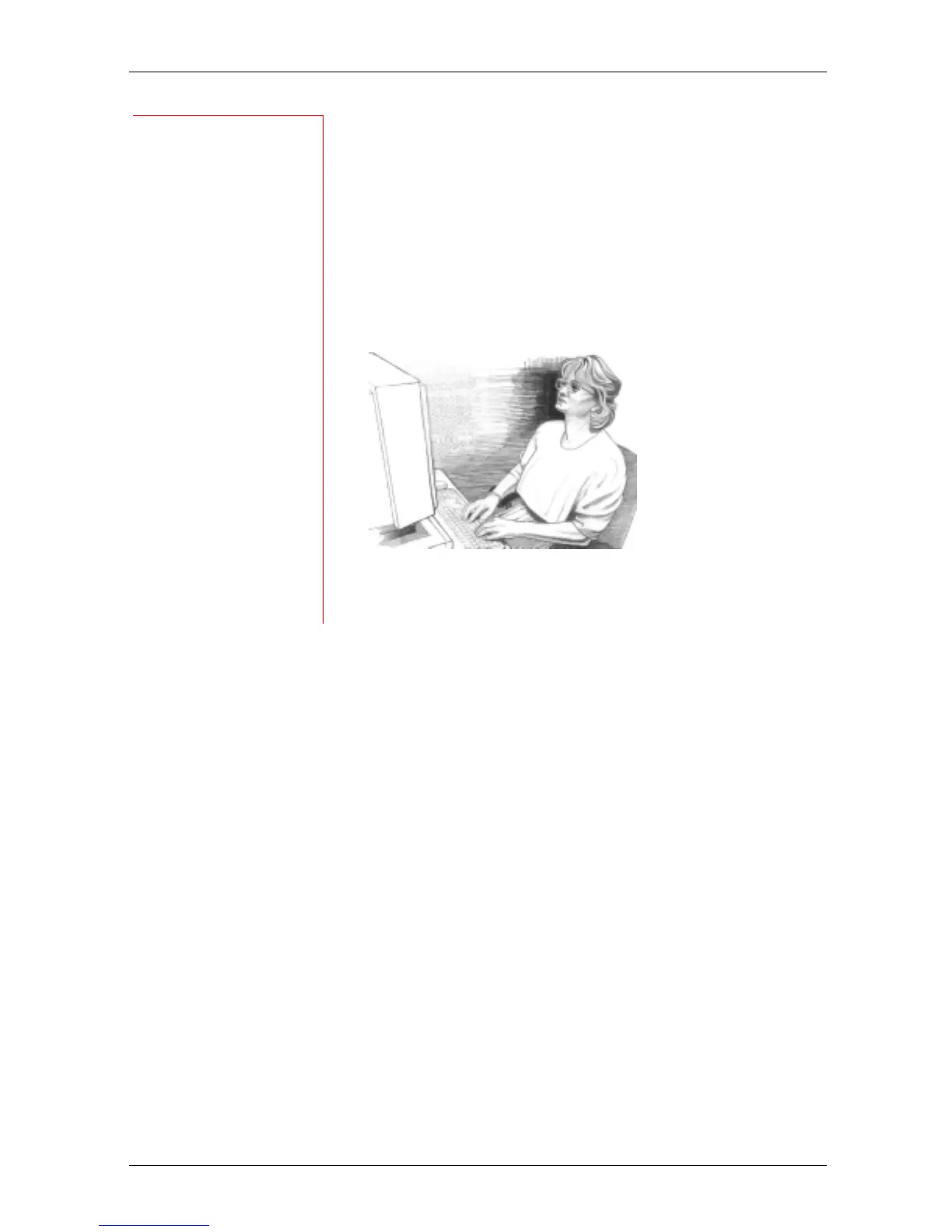
Adjusting Monitor Height for Bifocal, Trifocal,
and Progressive Addition Lens Users
If you wear bifocals, trifocals, or progressive addition
lenses, it's especially important to properly adjust your
monitor height. Avoid tilting your head back to view the
screen through the lower portion of your glasses; this
could lead to muscle fatigue in you neck and back.
Instead, try lowering your monitor. If that does not work,
you may want to consider obtaining glasses that are
specially made for computer use.
Eliminating Glare and Reflections on Your Monitor
Take the time to eliminate glare and reflections. To control
daylight, use blinds, shades, or drapes, or try other
glare-reducing measures. Use indirect or reduced lighting
to avoid bright spots on your display screen.
If glare is a problem, consider these actions:
❒ Move your monitor to a place where glare and bright
reflections are eliminated.
❒ Turn off or reduce ceiling lights and use task lighting
(one or more adjustable lamps) to illuminate your
work.
❒ If you cannot control the ceiling lights, try positioning
your monitor between rows of lights instead of directly
beneath a row of lights.
❒ Attach a glare-reduction filter to your monitor.
❒ Place a visor on your monitor. This device may be as
simple as a piece of cardboard extending out over the
monitor’s top front edge.
❒ Avoid tilting or swiveling your display in a way that
leads to an uncomfortable head or upper back
posture.
TIPS
Eliminating glare
Try positioning your
monitor so that its
side faces the
windows.
AVOID!
◆ Avoid
compromising
your posture to
compensate for
glare or
reflections.
◆ Try to avoid bright
light sources in
your field of vision.
For example, do
not face an
uncovered window
during daylight
hours.
WRONG!
If you wear bifocals,
trifocals, or
progressive addition
lenses, do not
position your
monitor so high that
you have to tilt your
head back to view
the screen.



 To Next Page