Geometry 147
Geometry Plot Setup screen, you can change it by
panning and zooming.
•
Y Rng: Two fields for entering the minimum and
maximum y-values, thereby giving the default vertical
range. As well as changing this range on the
Geometry
Plot Setup
screen, you can change it by panning and
zooming.
•
Axes: A toggle option to hide (or reshow) the axes in
Plot view.
Keyboard shortcut:
a
• Labels: A toggle option to hide (or reshow) the names of
the geometric objects (A, B, C, etc.) in Plot view.
•
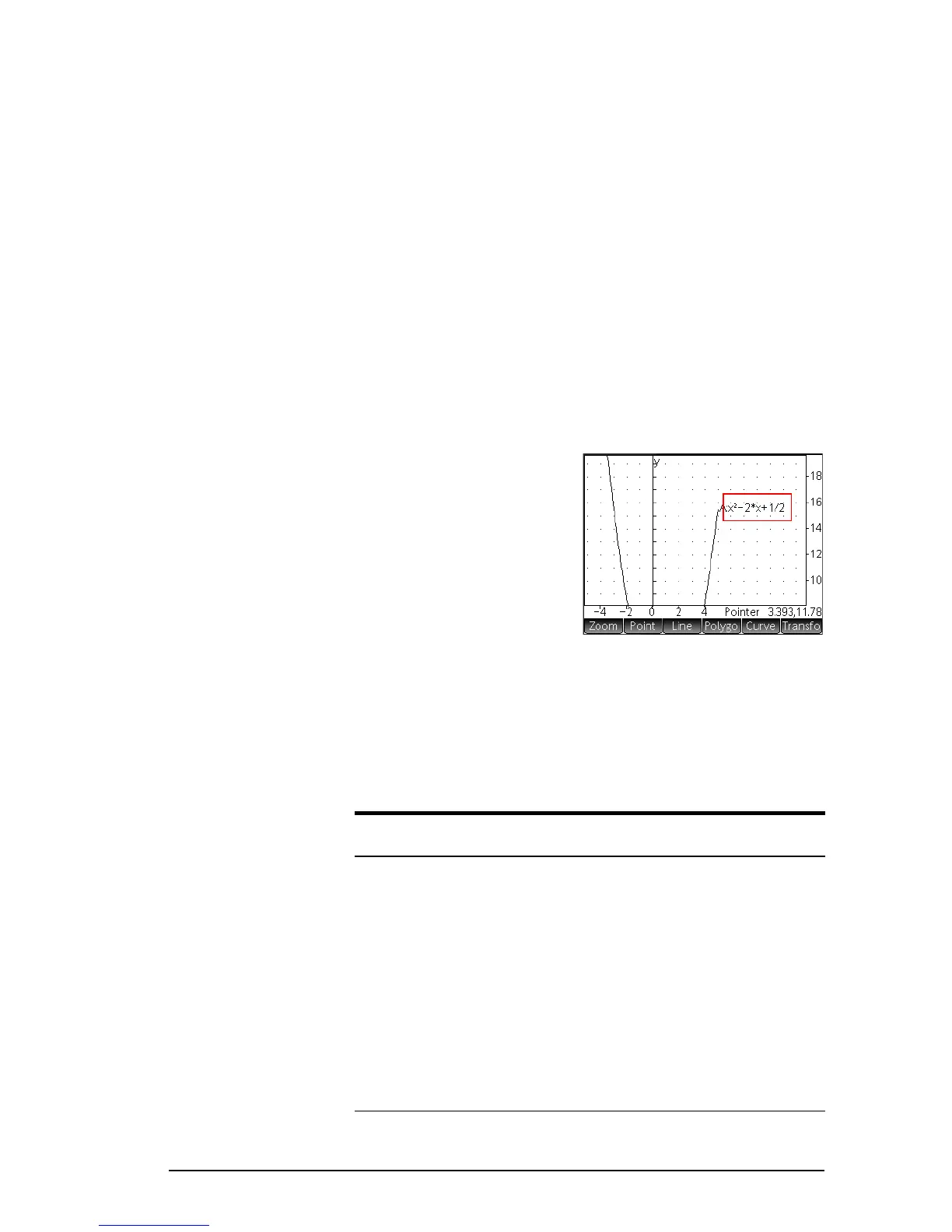
Function Labels: A
toggle option to hide (or
reshow) the expression
that generated a plot
with the plot. These
should not be confused
with calculation labels.
You can show function
labels without also showing calculation labels and vice
versa).
•
Shortcuts: A toggle option to enable (or disable)
keyboard shortcuts (that is, hot keys) in Plot view. With
this option enabled, the following shortcuts become
available:
Key
Result in Plot view
a
Hide (or reshow) the axes.
F
Selects the circle drawing tool. Follow the
instructions on the screen (or see page
158 ) .
c
Erases all trace lines (see page 154)
g
Selects the intersection drawing tool. Fol-
low the instructions on the screen (or see
page 154).


 To Next Page