EasyManua.ls Logo

HP 6s - User Manual

HP 6s
21 pages
Print Icon
To Next Page IconTo Next Page
Loading...
1
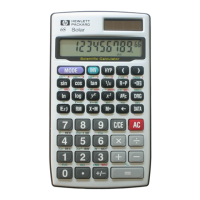
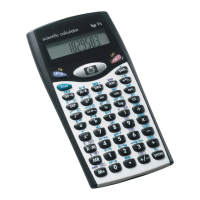
HP 6S Scientific Calculator
H
English.PM6 3/3/99, 3:45 PM1
All manuals and user guides at all-guides.com
all-guides.com
Question and Answer IconNeed help?

Do you have a question about the HP 6s and is the answer not in the manual?

Summary

Binary, Octal and Hexadecimal Values

Using Statistics

Entering a List of Data Items to Analyse

Guides on inputting data for statistical analysis.

Using Statistical Functions on Your Data

Explains how to apply statistical functions to analyzed data.

Changing the Battery

Keyboard

Basic Functions

Entering Numbers

Instructions for entering numerical values and decimal points.

Entering Negative Numbers

How to input negative numbers using the +/- key.

Entering Exponential Numbers

Steps for entering numbers in scientific notation (e.g., 3.08x10^9).

Arithmetic Operator

How to use basic arithmetic operators (+, -, x, ÷).

Equals

How to complete a calculation and display the result.

Making Corrections

Methods for correcting errors during input or calculation.

Clearing Errors

Procedures for clearing error messages and resetting the calculator.

Fixing the Number of Decimal Places Displayed

How to set a fixed number of decimal places for display.

Setting the Display to Scientific Notation

How to switch the display to scientific notation format.

Calculations

Using Memory

Instructions for using the calculator's independent memory.

Other Functions

Overview

The HP 6S Scientific Calculator is a versatile device designed for a wide range of mathematical and scientific computations. It features a clear LCD display capable of showing up to 10 digits for the mantissa and up to ±99 for the exponent, ensuring readability for various results. The calculator operates with 12-digit internal accuracy, rounding displayed answers to 10 digits while retaining full precision for subsequent calculations.

Function Description:

The HP 6S offers comprehensive functionality across several categories:

  • Basic Functions: This includes standard arithmetic operations (addition, subtraction, multiplication, division), entering positive and negative numbers, and handling exponential notation. It also provides features for making corrections, clearing errors, and setting the display to a fixed number of decimal places or scientific notation. The calculator follows a specific order of operations, prioritizing powers, roots, multiplication, division, and logical operations before addition and subtraction. Parentheses can be used to specify the order of calculations, with support for up to six nested levels.

  • Memory Functions: The calculator has an independent memory, indicated by an "M" on the display when data is stored. Users can store displayed values, add values to memory, retrieve memory contents, and exchange display data with memory contents. There are also functions to clear the display, cancel current calculations, and clear the memory.

  • Fraction Arithmetic: The HP 6S supports fraction entry and calculations. Fractions are automatically reduced to their lowest terms when an arithmetic operator or the equals key is pressed. It can also convert fractions to decimal format.

  • Percentage Calculations: The calculator provides dedicated functions for percentage calculations, allowing users to find percentages of numbers, express one number as a percentage of another, add or subtract percentages, and calculate percentage changes.

  • Other Functions:

    • Sexagesimal/Decimal Conversion: It can convert between minutes and seconds (sexagesimal figures) and decimal format, useful for angular measurements.
    • Angle Unit Conversion: The calculator supports conversions between degrees, radians, and grads.
    • Trigonometric Functions: Standard trigonometric functions (sine, cosine, tangent) and their inverse counterparts (arcsine, arccosine, arctangent) are available.
    • Hyperbolic Functions: Hyperbolic sine, cosine, and tangent, along with their inverse functions, are included.
    • Logarithmic Functions: Common logarithm (log10), natural logarithm (ln), and their antilogarithm functions (10^x, e^x) are supported.
    • Powers and Roots: Functions for powers (y^x), roots (x√y), square root (√x), cube root (3√x), and reciprocals (1/x) are provided.
    • Factorial: Calculation of factorials (n!) is also available.
    • Coordinate Conversions: The calculator can convert between polar and rectangular coordinates.
    • Engineering Notation: It supports engineering notation, displaying exponents as multiples of 3.
  • Base-n Calculations: The HP 6S can perform calculations and conversions in binary, octal, decimal, and hexadecimal number bases. It includes logical operations such as AND, OR, XOR, XNOR, and NOT, which compare binary versions of numbers. The radix complement function is also available for hexadecimal, octal, or binary numbers.

  • Statistical Functions: The calculator offers a statistical data mode for analyzing data sets. Users can enter data items, delete entries, and perform various statistical calculations, including:

    • Number of data elements (n)
    • Sample standard deviation (σn-1)
    • Population standard deviation (σn)
    • Arithmetic mean (x̄)
    • Sum of values (Σx)
    • Sum of square values (Σx²)

Important Technical Specifications:

  • Display: LCD, 10-digit mantissa, ±99 exponent.
  • Internal Precision: 12 digits.
  • Angle Units: Degrees, Radians, Grads.
  • Number Bases: Binary, Octal, Decimal, Hexadecimal.
  • Dimensions: 127mm (H) x 72mm (W) x 8.5mm (D) (excluding wallet).
  • Net Weight: 91g (including wallet).
  • Ambient Temperature Range: 0°C to 40°C (32°F to 104°F).
  • Power Source:
    • Solar model: Silicon solar cell and 1 LR43 alkaline manganese battery.
    • Non-solar model: 2 LR43 alkaline manganese batteries.

Usage Features:

  • Keyboard Layout: The keyboard is organized into general keys (numbers, arithmetic operators, clear/reset), memory keys, special keys (inverse, mode, parentheses, exponent, Pi), base-n keys (decimal, binary, hexadecimal, octal, logical operators), function keys (trigonometric, hyperbolic, logarithmic, powers, roots, fraction, percentage, coordinate conversions), and statistical keys.
  • Error Handling: The display indicates errors with "-E-". Errors can be cleared using the C/CE key, which also retains data in memory. The AC key resets the calculator and clears memory (solar model only).
  • Display Modes: Users can switch between floating notation (FLO), scientific notation (SCI), and engineering notation (ENG) for displaying results. The number of decimal places can also be fixed (FIX).
  • Re-using Operations: Arithmetic operations can be re-used by pressing the operator key twice, allowing the calculator to apply the stored operation to new numbers.

Maintenance Features:

  • Battery Replacement: The manual provides clear instructions for changing the battery when the display darkens or disappears. For solar models, one LR43 battery is required; for non-solar models, two LR43 batteries are needed. The process involves removing four screws from the back, detaching the back panel, carefully removing the old battery (using a sharp object like a pen), installing the new battery with the positive (+) sign facing up, replacing the back panel and screws, and finally checking the display to ensure it shows "0" in DEG mode.
  • Cleaning: While not explicitly detailed, general calculator maintenance would involve keeping the device clean and free from dust and debris to ensure optimal performance and longevity.

HP 6s Specifications

General IconGeneral
BrandHP
Model6s
CategoryCalculator
LanguageEnglish

Related product manuals