166 Geometry
center
Returns the center of a circle.
center(circle)
Example: center(circle(x
2
+y
2
–x–y)) gives
point(1/2,1/2)
division_point
For two points A and B, and a numerical factor k, returns a
point C such that C-B=k*(C-A).
division_point(point1, point2, realk)
Example: division_point(0,6+6*i,4) returns point
(8,8)
element
Creates a point on a geometric object whose abscissa is a
given value or creates a real value on a given interval.
element(object, real) or element(real1..real2)
Examples:
element(plotfunc(x
2
),–2) creates a point on the
graph of y = x
2
. Initially, this point will appear at (–2,4). You
can move the point, but it will always remain on the graph of
its function.
element(0..5) creates a value of 2.5 initially. Tapping on
this value and pressing
E enables you to press > and
< to increase or decrease the value in a manner similar to a
slider bar. Press
E again to close the slider bar. The
value you set can be used as a coefficient in a function you
subsequently plot.
inter
Returns the intersections of two curves as a vector.
inter(curve1, curve2)
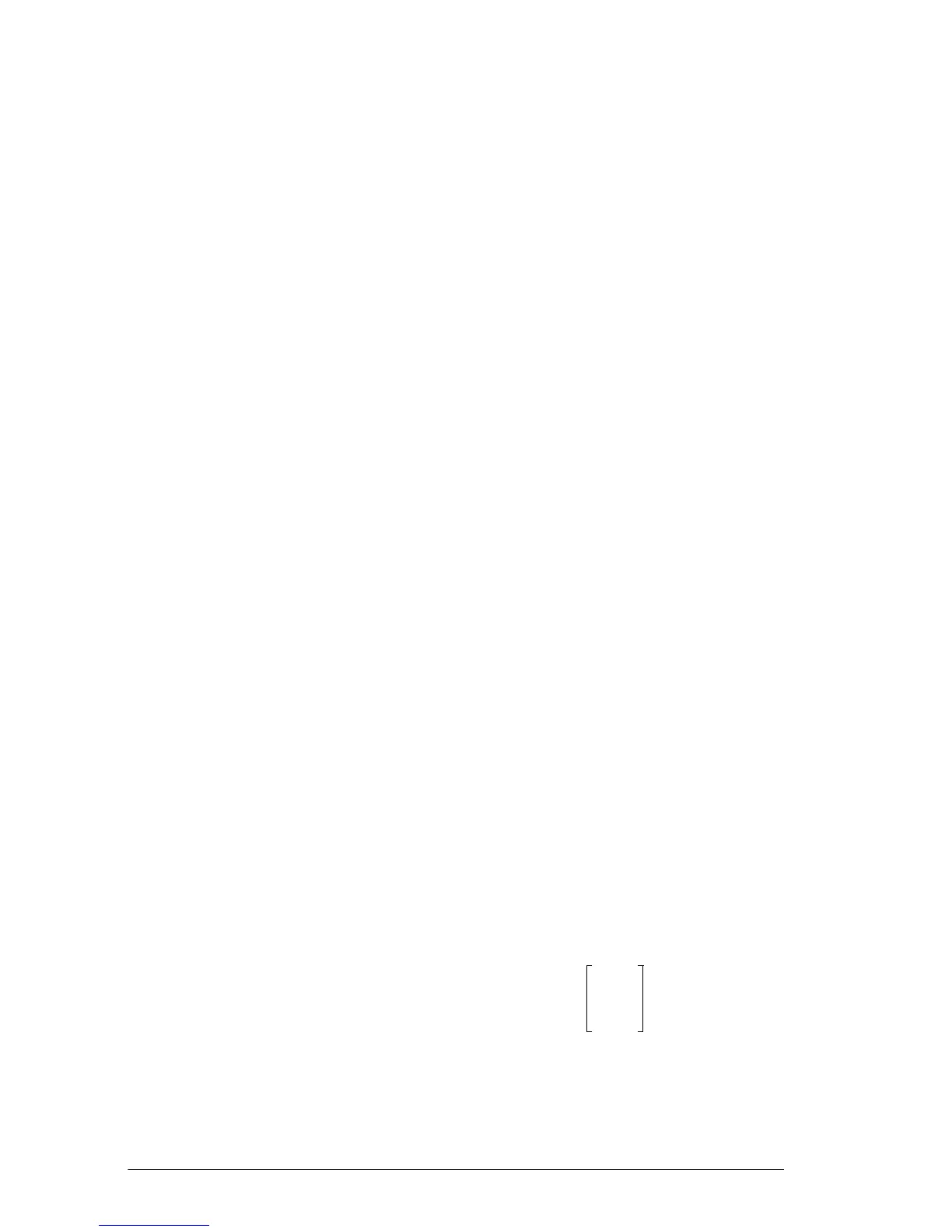
Example: inter returns . This indicates
that there are two intersections:
• (6,2)
• (–9,–5.5)



 To Next Page