222 Statistics 2Var app
Open the
Statistics 2Var
app
1. Open the Statistics
2Var app:
I
Select
Statistics
2Var.
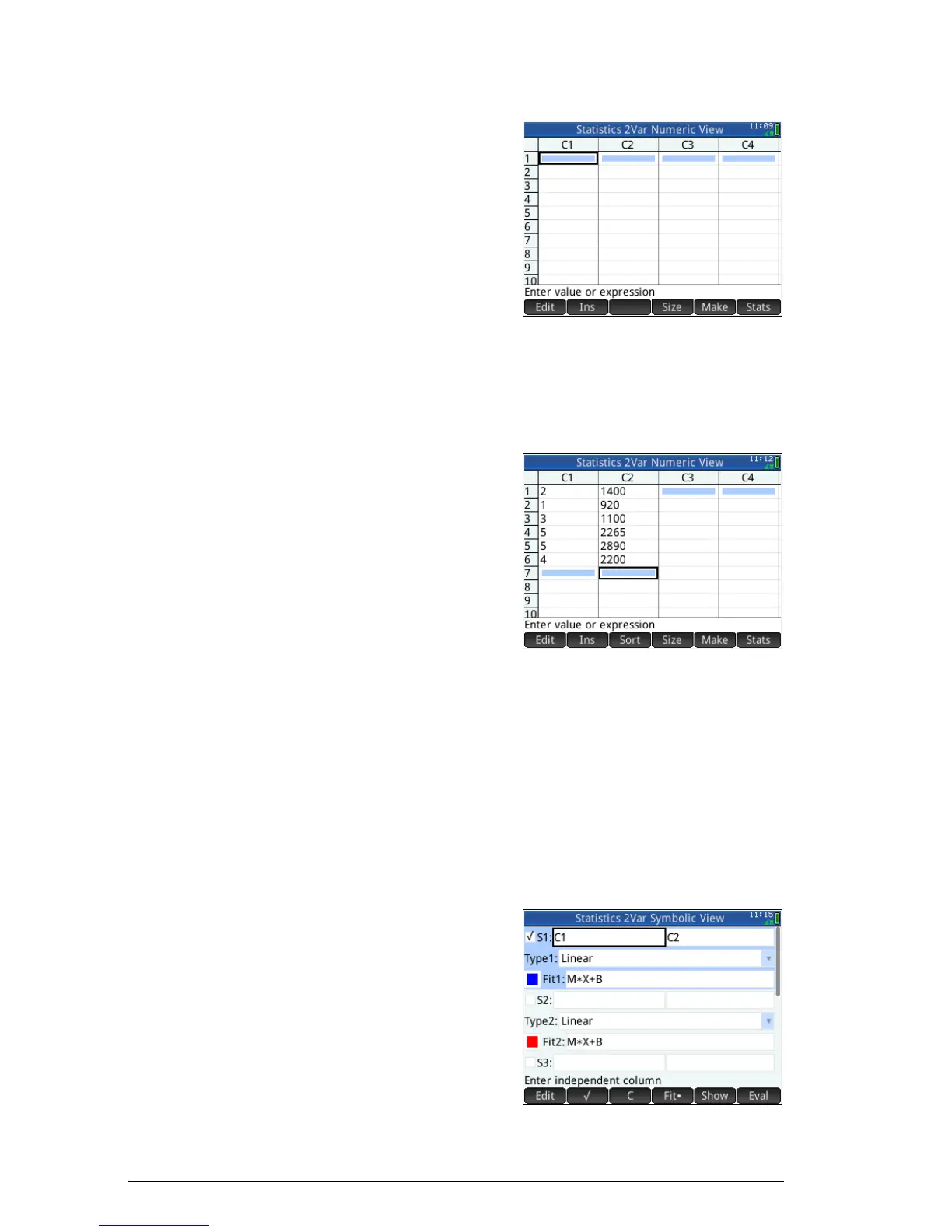
Enter data 2. Enter the advertising minutes data in column C1:
2
E
1
E
3
E
5
E
5
E
4
E
3. Enter the resulting
sales data in
column C2:
14 0 0
E
920
E
11 0 0
E
2265
E
2890
E
2200
E
Choose data
columns and fit
In Symbolic view, you can define up to five analyses of
two-variable data, named S1 to S5. In this example, we
will define just one: S1. The process involves choosing
data sets and a fit type.
4. Specify the columns that contain the data you want to
analyze:
Y
In this case, C1
and C2 appear
by default. But you
could have
entered your data
into columns other
than C1 and C2.



 To Next Page