Linear Solver app 267
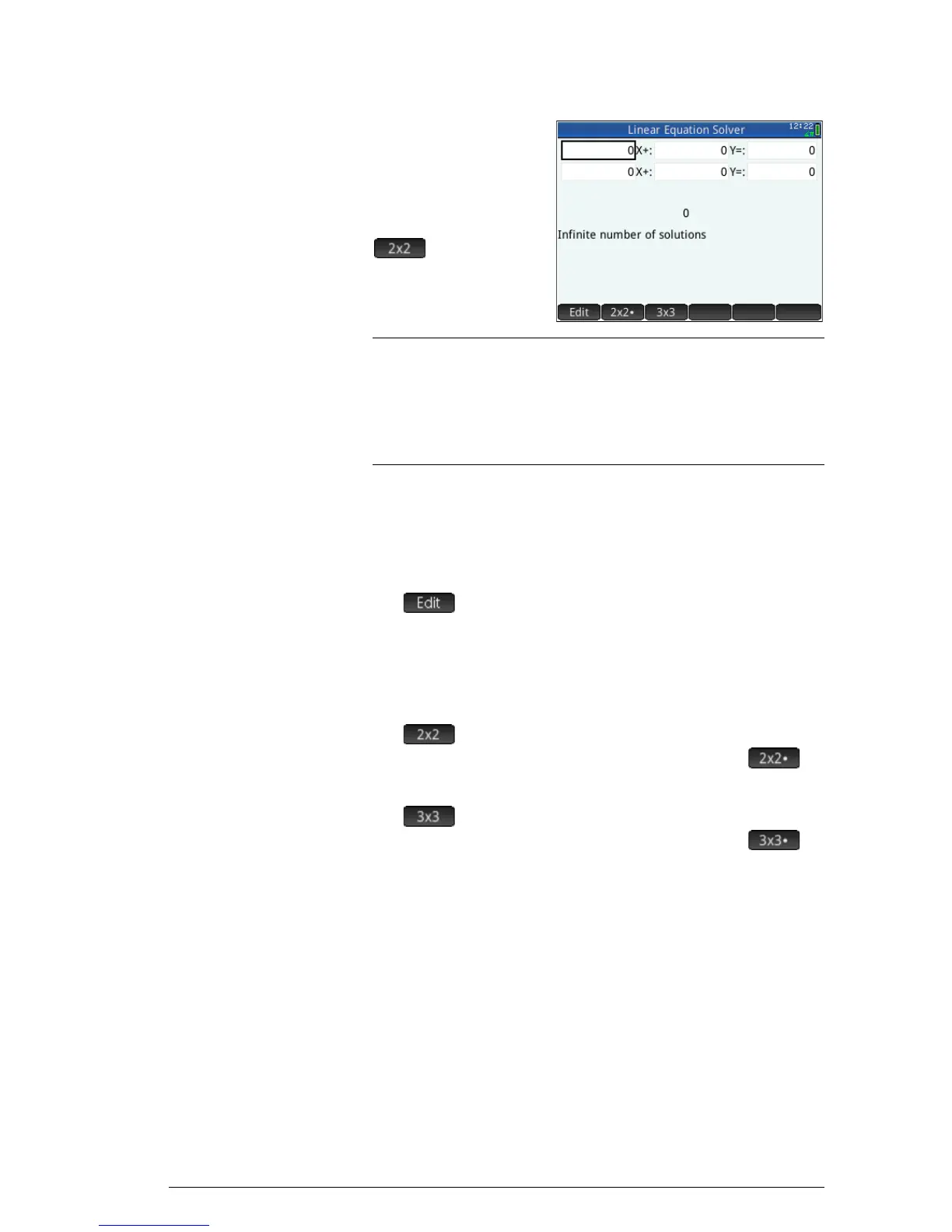
Solve a two-by-
two system
If the three-equation
input form is
displayed and you
want to solve a two-
equation set, tap
.
Note
You can enter any expression that resolves to a numerical
result, including variables. Just enter the name of a
variable. For more information on assigning values to
variables, see “Storing a value in a variable” on
page 42.
Menu items
The menu items are:
• : moves the cursor to the entry line where you
can add or change a value. You can also highlight a
field, enter a value, and press
E. The cursor
automatically moves to the next field, where you can
enter the next value and press
E.
• : displays the page for solving a system of 2
linear equations in 2 variables; changes to
when active
• : displays the page for solving a system of 3
linear equations in 3 variables; changes to
when active.



 To Next Page