Sequence app 281
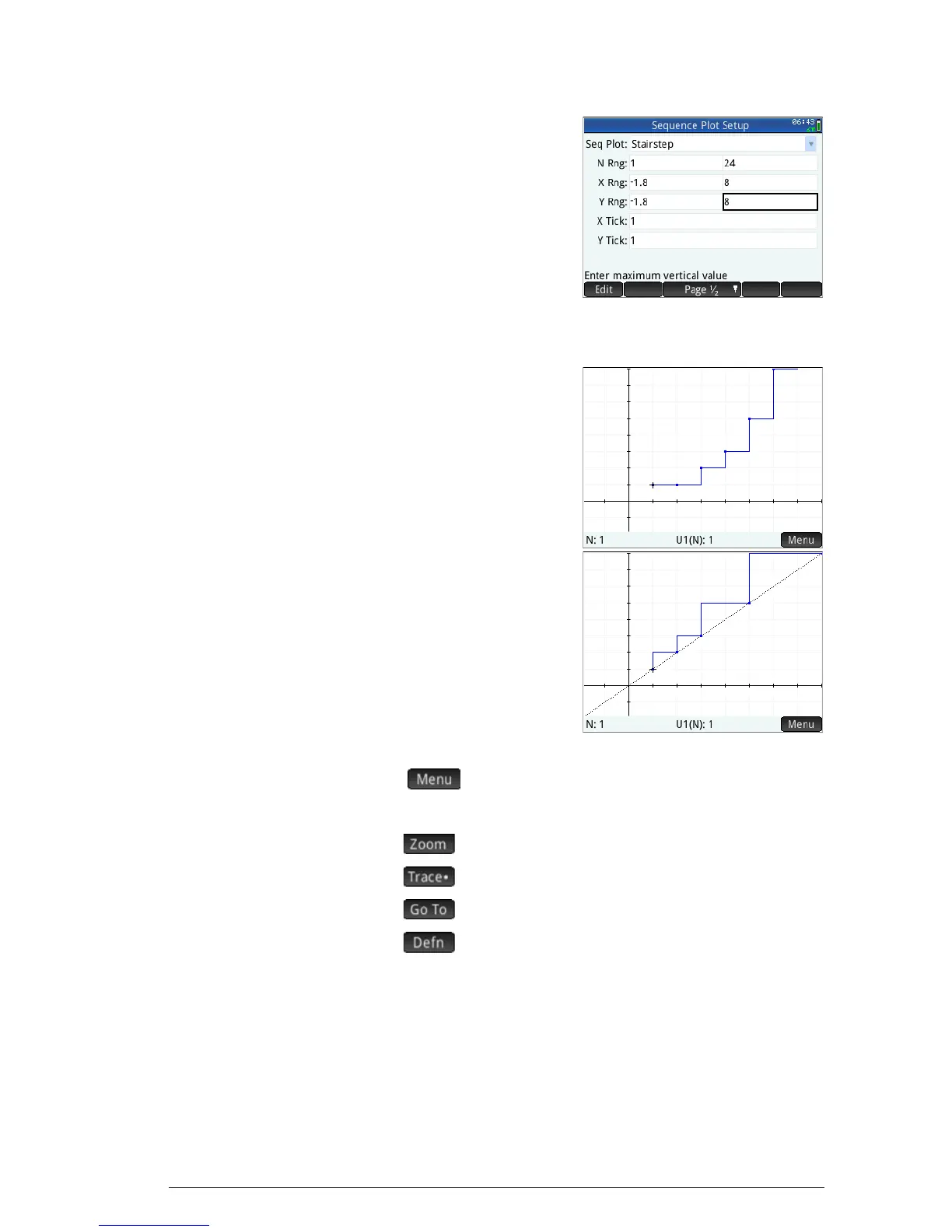
6. Select Stairstep
from the
Seq Plot
menu.
7. Set the
X Rng
maximum, and the
YRng maximum, to
8 (as shown at the
right).
Plot the
sequence
8. Plot the Fibonacci
sequence:
P
9. Return to Plot Setup
view (
S
P
) and
select Cobweb, from
the
Seq Plot menu.
10. Plot the sequence:
P
Explore the
graph
The
button gives you access to common plot-
exploration tools, such as:
• : Zoom in or out on the plot
• : Trace along a graph
• : Go to a specified N value
• : Display the sequence definition
These tools are explained in “Common operations in Plot
view” on page 88.
Split screen and autoscaling options are also available by
pressing
V.



 To Next Page