An introduction to HP apps 85
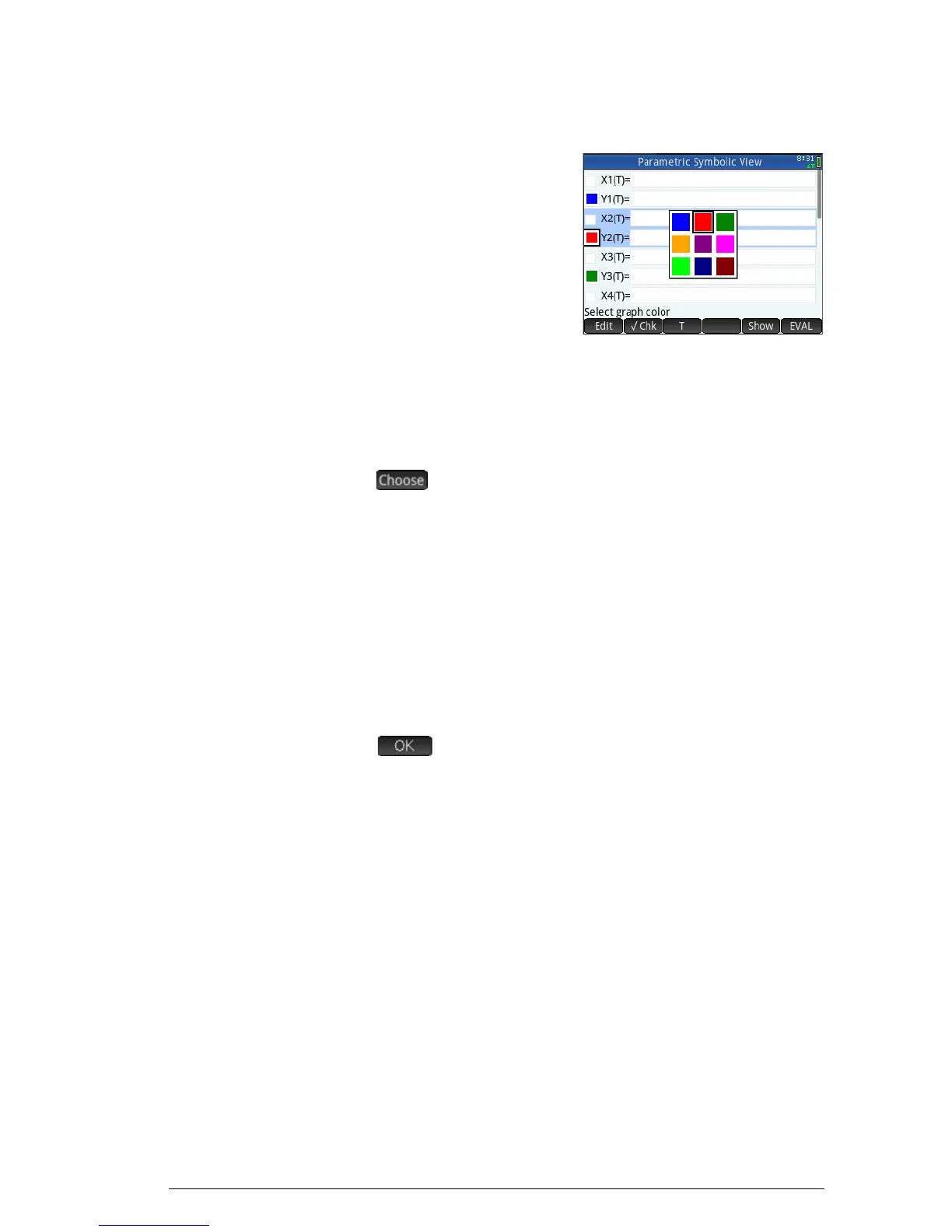
Choose a color for plots
Each function and open
sentence can be plotted in a
different color. If you want to
change the default color of a
plot:
1. Ta p t h e c o l o re d s q u a r e t o
the left of the function’s
definition.
You can also select the square by pressing
E while
the definition is selected. Pressing
E moves the
selection from the definition to the colored square and from
the colored square to the definition.
2. tap .
3. Select the desired color from the color-picker.
Delete a definition
To delete a single definition:
1. Tap once on it (or highlight it using the cursor keys).
2. Press
C.
To delete all the definitions:
1. P r e s s SJ.
2. Tap or press
E to confirm your intention.


 To Next Page