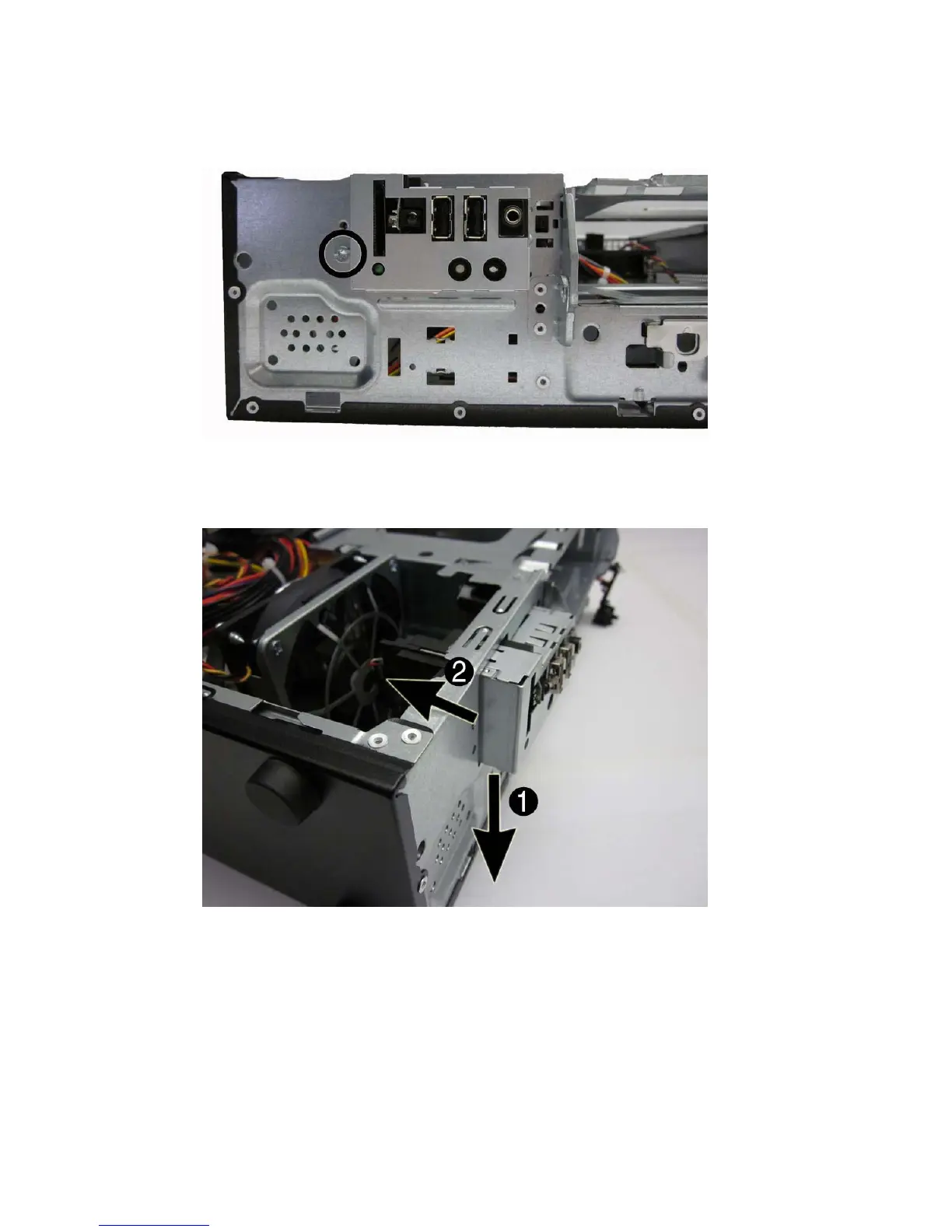
6. From the front of the computer, remove the screw that secures the assembly to the front of the
chassis.
Figure 8-27 Removing the front USB assembly screw
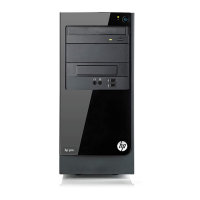
7. Push the left side of the assembly down slightly (1), and then push the assembly into the
computer (2).
Figure 8-28 Disengaging the front USB assembly
8. Remove the assembly from the computer.
To install the front USB assembly, reverse the removal procedure.
Front USB Assembly 119


 To Next Page