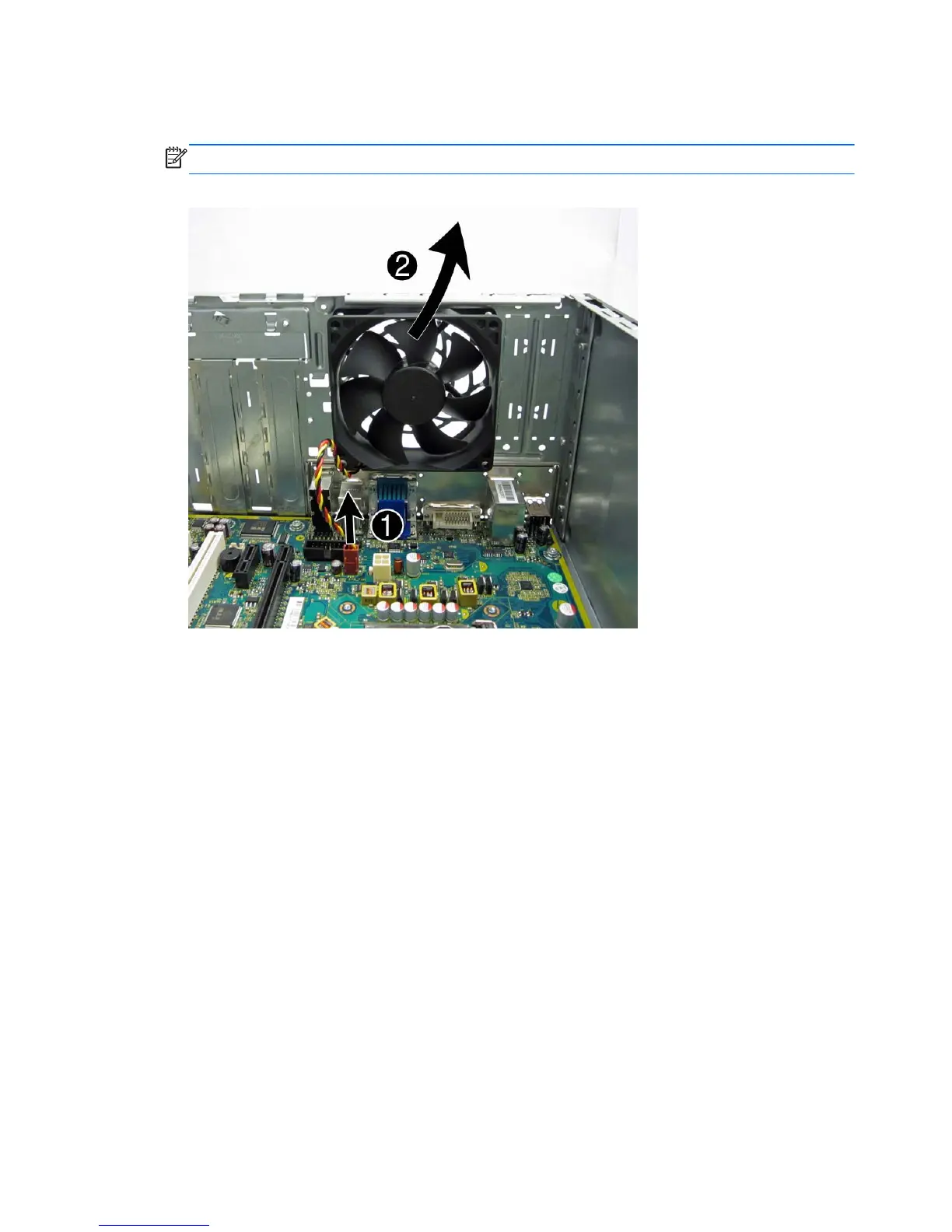
5. Disconnect the cable from the red/brown system board connector labeled SYS_FAN (1), pull the
fan into the chassis until it clears the chassis lip, and then lift it out of the chassis (2).
NOTE: System board appearance may vary.
Figure 7-42 Removing the fan
To install the fan, reverse the removal procedures.
82 Chapter 7 Removal and Replacement Procedures – Microtower (MT) Chassis


 To Next Page