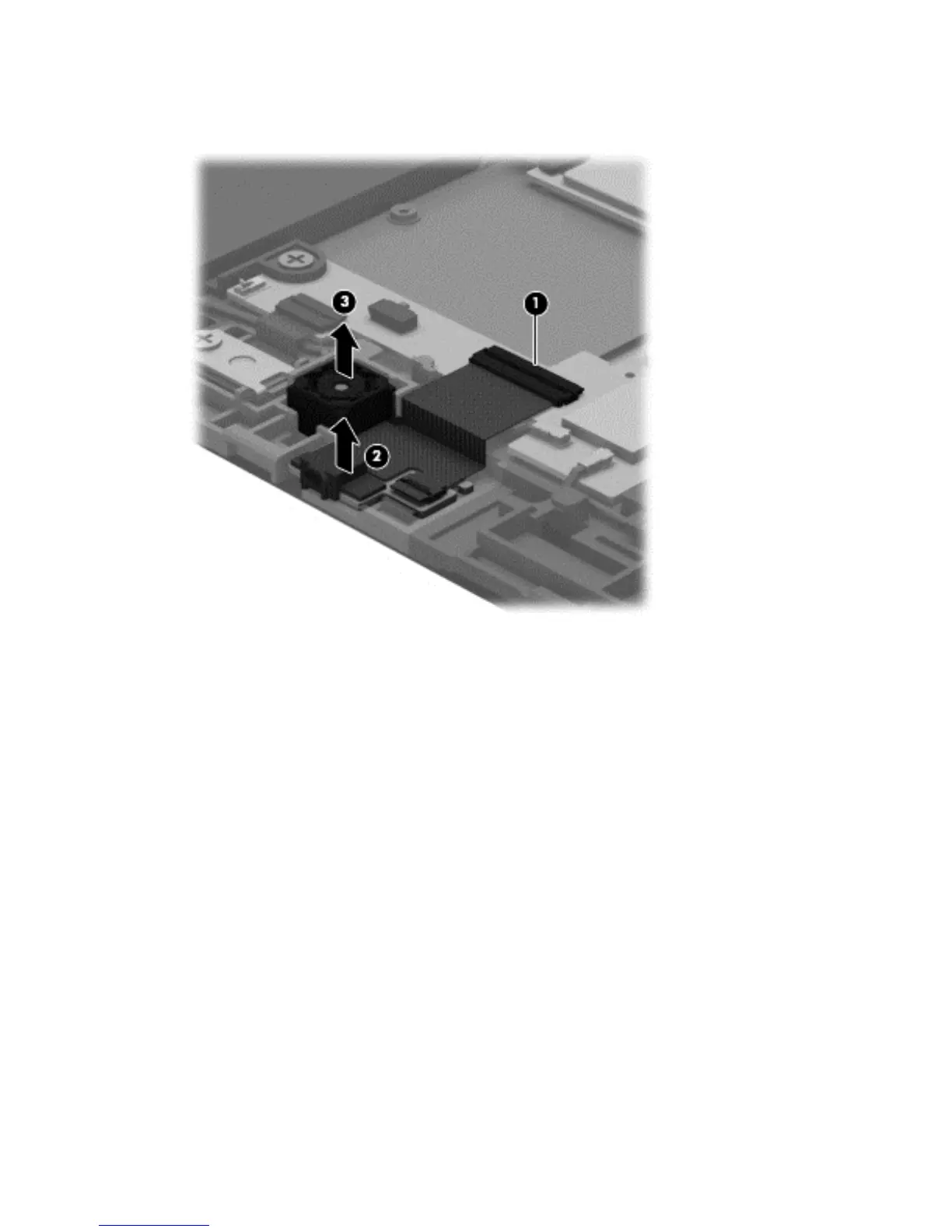
3. Detach the front-facing webcamera (3) from the display assembly. (The front-facing webcamera is
attached to the display assembly with double-sided adhesive.)
4. Remove the front-facing webcamera, microphone, and cable.
Reverse this procedure to install the front-facing webcamera.
26 Chapter 5 Removal and replacement procedures






 To Next Page