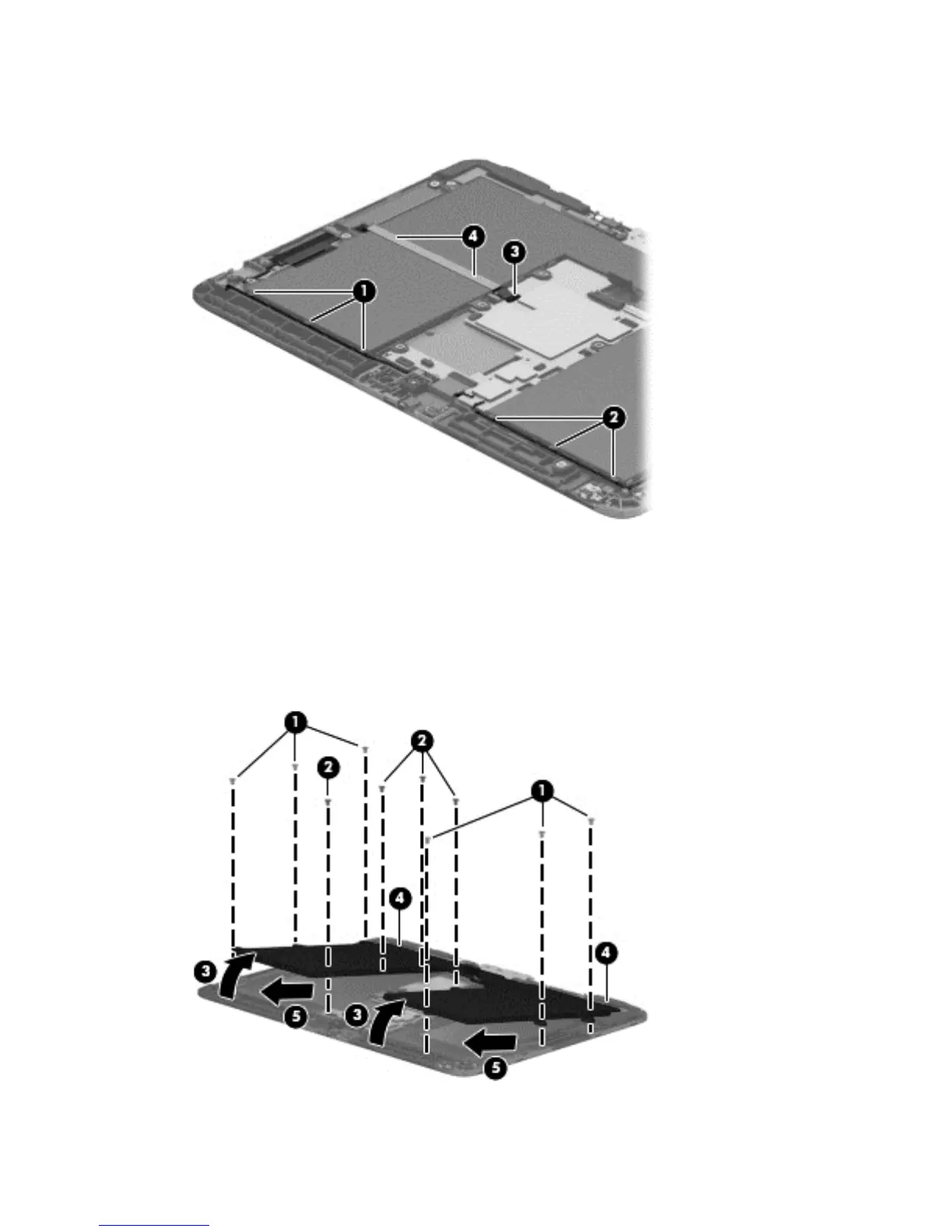
3. Detach the TouchScreen board cable (4) from the battery. (The TouchScreen board cable is
attached to the battery with double-sided adhesive.)
4. Remove the six Phillips PM2.0×3.0 screws (1) and the four Phillips PM2.0×3.25 screws (2) that
secure the battery to the display assembly.
5. Lift the front edge of the battery (3) until the tabs (4) on the back edge of the battery disengage
from the display assembly.
6. Remove the battery (5) by sliding it forward.
34 Chapter 5 Removal and replacement procedures






 To Next Page