c. Battery (see Battery on page 33)
d. SIM/card reader board (see
SIM/card reader board on page 37)
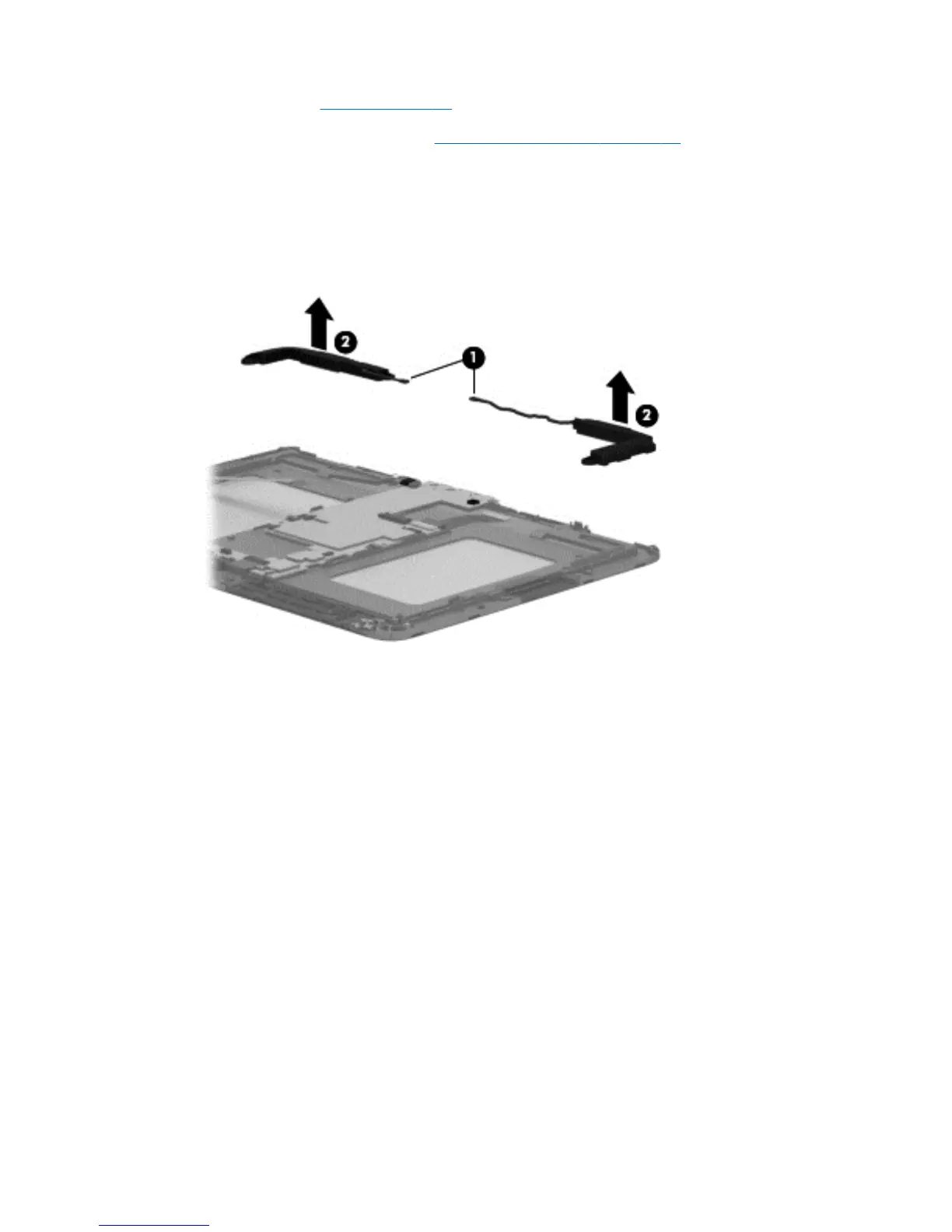
Remove the speakers:
1. Disconnect the speaker cables (1) from the system board.
2. Remove the speakers (2) and cables.
Reverse this procedure to install the speakers.
Speakers
39






 To Next Page