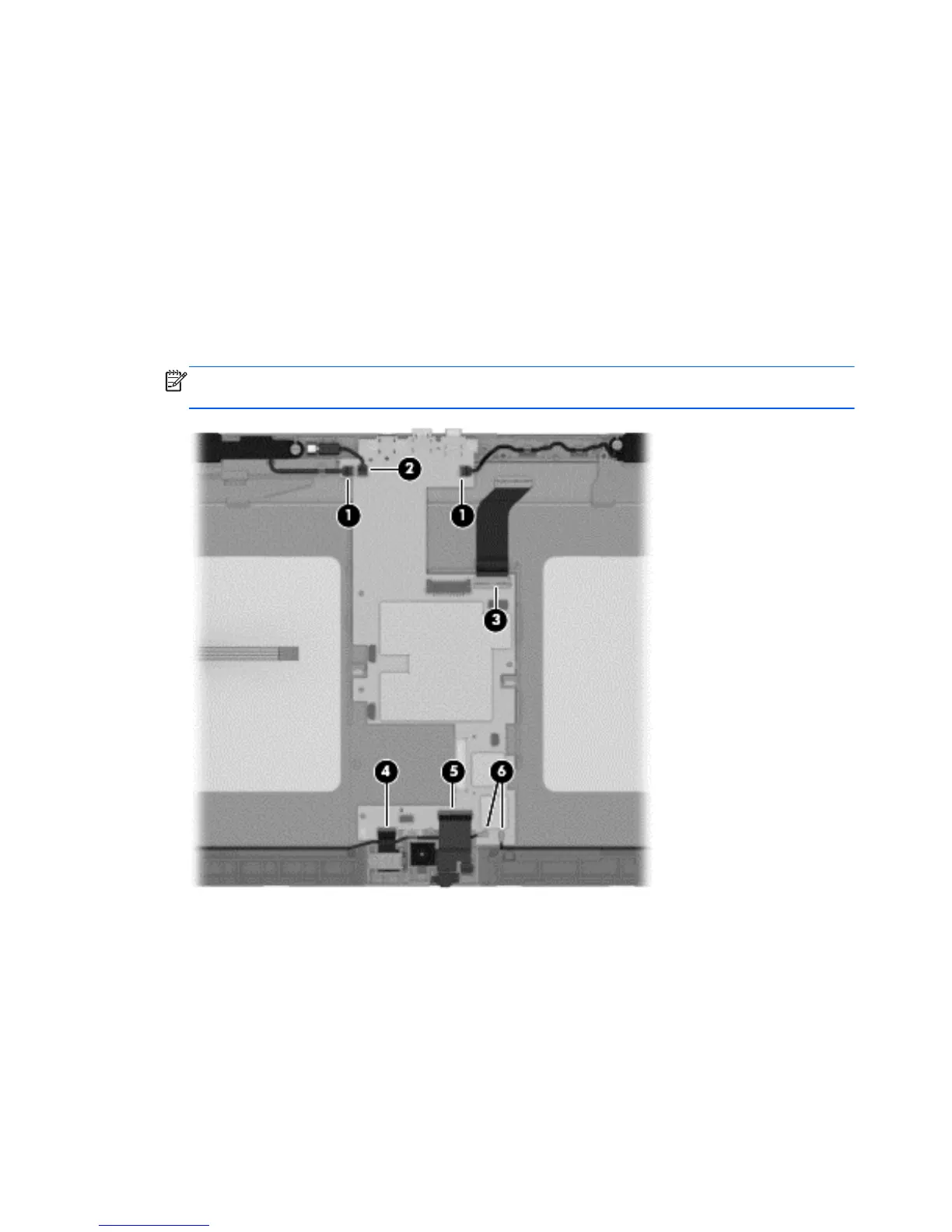
Remove the system board:
1. Disconnect the following cables from the system board:
(1) Speaker cables
(2) Vibrator module cable
(3) Display panel cable from the system board ZIF connector
(4) Rear-facing webcamera cable from the system board ZIF connector
(5) Front-facing webcamera cable from the system board ZIF connector
(6) Wireless antenna cables from the system board terminals
NOTE: The wireless antenna cable labeled “1” connects to the “Main” terminal labeled “1”.
The wireless antenna cable labeled “2” connects to the “Aux” terminal labeled “2”.
2. Remove the three Phillips PM2.0×2.5 screws (1) that secure the system board to the
display assembly.
44 Chapter 5 Removal and replacement procedures






 To Next Page