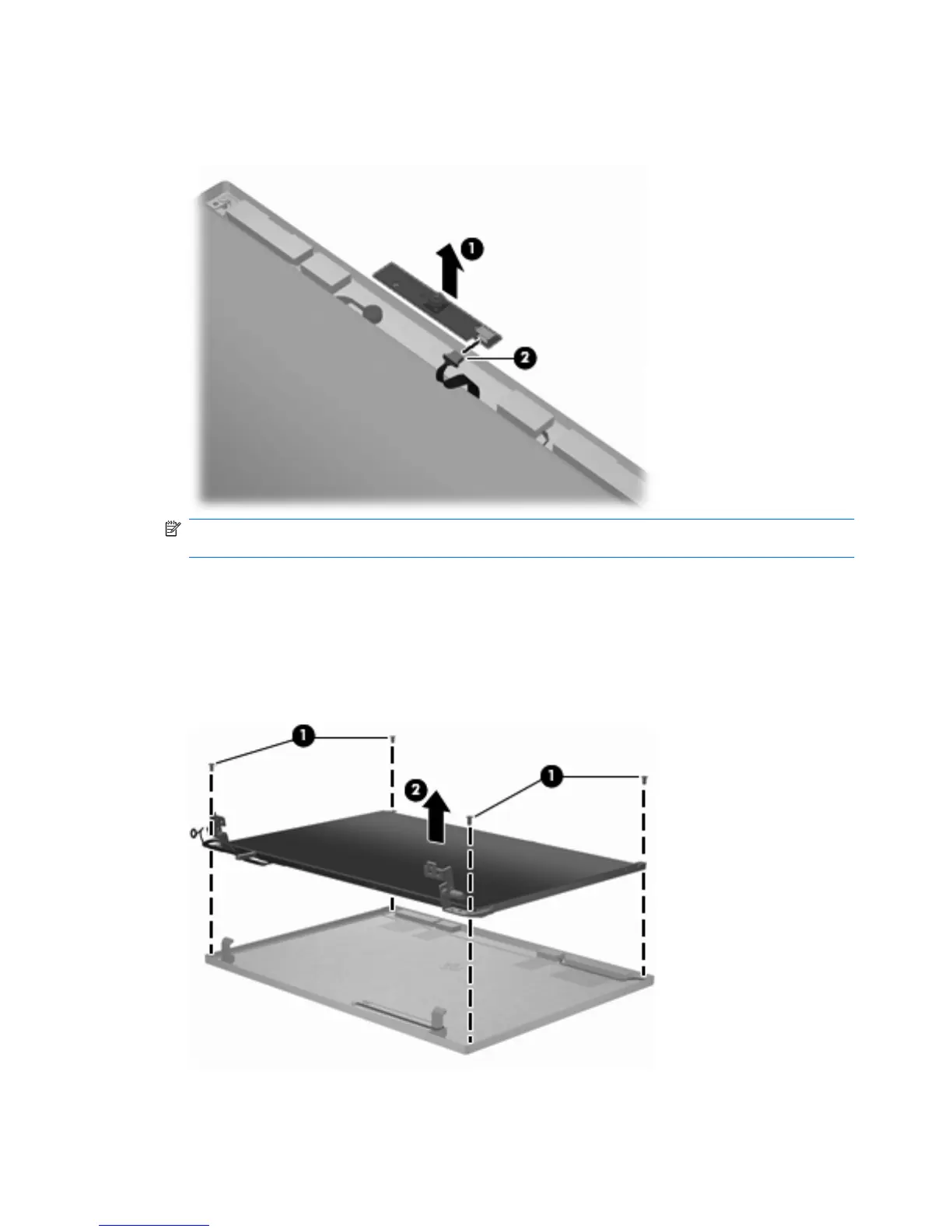
6. If it is necessary to replace the webcam module, gently pull the webcam module away from the
double-sided tape on the display back cover (1), disconnect the webcam cable from the module
(2), and then remove the webcam.
NOTE: To replace the webcam module in the display enclosure, align the holes on the webcam
module with the pins on the display enclosure and press onto the double-sided tape.
7. If it is necessary to replace the display hinges, remove the display panel by removing the two
PM2.5×5.0 screws and the two PM2.5×3.0 screws (1) that secure the panel to the display back
cover.
8. Remove the display panel (2).
62 Chapter 4 Removal and replacement procedures





 To Next Page