Removal and replacement procedures 59
4.
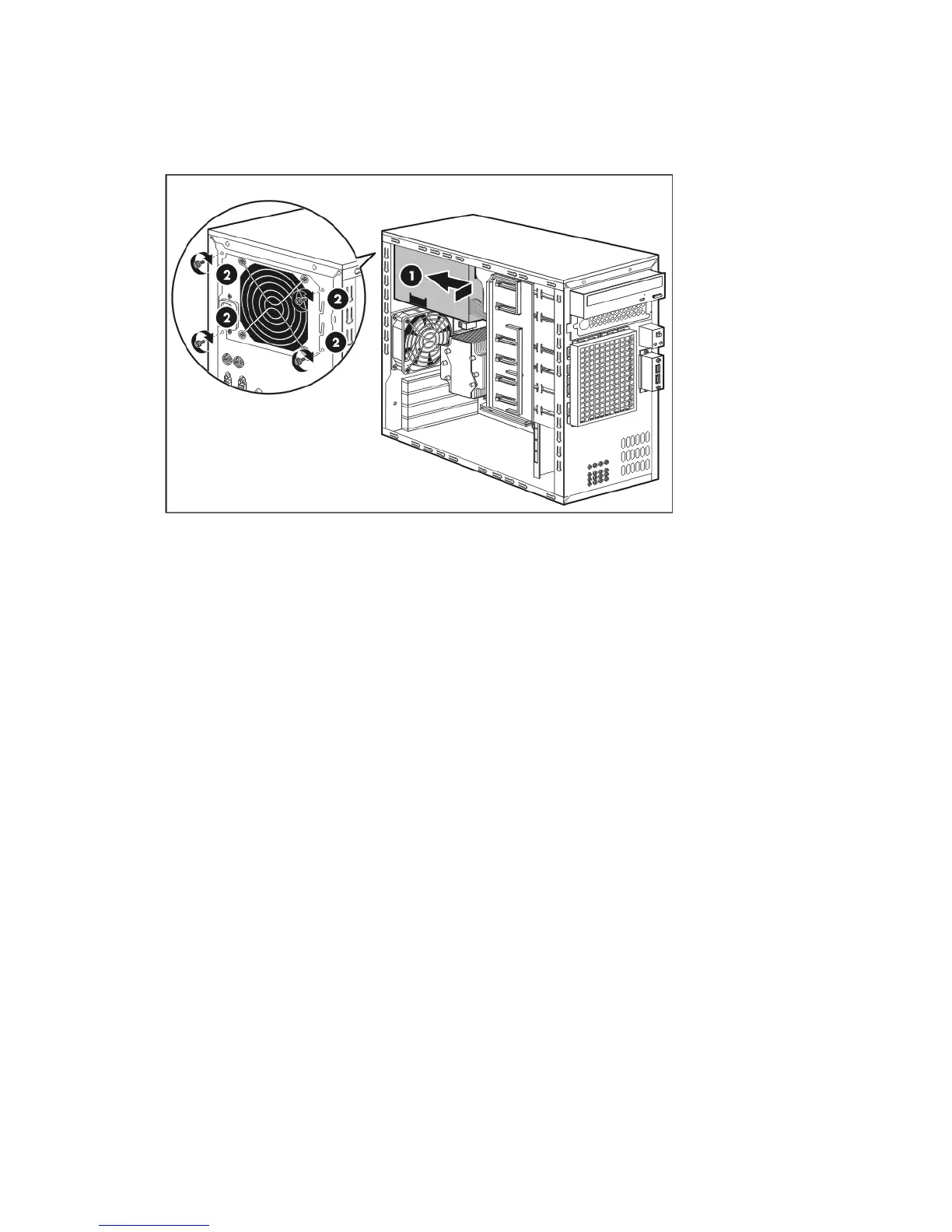
Install the new power supply unit.
a. Align the new PSU to its chassis bay (1).
b. Secure the PSU to the chassis using the four screws you removed in step 3-a (2).
5. Reconnect the system power cables you removed in step 2.
6. Perform the post-installation procedure.



 To Next Page
 Loading...