Component identification 14
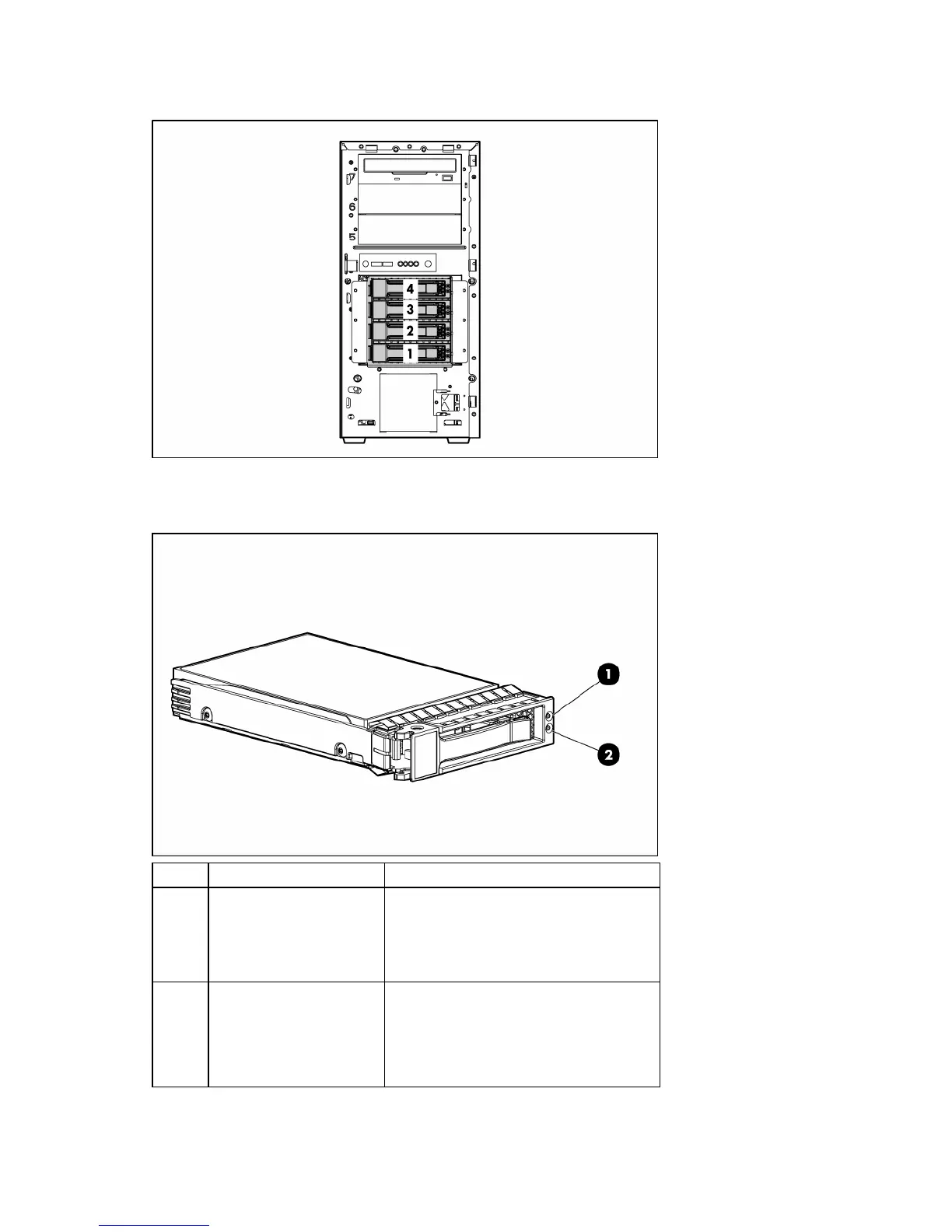
SAS and SATA device numbers
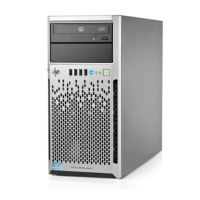
Hot-plug SATA or SAS hard drive LEDs
Item LED description Status
1 Fault/UID status Amber = Drive failure
Flashing amber = Fault-process activity
Blue = Unit identification is active
Off = No fault-process activity
2 Online/Activity status Green = Drive activity
Flashing green = High activity on the
drive or drive is being configured as part
of an array
Off = No drive activity










 To Next Page