Hardware options installation 33
2.
Remove the bezel ("Unlock the tower bezel" on page 17).
3. Remove the access panel (on page 17).
4. Remove the applicable media bay blank
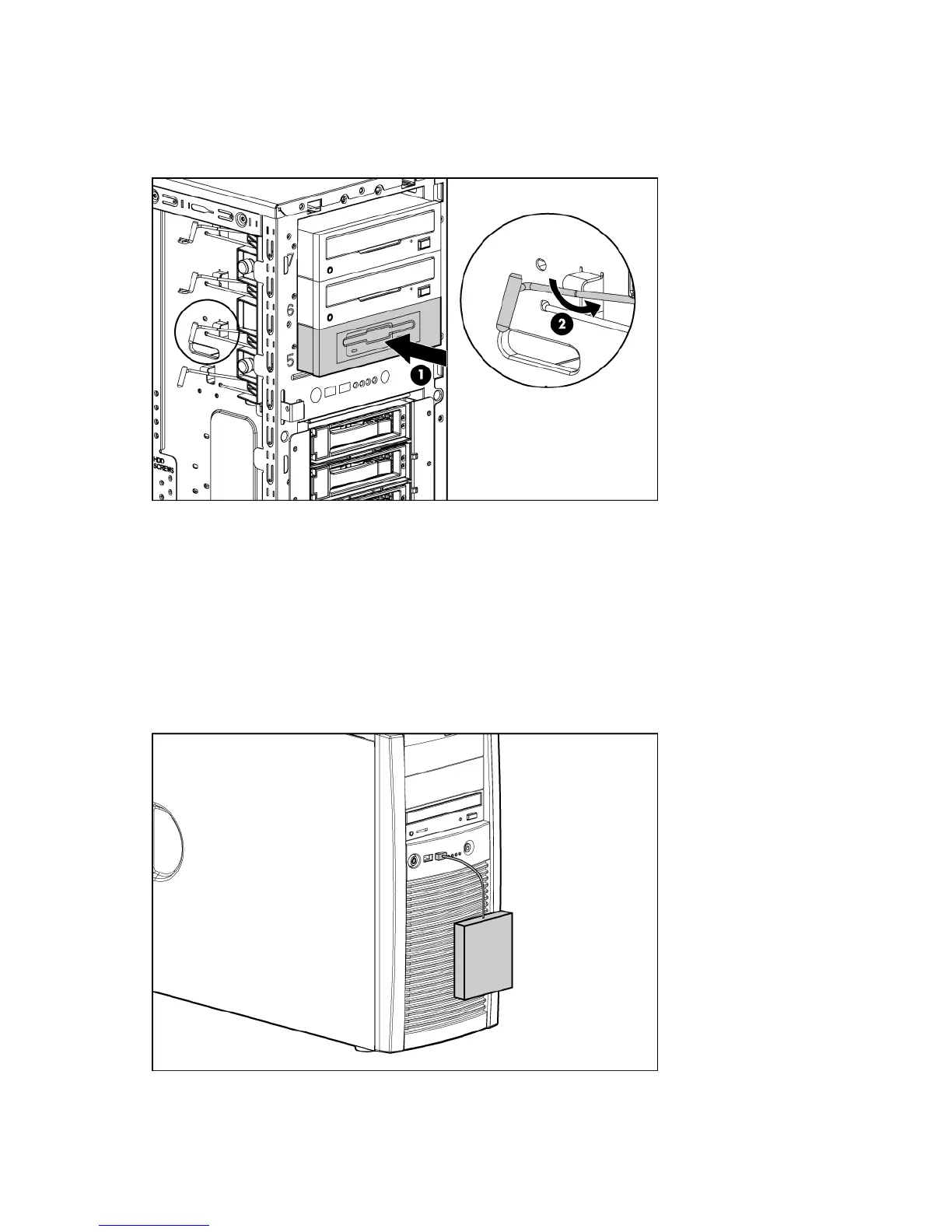
5. Slide the diskette drive into the media drive bay.
6. Connect the diskette drive cable to the rear of the diskette drive and to the diskette drive cable
connector on the system board ("System board components" on page 10).
7. Remove the applicable bezel blanks from the bezel.
8. Install the access panel (on page 17).
9. Install the bezel ("Unlock the tower bezel" on page 17).
10. Power up the server (on page 16).
Installing a USB diskette drive
Connect a USB diskette drive to the USB connector on the server front panel.










 To Next Page