Hardware options installation 35
5.
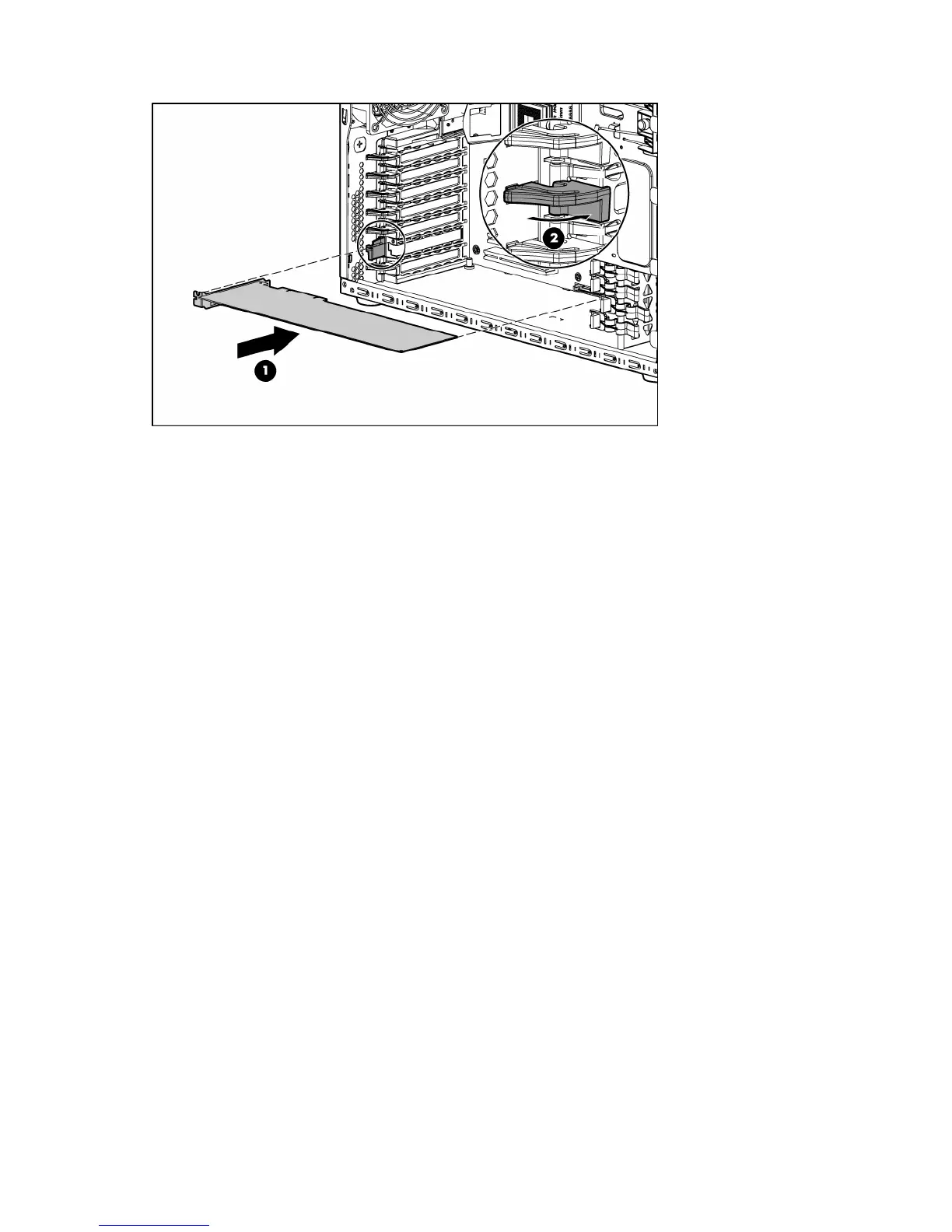
Install the expansion board, and press firmly down to seat the board in the connector.
6. Connect any required internal or external cables to the expansion board. See the documentation that
ships with the expansion board.
7. Install the access panel (on page 17).
8. Install the bezel ("Unlock the tower bezel" on page 17).
9. Power up the server (on page 16).










 To Next Page