Battery replacement 49
Battery replacement
If the server no longer automatically displays the correct date and time, you may need to replace the
battery that provides power to the real-time clock. Under normal use, battery life is 5 to 10 years.
WARNING: The computer contains an internal lithium manganese dioxide, a vanadium
pentoxide, or an alkaline battery pack. A risk of fire and burns exists if the battery pack
is not properly handled. To reduce the risk of personal injury:
• Do not attempt to recharge the battery.
• Do not expose the battery to temperatures higher than 60°C (140°F).
• Do not disassemble, crush, puncture, short external contacts, or dispose of in fire or
water.
• Replace only with the spare designated for this product.
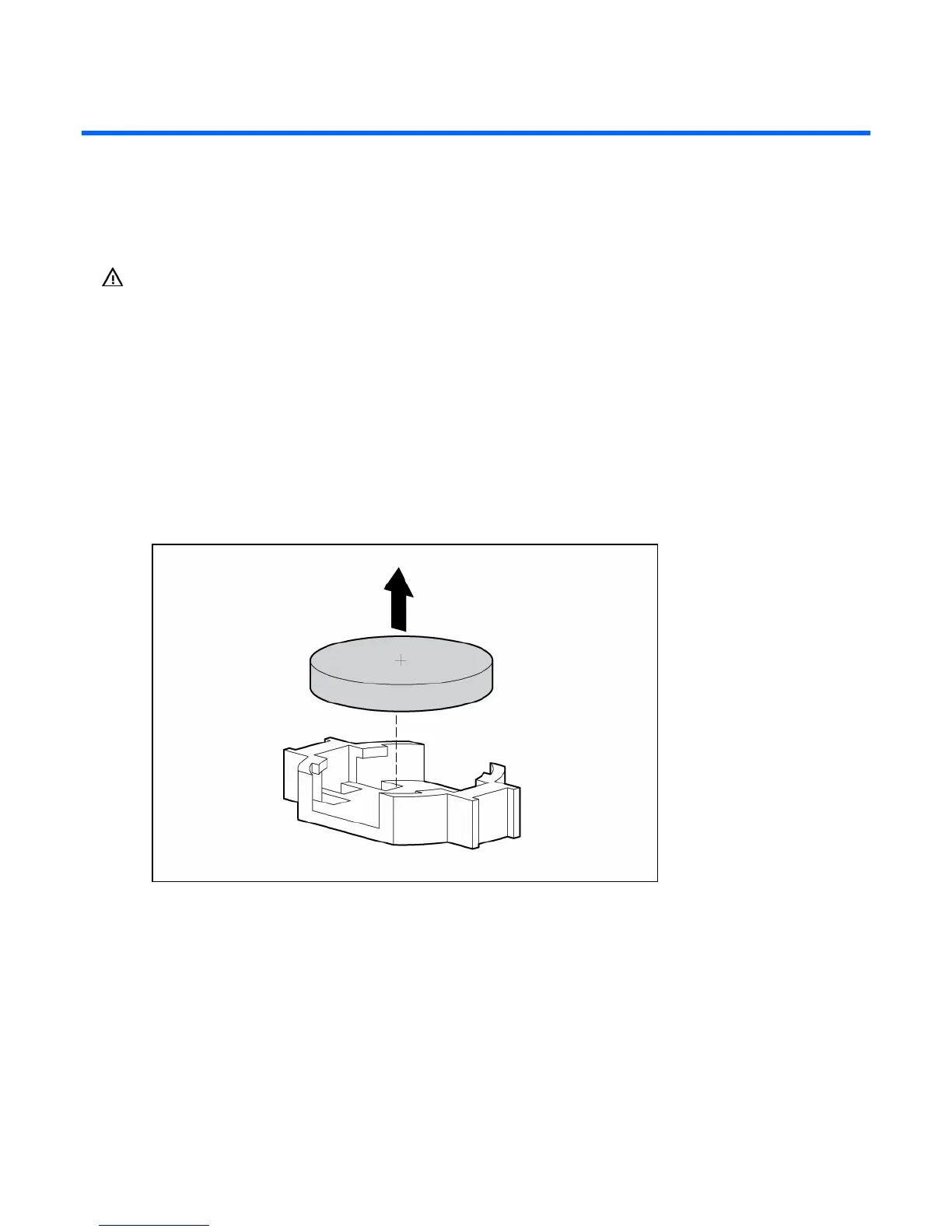
To remove the component:
1. Power down the server (on page 16).
2. Remove the access panel (on page 17).
3. Remove the battery.
To replace the component, reverse the removal procedure.
Run RBSU to configure the system after replacing the battery. Refer to the HP ROM-Based Setup Utility
User Guide for more detailed information.










 To Next Page