Troubleshooting 64
Possible causes:
• Improperly seated or faulty internal or external component
• Unsupported component installed
• Redundancy failure
• System overtemperature condition
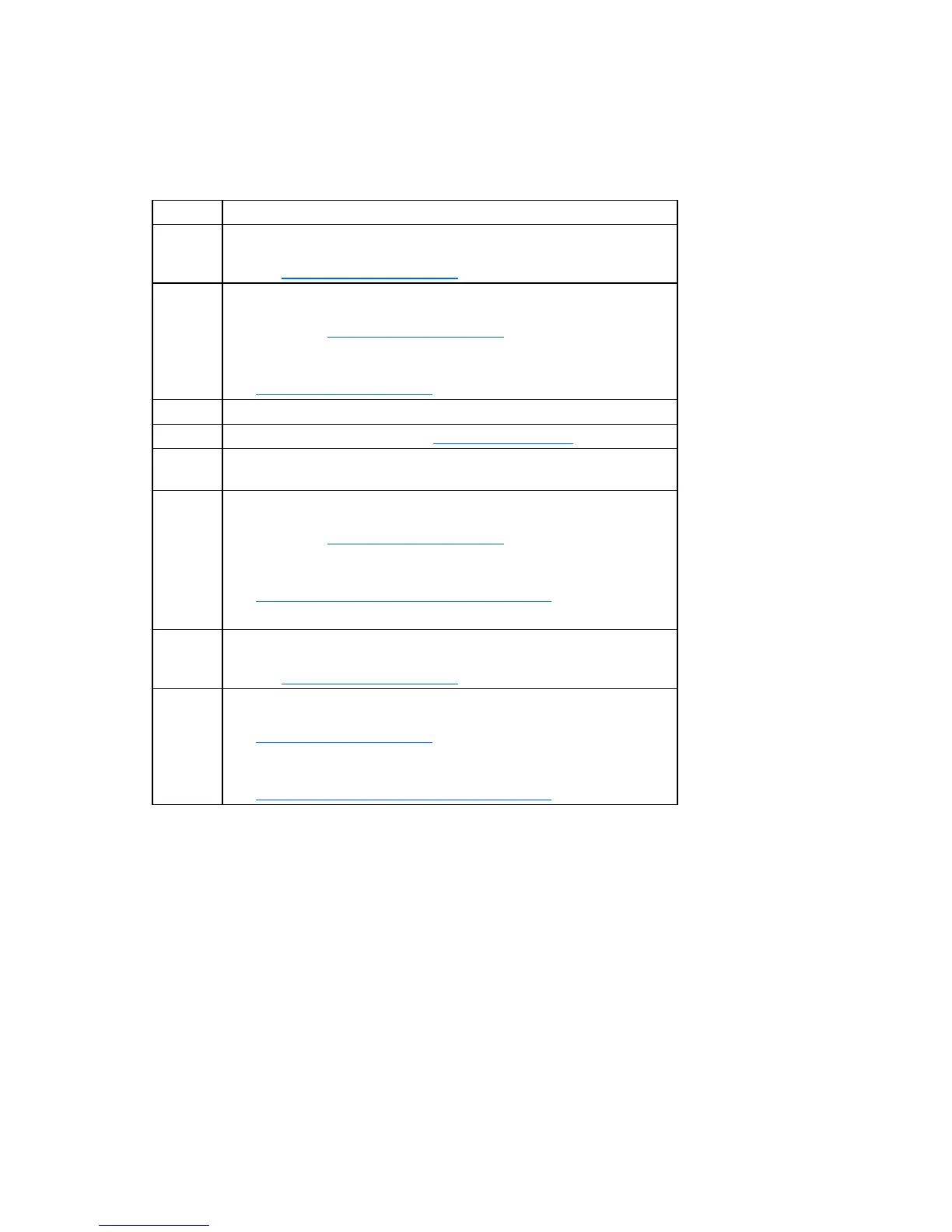
Item Refer to
1
"Management agents (on page 45)" or in the HP ProLiant Servers
Troubleshooting Guide located on the Documentation CD or on the HP
website (http://www.hp.com/support
)
2
• "Integrated Management Log" or in the HP ProLiant Servers
Troubleshooting Guide located on the Documentation CD or on the
HP website (http://www.hp.com/support
)
• "Event list error messages" in the HP ProLiant Servers Troubleshooting
Guide located on the Documentation CD or on the HP website
(http://www.hp.com/support
)
3 "Component identification (on page 6)"
4 System Management Homepage (https://localhost:2381)
5
"Power-on problems flowchart ("Server power-on problems flowchart" on
page 57)"
6
• "Smart Array SCSI Diagnosis feature" in the HP ProLiant Servers
Troubleshooting Guide located on the Documentation CD or on the
HP website (http://www.hp.com/support
)
• Server maintenance and service guide, located on the
Documentation CD or the HP website
(http://www.hp.com/products/servers/platforms
)
• "HP contact information (on page 75)"
7
"HP Insight Diagnostics (on page 46)" or in the HP ProLiant Servers
Troubleshooting Guide located on the Documentation CD or on the HP
website (http://www.hp.com/support)
8
• "Hardware problems" in the HP ProLiant Servers Troubleshooting
Guide located on the Documentation CD or on the HP website
(http://www.hp.com/support
)
• Server maintenance and service guide, located on the
Documentation CD or the HP website
(http://www.hp.com/products/servers/platforms
)










 To Next Page