Need help?
Do you have a question about the HP Roar Plus and is the answer not in the manual?
Steps to pair the speaker with Windows 7 and Windows Vista computers.
Steps to pair the speaker with Windows 8 computers.
Using the talk button to answer, end, or manage calls on the speaker.
Instructions for muting and unmuting audio during a call.
Procedure to disconnect paired Bluetooth devices and clear pairing history.
 General
| Number of drivers | - |
|---|---|
| Number of speakers | 1 |
| Audio output channels | - channels |
| Impedance | - Ω |
| Frequency range | - Hz |
| RMS rated power | 15 W |
| Bluetooth | Yes |
| Bluetooth range | 10 m |
| Connectivity technology | Wireless |
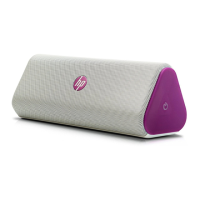
| Product color | Purple, White |
| Recommended usage | Universal |
| Power source type | Battery |
| Battery life (max) | 12 h |
| Package depth | 73 mm |
| Package width | 187 mm |
| Package weight | 12770 g |
| Cables included | USB |
| Country of origin | China |
 Weight and Dimensions
| Depth | 78 mm |
|---|---|
| Width | 188 mm |
| Height | 74 mm |
| Weight | 530 g |

 To Next Page